使い方
始める
写真をアップロード
アニメーションしたい人物の正面からの鮮明な写真をアップロードします。
スクリプトまたはオーディオを入力
スクリプトを入力してボイスを選択するか、お手持ちのオーディオファイルをアップロードします。
トーキング動画を生成
AIがリアルなリップシンク動画を生成。すぐにダウンロードして共有できます。
機能
高性能リップシンク機能
01
最大10分対応
チュートリアル、プレゼンテーション、ストーリーテリングに最適な長尺トーキング動画を作成。
02
スクリプトまたはオーディオ入力
テキスト入力でAI音声を生成、またはオーディオをアップロードして精密にコントロール。
03
多言語対応
英語、スペイン語、フランス語、ドイツ語、日本語、中国語など、多数の言語に対応。
04
リアルな同期
高度なAIが適切なタイミングで自然な口の動きをオーディオに合わせて生成。
05
写真または動画入力
1枚の写真でも既存の動画でも、どちらもベースとして完璧に機能します。
06
自然な音声生成
テキスト読み上げ用に、自然なイントネーションと表現力を持つ複数のボイスオプション。
ギャラリー
作成できる作品を見てみよう
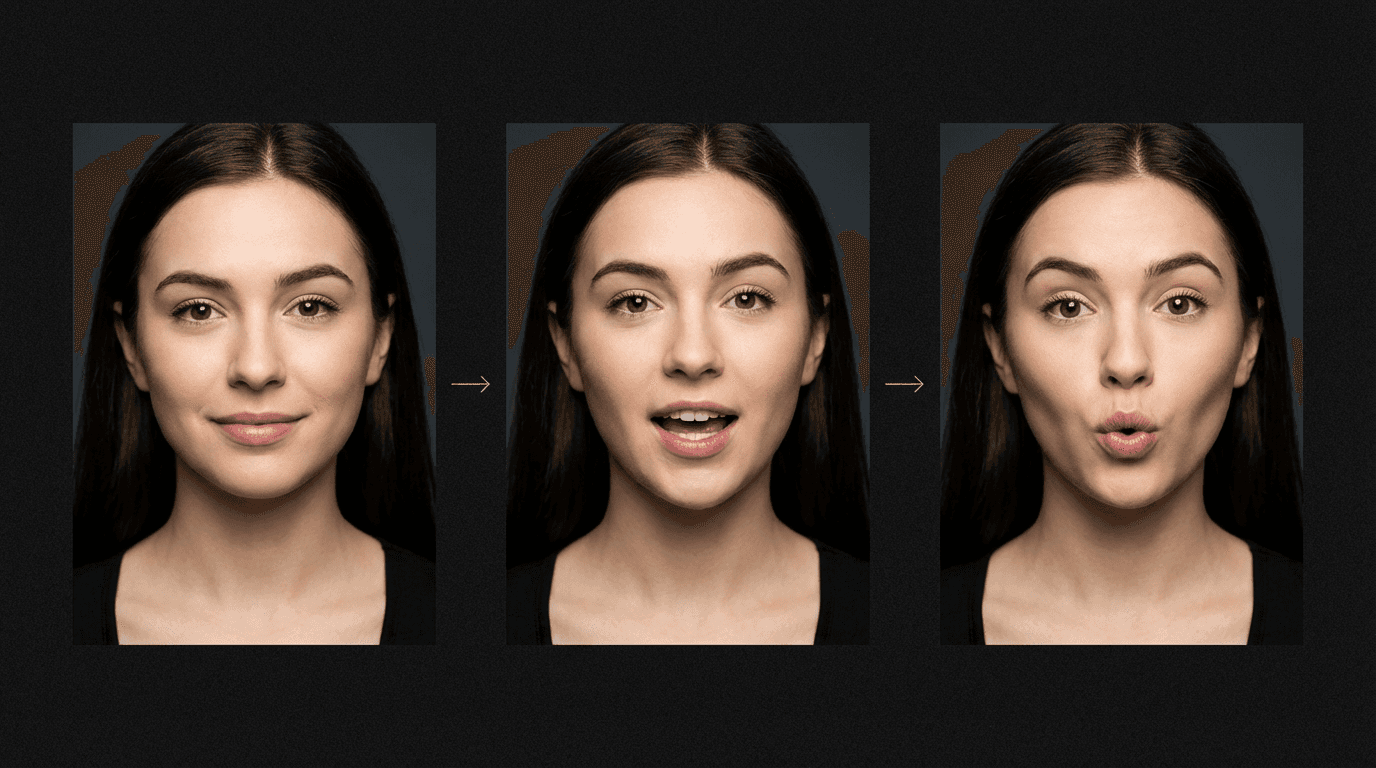
Lip sync sequence showing three mouth positions





300,000人以上のクリエイターに信頼されています
お客様の声
クリエイターに愛される MakeInfluencer.ai
“
先週ちょっとした思いつきで試してみたんですけど、正直もう止められません。Instagram用の最初のAIインフルエンサーを作りました — 写真が怖いくらいリアルです。リール用のリップシンク機能がヤバくて、予想以上のエンゲージメントを獲得しています。

Thomas Martin
@thomasmartin
SNS全体で26,300人以上のフォロワー
01
“Stable Diffusionで何ヶ月もかけて一貫した顔を作ろうとしてたんですが、ここでは2クリックでできます。価格に対して画像クオリティがかなり良いです。”
Pierre Dubois
@pierredubois
02
“フィットネスインフルエンサーを作ったんですけど、モーションコントロール機能にハマりました。実際にワークアウトのデモができて、本物に見えます。エクササイズ動画でTikTokがバズりました。”
Lucas
@LucasMestreIA
03
“開発者としてAI画像ツールをたくさん試してきましたが、ここのフェイススワップのクオリティは本当に印象的です。YouTube Shortsのテックレビューキャラクターに使っていますが — 予想以上にうまくいっています。”
Michael Chen
@michaelchen
04
“遊びで1つのキャラクターから始めたんですが、今は3つ運営しています。それぞれに独自のルックスと個性があります。ビデオモデルもアップデートのたびにどんどん良くなっています。”
David Johnson
@davidjohnson
よくある質問