A creator's wife was sent a video ad recently. She had no idea it was AI-generated. She watched the whole thing, engaged with it, almost clicked through to buy. He could tell immediately — the micro-expressions were slightly too smooth, the background had that telltale AI consistency. But when he checked the comments, 90% of viewers had no clue.
The person behind that ad is probably making thousands per month from recipe content that was never filmed by a real person.
Welcome to 2026, where a single AI workflow replaces your entire creative team.
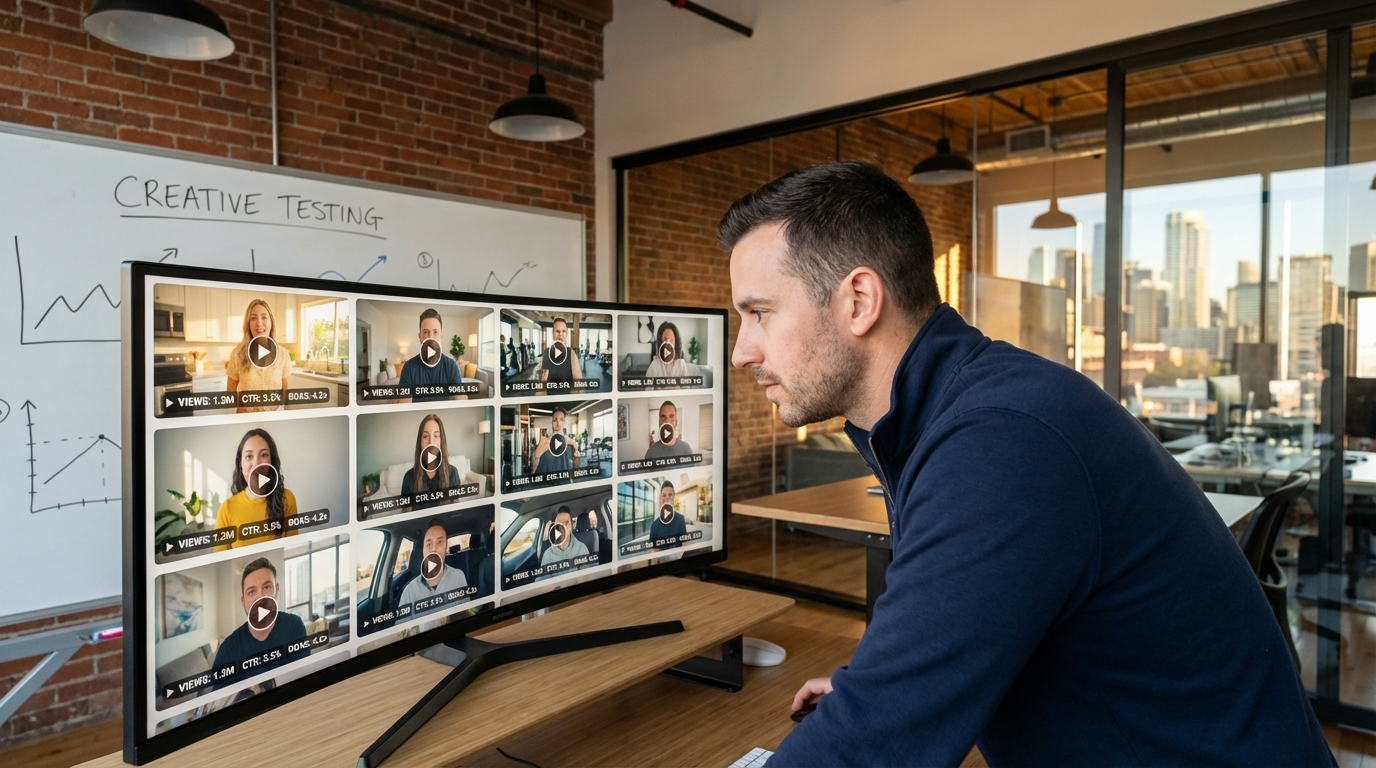
The economics of advertising creative have fundamentally shifted. What used to require talent scouts, filming days, editing suites, and five-figure agency retainers can now be produced by one person with a laptop. And the output does not look like AI — it looks like someone talking to their phone.
Why AI UGC Ads Are Eating Traditional Creative
The most effective ads on Meta, TikTok, and YouTube right now do not look like ads. They look like someone grabbed their phone and started talking. Raw. Authentic. Unpolished in a way that feels genuine.
This is the UGC format — user-generated content style advertising — and it has been the highest-performing ad creative format for the past three years. Brands spend $150-$500 per video hiring real creators to film these "casual" testimonials. Then they wait two weeks for delivery, request revisions, wait again, and pray the performance justifies the spend.
The key distinction: AI UGC is not the same as polished AI-generated ads. Traditional AI ads look synthetic and obviously produced. AI UGC deliberately looks raw, handheld, and casual — because that is what performs. Consumers scroll past anything that looks like an ad. They stop for content that looks like a friend talking to them.
This distinction is everything. The entire strategy collapses if your AI UGC looks too polished, too perfect, or too "produced." The aesthetic must match what a real person would produce by pointing their phone at themselves and hitting record. That means imperfect lighting, slightly off-center framing, natural audio with room tone, and the kind of relaxed delivery that comes from someone genuinely recommending something to a friend.
AI UGC changes every variable in that equation.
The Math That Kills Agencies
A DTC brand running 50 UGC ad creatives per month at $300 each spends $15,000 monthly on creator fees alone. That is before ad spend, before the agency management fee, before revisions.
With AI UGC, the same 50 creatives cost $50-$250 in generation credits. The $14,750 difference either drops to the bottom line or gets reinvested into ad spend where it actually drives revenue.
But the real advantage is not cost — it is speed of testing. When each creative costs $300 and takes two weeks, you test conservatively. When each creative costs $3 and takes 14 minutes, you test everything. Different hooks, different faces, different scripts, different visual styles, different calls to action. The brand that tests 50 variations per week will always outperform the brand testing 5 per month.
The Volume Testing Advantage
The winning formula in paid advertising has always been the same: test more creatives, find winners faster, scale what works. AI UGC removes the cost and time constraints that previously limited testing volume. This is not incremental improvement — it is a structural advantage that compounds over time.
The Full Workflow: Script to Finished Ad in 14 Minutes
Here is the exact production pipeline for creating AI UGC ads that are indistinguishable from real creator content.
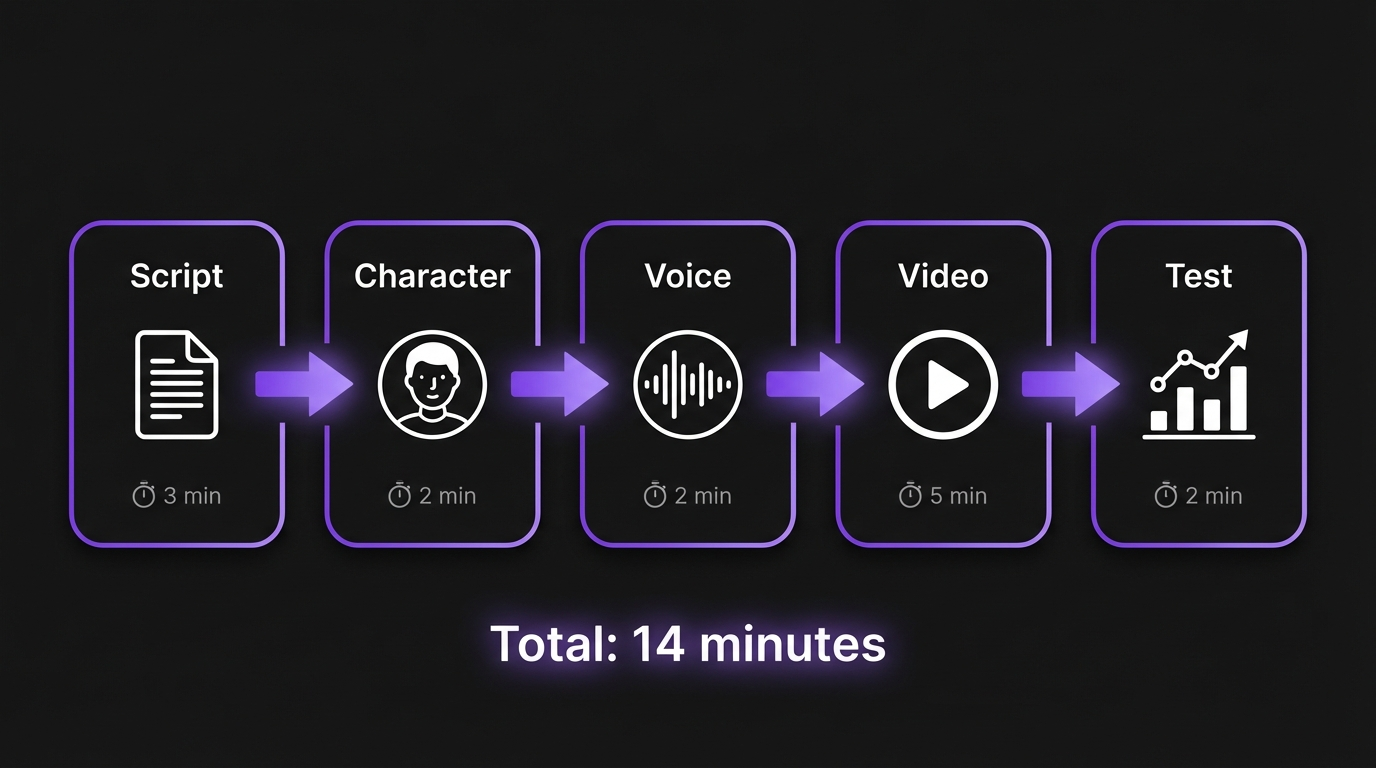
Step 1: Script (3 Minutes)
The script is still the most important variable. AI can produce photorealistic video, but a bad script wastes a perfect delivery.
The UGC ad script framework:
[HOOK - 2 seconds]
Pattern interrupt that stops the scroll. Question, bold claim,
or visual disruption.

[PROBLEM - 5 seconds]
Identify the pain point the viewer already feels. Be specific.
Generic problems get generic engagement.

[DISCOVERY - 5 seconds]
How you "found" the product. Keep it casual. "My friend told me
about this" or "I saw this on my feed" works better than
"This revolutionary product..."

[PROOF - 10 seconds]
Show the product in use. Demonstrate the result. Use before/after
if applicable. This is where the visual quality of AI matters most.

[CTA - 3 seconds]
Direct, single action. "Link in bio" or "I'll drop the link below."
Never more than one ask.
For AI UGC specifically, scripts should be written the way people actually talk — contractions, incomplete sentences, casual language. If it reads like marketing copy, it will sound like marketing copy when the AI delivers it.
Step 2: Character Creation (2 Minutes)
You need a character that matches your target demographic. This is where most AI ad creators get lazy and it costs them performance.
Match Your Character to Your Customer
If you are selling skincare to women aged 25-34, your AI character should be a woman aged 25-34. If you are targeting male fitness enthusiasts, your character should look like someone who goes to the gym. This is obvious but consistently ignored. The best-performing UGC ads feature someone the viewer sees as a peer — not an aspirational model, but someone relatable.
On MakeInfluencer.ai, create your character using Nano Banana Pro with a detailed prompt:
A 28-year-old woman with shoulder-length brown hair, natural
no-makeup look, wearing a casual gray crewneck sweatshirt. Sitting
on a beige couch in a lived-in apartment — throw blanket, coffee
table with a mug, soft afternoon light from a window. Expression:
friendly, conversational, like she's FaceTiming a friend. Slight
smile, direct eye contact. Skin: natural texture, slight redness
on cheeks, visible pores. Shot on iPhone, vertical format, slightly
warm color grading. No text, no watermark.
This gives you a character that looks like a real person filming a testimonial in their apartment — which is exactly the aesthetic that converts.
Step 3: Voice Generation (2 Minutes)
The voice makes or breaks AI UGC. A robotic, overly-clean AI voice immediately signals "fake" to viewers.
Voice quality checklist:
- Natural speech cadence with micro-pauses
- Occasional breath sounds between sentences
- Slight pitch variation (not monotone)
- Background ambient noise (subtle room tone)
- No over-pronunciation of words
Use the Lip Sync feature on MakeInfluencer.ai to generate talking head videos up to 10 minutes long. The AI matches lip movement to the audio with frame-level accuracy, producing results that pass casual viewing.
Pro Tip: Add Background Noise
One of the most effective tricks for making AI UGC ads sound authentic is adding subtle background noise in post-production. A slight room hum, distant traffic, or faint music makes the audio feel like it was recorded on a phone in a real environment. Perfectly clean audio is a dead giveaway.
Step 4: Video Generation (5 Minutes)
This is where the production quality happens. You have several paths depending on the style of ad:
For talking-head testimonials:
- Take your character image from Step 2
- Upload it to MakeInfluencer.ai's Lip Sync tool
- Paste your script or upload your audio
- Generate the video — lip movements sync automatically
- Review for quality markers (eye contact, natural movement, lighting consistency)
For product demonstration ads:
- Generate your character holding/using the product with Nano Banana Pro
- Use Kling v3.0 to animate the image into a short video clip
- Combine talking head segments with product shots
For lifestyle/cinematic ads:
- Generate scene images showing your character in relevant settings
- Use Sora 2 or Veo 3.1 for cinematic movement and transitions
- Layer voice-over audio in post-production
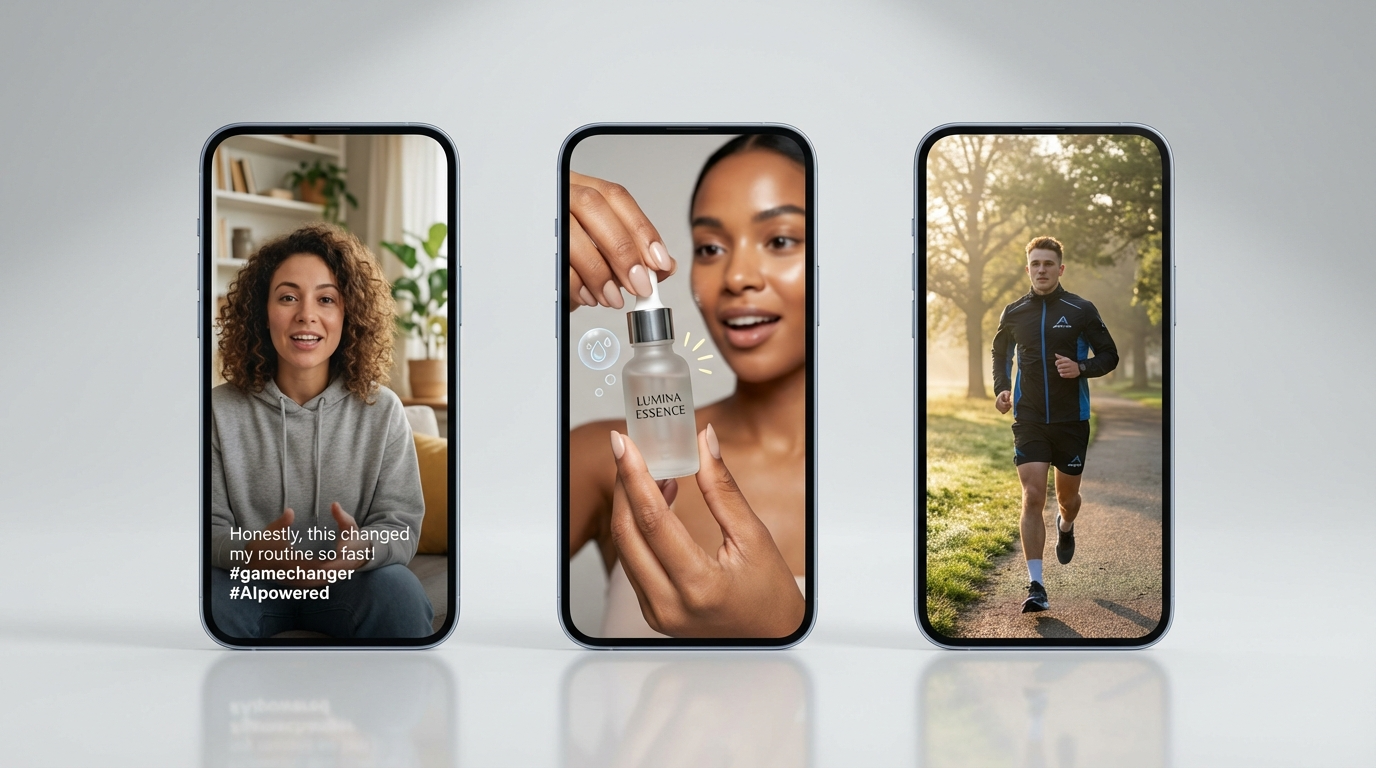
Step 5: Polish and Export (2 Minutes)
Final touches that separate professional AI ads from amateur ones:
- Add captions (most viewers watch without sound initially)
- Apply a slight grain filter to match phone-shot aesthetic
- Ensure the first frame is visually interesting (this is your thumbnail on some platforms)
- Export in 9:16 vertical format for TikTok and Reels, 1:1 for feed ads
- Add your CTA as an end card or text overlay
Total elapsed time: approximately 14 minutes from blank page to finished ad creative.
Script Examples That Convert
Theory is useful but examples are better. Here are proven UGC ad script templates adapted for AI generation.
The Problem-Solution Testimonial
[HOOK] "I almost gave up on [product category] until I tried this."

[PROBLEM] "I spent $X on [competitor/old solution] and nothing worked.
My [specific problem] was getting worse. I was honestly about to quit."

[DISCOVERY] "Then my [friend/sister/coworker] told me about [product].
I was skeptical but figured why not."

[PROOF] "After [timeframe], I noticed [specific result]. Look at this
[show result/demonstrate]. I literally could not believe it."

[CTA] "If you're dealing with [problem], just try it. Link is below."
The Skeptic-Turned-Believer
[HOOK] "OK I was wrong about [product category]. Very wrong."

[SETUP] "I'm the person who never trusts [product type] ads.
I think most of them are BS. So when [product] kept showing up
on my feed I ignored it for weeks."

[TURNING POINT] "But then [specific trigger — friend recommended,
saw real review, had a bad experience with current solution]."

[RESULT] "It's been [timeframe] and I owe this thing an apology.
[Specific measurable result]. [Second specific result]."

[CTA] "Link in my bio if you want to try it yourself."
The Casual Recommendation
[HOOK] "Nobody asked but here's my new favorite [product category]."

[CONTEXT] "I've been using [product] for [timeframe] and I keep
forgetting to post about it because it just... works?"

[DETAILS] "[Feature 1] is great. [Feature 2] is even better.
And the [unexpected benefit] was a bonus I didn't expect."

[SOCIAL PROOF] "My [friend/mom/roommate] already stole one
after seeing mine."

[CTA] "Dropping the link for you guys."
These templates work because they follow the natural cadence of how real people recommend products. When your AI character delivers these scripts with proper lip sync and authentic-looking settings, the result is virtually indistinguishable from a real UGC testimonial.
Script Writing Tips for AI Delivery
- Keep sentences short. Long compound sentences sound unnatural when spoken by AI. Break them up.
- Include filler words sparingly. An occasional "honestly" or "like" adds realism without overdoing it.
- Write for speaking, not reading. Read your script out loud before generating. If it sounds unnatural in your mouth, it will sound unnatural from the AI.
- Match energy to the product. A skincare testimonial should feel calm and genuine. A fitness product should have more energy. A tech product can be analytical and direct.
Creating Variations at Scale
The single most powerful advantage of AI UGC is variation generation. Same product, same core message — but dozens of different executions.
The Variation Matrix
For any given product, you can systematically generate variations across multiple dimensions:
| Dimension | Variations |
|---|---|
| Character | Different ages, ethnicities, genders, aesthetics |
| Hook | Question hook, bold claim, "I was skeptical", "You need to see this" |
| Setting | Bedroom, kitchen, office, gym, car, outdoors |
| Tone | Excited, calm/thoughtful, skeptical-turned-believer, casual |
| Script Length | 15 sec, 30 sec, 60 sec |
| CTA | Link in bio, comment below, swipe up, "I'll drop the link" |
A single product with 4 characters, 4 hooks, 3 settings, and 2 script lengths gives you 96 unique ad variations. At $3-5 per video, that is under $500 for a testing library that would cost $30,000+ with traditional UGC creators.
The 3-3-3 Testing Framework
Start each product campaign with 3 different characters, 3 different hooks, and 3 different scripts. That gives you 27 variations. Run them for 48 hours with equal budget distribution. Kill the bottom 70%. Take the top 3 performers and create 10 variations of each (new settings, slight script tweaks, different CTAs). This systematic approach consistently finds winning creatives faster than intuition-based testing.
Same Script, Different Faces
One of the most powerful plays in AI advertising: take your best-performing script and regenerate it with different characters. A script that converts at 3% ROAS with a 28-year-old female character might convert at 5% with a 35-year-old male character — you would never know without testing, and traditional UGC makes this test prohibitively expensive.
With AI, it is a fifteen-minute exercise. Same script, new character, new video. Test. Learn. Scale.
Platform-Specific Optimization
Each advertising platform has different creative requirements, audience behaviors, and best practices for AI UGC.
Meta (Facebook + Instagram)
- Format: 9:16 vertical for Reels, 1:1 square for feed, 9:16 for Stories
- Length sweet spot: 15-30 seconds for prospecting, 30-60 seconds for retargeting
- Hook window: First 3 seconds determine if the viewer stays or scrolls
- Caption requirement: Always add captions — 85% of Facebook video is watched on mute
- Creative fatigue: Expect 7-14 day creative lifespan. Plan to refresh with new variations bi-weekly.
TikTok
- Format: 9:16 vertical only
- Length sweet spot: 15-30 seconds performs best for conversion campaigns
- Native aesthetic: TikTok audiences are especially sensitive to content that "looks like an ad." AI UGC must feel like organic content. Avoid polished transitions, branded intros, or overly-clean audio.
- Sound-on default: Unlike Meta, TikTok users typically have sound on. Voice quality matters even more here.
- Spark Ads: Consider running AI UGC as Spark Ads from an organic-looking account for maximum native feel.
YouTube Shorts
- Format: 9:16 vertical, under 60 seconds
- Length sweet spot: 30-45 seconds for direct response
- Advantage: YouTube's audience skews slightly older and higher-income. AI UGC for premium products performs particularly well here.
- Discovery: YouTube Shorts has less creative fatigue than Meta. Winning creatives can run longer before needing refresh.
Cross-Platform Creative Adaptation
The same core ad creative often needs slight modifications for each platform. Here is a practical framework:
From one script, produce three versions:
- TikTok version: Raw, fast-paced, trending-audio compatible. Start with a pattern interrupt. Keep under 30 seconds. Captions in TikTok's native style.
- Meta version: Slightly more polished but still UGC aesthetic. Can be 30-60 seconds. Captions are mandatory. Include a clear CTA button-compatible ending.
- YouTube Shorts version: Can be slightly longer (45-60 seconds). More detail in the proof section. YouTube audiences tolerate more information density.
The character and core message stay the same across all three — only the pacing, length, and formatting adapt to platform norms. This triples your creative output with minimal additional work.
Visual Quality
Nano Banana Pro characters pass the authenticity test across all platforms. Photorealistic output with natural skin texture.
10-Min Lip Sync
Generate talking head ads up to 10 minutes for long-form testimonials, product deep-dives, and story-driven content.
Rapid Iteration
WAN 2.6 Flash for quick drafts at 3,000 credits/sec. Test concepts before investing in premium model generations.
Industries Where AI UGC Ads Dominate
AI-generated UGC works across virtually any industry that relies on direct-response advertising, but certain verticals see outsized returns.
E-Commerce / DTC Brands
The natural home for AI UGC. Product testimonials, unboxing reactions, "I've been using this for 30 days" reviews — all formats that convert exceptionally well and are trivially easy to generate with AI. Supplements, skincare, fashion, and home goods are the highest-volume categories.
SaaS and Digital Products
Onboarding walkthrough videos, customer success stories, and "I switched from X to Y" testimonials. These typically require screen recordings, but an AI talking head introducing the demo adds a human element that increases click-through rates.
Local Services
Restaurants, salons, fitness studios, and other local businesses rarely have the budget for professional UGC. AI-generated testimonials from "customers" in relevant demographic groups can drive local ad campaigns at a fraction of traditional cost.
The key for local businesses: the AI character should look like someone from that area. A New York City restaurant's UGC should feature urban-looking characters; a suburban fitness studio should show relatable suburban demographics. MakeInfluencer.ai makes this easy — generate a character that matches your local customer base in minutes.
Digital Course and Coaching
Info-product sellers are among the heaviest users of AI UGC because their margins support aggressive testing, and the testimonial format is their highest-converting creative type. Generate "student success story" videos featuring diverse characters sharing specific results they achieved. Each character represents a different customer avatar, letting you test which demographic resonates best with your audience.
Agency Services
Marketing agencies are adopting AI UGC as a core service offering. Instead of managing rosters of 50+ creators, an agency can produce unlimited creative variations in-house. The margin improvement is dramatic: charge clients traditional UGC rates ($200-$500/video) while producing at AI costs ($3-$10/video). Some agencies report this shift turning UGC creative from a break-even service line into their most profitable offering.
When AI UGC Does Not Work
Transparency matters: AI UGC is not appropriate for every situation. It does not work well for:
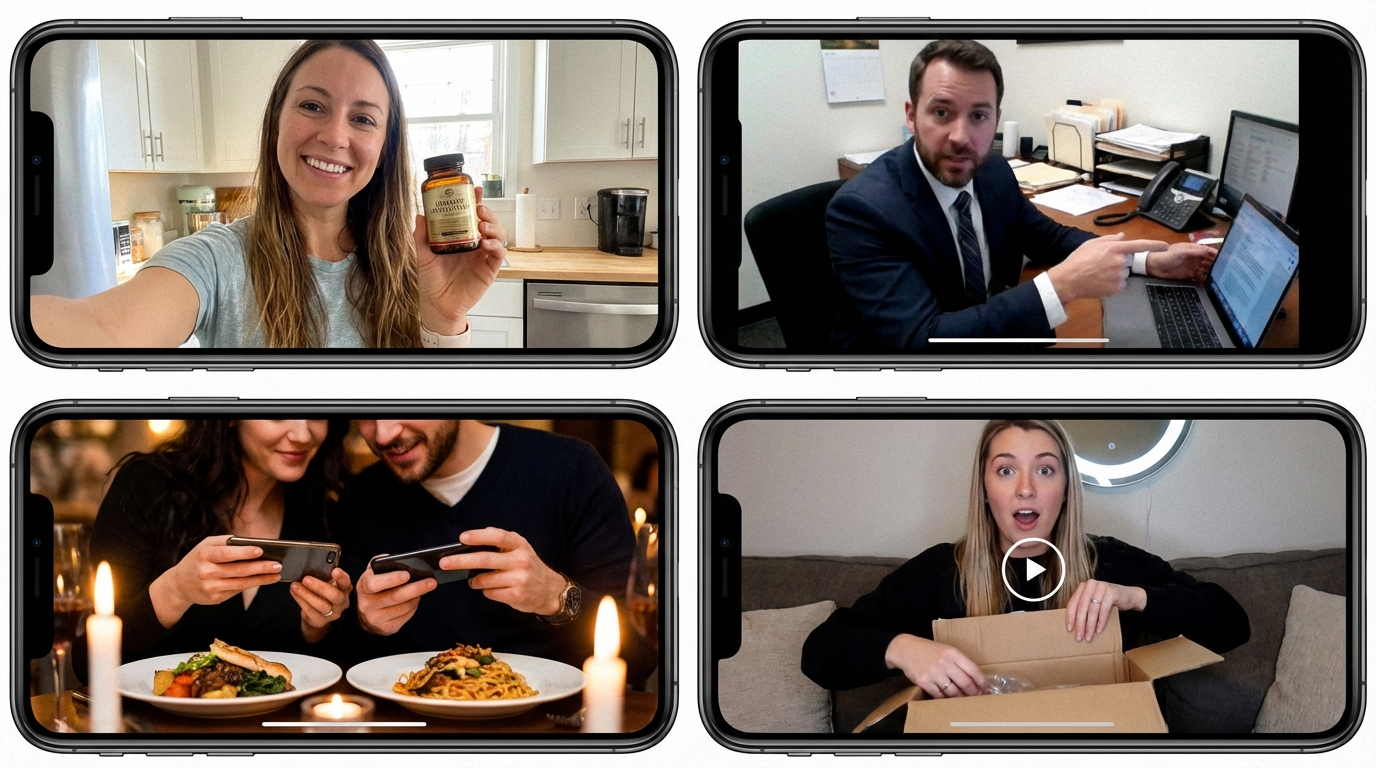
- Products requiring physical demonstration: If viewers need to see real hands applying skincare, tasting food, or unboxing physical items with close-up detail, AI video is not yet reliable enough for intricate product interaction.
- Regulated industries with strict testimonial rules: Financial services, pharmaceutical, and medical device advertising has specific testimonial requirements that AI-generated content may not satisfy.
- Brands with strong creator community relationships: If your strategy depends on authentic creator partnerships and community building, AI UGC should supplement — not replace — your real creator roster.
Affiliate and Info Products
Digital course creators, affiliate marketers, and info-product sellers need a constant stream of testimonial content. AI UGC enables "customer stories" at scale without needing to source actual customer testimonials — though you should always be transparent about AI-generated content where legally required.
Disclosure Requirements
Advertising regulations vary by market, but transparency is always the safest approach. Many platforms now require disclosure when AI-generated content is used in advertising. Always label AI-generated ads according to your platform's policies and local advertising regulations. Being upfront about AI usage builds trust and avoids regulatory risk.
Building Your AI Ad Machine on MakeInfluencer.ai
Here is the practical setup for turning MakeInfluencer.ai into your UGC ad production engine.
Create Your Character Library
Build 5-10 diverse characters using Nano Banana Pro. Cover different demographics: ages, ethnicities, genders, aesthetics. Each character should have a reference grid (9-panel multi-angle) for consistency across all ad variations. This is your talent roster — no scheduling conflicts, no negotiations.
Build a Script Template Bank
Write 10-15 proven UGC script templates (testimonial, problem-solution, reaction, comparison, transformation). These are reusable frameworks that you fill in for each new product or campaign. The script is what sells — everything else is delivery.
Set Up Your Production Pipeline
Batch your production: generate all character images for the week, then produce all lip sync videos, then all cinematic B-roll. Batching the same type of work together dramatically increases throughput compared to producing one ad start-to-finish.
Generate and Test
Produce your first batch of 9-27 variations (3 characters x 3 hooks x 1-3 scripts). Upload to your ad platform, set equal budget distribution, and let them run for 48 hours. Kill underperformers. Scale winners.
Iterate Weekly
Every week: review performance data, identify winning elements (which character, which hook, which CTA), produce new variations that combine the best-performing elements. This compounding optimization cycle is the machine that prints results.
The Tech Stack on MakeInfluencer.ai
| Task | Tool | Credits | Speed |
|---|---|---|---|
| Character image generation | Nano Banana Pro | 14,000 credits | ~12 seconds |
| Quick draft variations | Seedream 4.5 | 5,000 credits | ~10 seconds |
| Talking head video (30 sec) | Lip Sync | ~90,000 credits | ~3 minutes |
| Talking head video (60 sec) | Lip Sync | ~180,000 credits | ~5 minutes |
| Product demo animation | Kling v3.0 Standard | 4,000 credits/sec | ~2 minutes |
| Cinematic B-roll | Sora 2 | 40,000-120,000 credits | ~3 minutes |
| Image editing and variation | Qwen 2.0 Pro Edit | 8,000 credits | ~8 seconds |
Cost to Produce 50 AI UGC Ads/Month
Measuring and Optimizing AI UGC Performance
Creating ads is only half the equation. The other half is systematic measurement and optimization.
Key Metrics to Track
| Metric | What It Tells You | Target |
|---|---|---|
| CTR (Click-Through Rate) | How well your hook and creative stop the scroll | 1.5%+ for cold traffic |
| Hook Rate | % of viewers who watch past 3 seconds | 40%+ |
| Hold Rate | % who watch past 50% of the video | 25%+ |
| CPA (Cost Per Acquisition) | How efficiently the ad drives purchases | Industry-specific |
| ROAS (Return on Ad Spend) | Revenue generated per dollar spent | 3x+ for profitability |
| Creative Fatigue Point | When metrics start declining | Track daily |
The Optimization Loop
- Launch 9-27 variations with equal budget (48-hour test window)
- Kill bottom 70% based on CTR and hook rate after 48 hours
- Scale top 3 performers with increased budget
- Iterate — create 10 new variations of each winner (new hooks, new characters, new settings)
- Refresh — when a winning creative hits fatigue (CTR drops 30% from peak), replace it with a new variation from the same template
- Repeat weekly
This loop is the machine. The more consistently you run it, the better your ad account performs over time. AI UGC makes Steps 1 and 4 trivially fast and cheap — which means you can run the loop faster than any competitor using traditional creative.
The Compounding Effect
Each optimization cycle teaches you what works for your specific product and audience. After 4-6 weeks of systematic testing, you will have deep pattern recognition: which character types convert best, which hooks drive the highest CTR, which script structures produce the best ROAS. This knowledge compounds — every subsequent creative batch starts from a higher baseline.
The Future of AI Advertising
The trajectory is clear. AI-generated ad creative is improving at a pace that makes last month's output look primitive compared to what is possible today.
Where we are now (April 2026):
- 90% of viewers cannot distinguish well-produced AI UGC from real creator content
- Full video ads from script to export in under 15 minutes
- Cost per creative: $1-5
Where we are heading:
- Real-time creative optimization where AI generates new variations based on live performance data
- Dynamic personalization: different viewer segments see different characters and scripts automatically
- Full product integration: AI characters naturally interact with 3D product models
- Voice and personality cloning: brand-specific AI characters with consistent voice and mannerisms across thousands of ads
The brands and advertisers who build their AI creative capabilities now will have a structural advantage that widens every quarter. The ones who wait for the technology to be "perfect" will find themselves competing against adversaries who have been iterating for years.
Start Today, Not Tomorrow
You do not need the perfect workflow, the perfect character, or the perfect script to start. You need one character, one script, one ad. Generate it, run it, learn from the data. Then iterate. The AI creative machine is built one experiment at a time.
Getting Started: Your First AI UGC Ad in 30 Minutes
If you have never created an AI UGC ad before, here is the fastest path to your first finished creative:
Minute 0-5: Create your account and character
- Sign up at MakeInfluencer.ai
- Navigate to image generation
- Use the Nano Banana Pro model with a detailed prompt describing your target demographic (see the character creation section above)
- Generate 3 character images — select the most authentic-looking one
Minute 5-10: Write your script
- Pick the Problem-Solution Testimonial template from this guide
- Fill in the blanks for your product or service
- Read it aloud to check natural flow
- Trim to under 30 seconds of speaking time
Minute 10-18: Generate the video
- Upload your character image to the Lip Sync tool
- Paste your script text
- Generate the talking head video
- Review for quality: lip sync accuracy, eye contact, natural movement
Minute 18-25: Polish
- Add captions using your preferred captioning tool
- Apply a subtle grain filter if the video looks too clean
- Ensure the first frame is compelling
- Export in 9:16 vertical format
Minute 25-30: Launch
- Upload to your ad platform
- Set a small test budget ($20-50)
- Let it run for 48 hours
- Analyze results and plan your next batch
That is it. Your first AI UGC ad is live. From here, the playbook is simple: test, learn, iterate, scale. Every ad you produce costs less and performs better than the last because your understanding of what works compounds with every test.
Get started at MakeInfluencer.ai and produce your first AI UGC ad today.
Related Guides:
- AI UGC Creator: Unlimited UGC Content — Deep dive into UGC content production
- Best AI Video Generators 2026 — Compare all video models head-to-head
- AI Content Creation for Social Media — Full platform strategy guide
- Seedance 2.0 Video Guide — Master Seedance for ad-quality video
- Kling v3.0 Video Guide — Get the most from Kling's human motion quality