The best AI video generator in 2026 is less about one model winning and more about matching a model to a job. ByteDance's Seedance 2.5 makes 30-second shots with native audio from up to 30 reference images. Alibaba's Wan 3.0 does 30 seconds with audio at a fraction of the price. Kuaishou's Kling leads on human motion and motion transfer. Google's Veo 3.1 and Gemini Omni Flash produce short clips with excellent sound. And OpenAI is out of the race: the Sora app closed in April 2026 and the Sora 2 Videos API was switched off on 24 September 2026.
This guide ranks the tools we would actually recommend, shows what each one costs, and answers the question most people are really asking: which AI video generator is free, and how far does the free tier go? Plan prices were checked in September 2026 on each company's own pricing page. Where a page did not load, we say where the figure came from.
Disclosure
MakeInfluencer.ai publishes this guide and is ranked first in it. We ranked it first for a specific buyer (creators who want several frontier models and one reusable character in one account), and we say below where Google, Kling, Runway and others are the better choice. Model prices come from the providers' list prices; consumer plan prices come from each vendor's page.
The short answer
- Best overall for creators: MakeInfluencer.ai, because it puts Seedance 2.5, Wan 3.0, Kling 3.0, Veo 3.1 and Gemini Omni 1.1 Flash behind one balance, with a reusable character and talking-video tools.
- Best free AI video generator: Google Flow, which gives 50 credits a day with a Google account and no subscription, enough for a handful of Veo 3.1 Lite clips. MakeInfluencer.ai does not offer free video; its studio runs on credits.
- Best single model for human motion: Kling, direct or through an aggregator.
- Best for editing existing footage: Runway.
- Best cheap long clips: Wan 3.0, at $0.10 per second at 720p on the provider's list price.
- Best for presenters and training video: a presenter tool such as Synthesia or HeyGen; see our HeyGen alternatives guide.
Master comparison table
"Flagship model" is the newest general video model each product offers itself or features first. Prices are the cheapest paid plan on monthly billing.
| Rank | Tool | Flagship video models | Native audio | Max clip per generation | Free tier | Cheapest paid plan |
|---|---|---|---|---|---|---|
| 1 | MakeInfluencer.ai | Seedance 2.5, Wan 3.0, Kling 3.0, Veo 3.1, Gemini Omni 1.1 Flash | Yes (Seedance, Wan, Veo, Gemini) | 30 s; talking video up to 10 min | No free video; free image preview only | $39/mo |
| 2 | Google Flow / Gemini | Veo 3.1, Gemini Omni Flash | Yes | 8 s (Veo 3.1) | 50 Flow credits/day | Google AI Plus, $4.99/mo (US) |
| 3 | Kling AI | Kling 3.0; Kling 4.0 rolling out | Yes | 15 s (3.0) | 66 credits/day (reported) | about $8.80/mo (reported) |
| 4 | Runway | Gen-4.5, Aleph 2.0 | Check per model | about 10 s (reported) | 125 one-time credits | $15/mo |
| 5 | Higgsfield | Seedance 2.5, Kling 3.0, Wan 3.0, Cinema Studio 4.0 | Via models | 30 s (Cinema Studio) | Unclear | $15/mo (per its blog) |
| 6 | Hailuo (MiniMax) | MiniMax H3 | Yes | 15 s | Watermarked free use | $14.99/mo (terms page) |
| 7 | PixVerse | PixVerse V6 | Yes | about 15 s (reported) | 60 credits/day (reported) | about $10/mo (reported) |
| 8 | Luma Dream Machine | Ray3.2 | Via add-on audio models | 20 s | No free plan listed | $30/mo |
| 9 | Pika | Pika 2.5 plus Seedance 2.5, Wan 3.0, MiniMax H3 | Depends on model | about 25 s with extension (reported) | 0 monthly credits, packs only | $10/mo |
| 10 | Adobe Firefly | Firefly Video Model plus partner models | Separate audio tools | 5 s clips on plan page | Free daily generations | $9.99/mo |
| 11 | Vidu | Vidu Q3 | Yes | 16 s | About 40 credits/month (reported) | about $10/mo (reported) |
| 12 | Midjourney | V1 video (image to video) | No | about 21 s with extensions | No free trial | about $10/mo (reported) |
"Reported" means the official pricing page did not render for our check and the figure comes from 2026 third-party reviews. Confirm it at checkout.
What changed in AI video in 2026
Sora is gone. OpenAI closed the Sora app and web experience in April 2026, then removed the Videos API, sora-2 and sora-2-pro on 24 September 2026. Its deprecation page lists no replacement video model. Any "best AI video generator" list still recommending Sora 2 was written before that date. Our older Sora 2 prompting guide is kept for reference only.
Seedance 2.5 raised the ceiling on length and control. ByteDance's release generates 4 to 30 seconds in a single pass with native audio, accepts up to 30 reference images, and ships as five modes: standard, Turbo, Video Edit, Video Extend and Talking Avatar. See the Seedance 2.5 guide.
Thirty seconds with audio got cheap. Alibaba's Wan 3.0 covers 2 to 30 seconds with audio at $0.05 per second at 480p on the provider's list price. A year ago that length and price did not exist together.
Drafting became a workflow. Fast tiers such as Seedance 2.5 Turbo and Gemini Omni 1.1 Flash at 360p exist so you can test a prompt for cents before paying for a final render.
The same models are everywhere. Seedance 2.5, Kling 3.0, Wan 3.0 and MiniMax H3 now appear on Pika, Runway, Luma, Higgsfield, Krea and others. The model list is no longer the main difference between platforms; price per second, the tools around the model and whether your character stays consistent are.
Kling 4.0 is arriving. Kling announced Kling 4.0 at the end of September 2026 with longer clips and higher resolution; at the time of writing, access was being rolled out in stages.
How we ranked them
We scored each tool on five questions, in this order of weight:
- Output quality for people and products. Faces, hands, fabric and motion in a 5 to 10 second clip.
- Range. How many strong models, modes (text to video, image to video, edit, extend, talking, motion transfer) and clip lengths you can reach from one account.
- Cost per usable second. Plan price divided by what the credits actually buy, including retries.
- Free access. Whether you can judge the tool before paying.
- Workflow. Character consistency, asset reuse and an API.
The MakeInfluencer.ai figures were checked by running the models on 29 September 2026. Competitor details come from their public pricing, model and help pages in September 2026. We did not run a single blind benchmark across all twelve tools, so treat the rank as a recommendation for a creator workload, not a lab result. The AI video generation guide explains how to run your own side-by-side test.
Model prices: what a second of video costs
Consumer apps sell credits, which hides the underlying cost. The table below shows the provider list price per second of output for the models most apps resell. It is the floor under every plan: an app selling you these seconds for less is discounting or rationing.
| Model (creator) | 480p or lower | 720p | 1080p | 4K | Clip length | Audio |
|---|---|---|---|---|---|---|
| Seedance 2.5 (ByteDance) | $0.18 | $0.36 | $0.90 | $1.80 | 4 to 30 s | Native |
| Seedance 2.5 Turbo (ByteDance) | n/a | $0.20 | $0.22 | n/a | 4 to 30 s | Native |
| Wan 3.0 (Alibaba) | $0.05 | $0.10 | $0.20 | n/a | 2 to 30 s | Native |
| Wan 3.0 Prime (Alibaba) | $0.075 | $0.15 | $0.30 | n/a | 2 to 30 s | Native |
| Gemini Omni 1.1 Flash (Google) | $0.03 (360p) | $0.10 | $0.15 | $0.30 | 3 to 10 s | Always on |
| Veo 3.1 Fast (Google) | n/a | $0.15 with audio, $0.10 silent | same | n/a | 4, 6 or 8 s | Optional |
| Kling 3.0 Standard (Kuaishou) | n/a | $0.084 silent, $0.126 with sound | n/a | n/a | 3 to 15 s | Optional |
| Kling 3.0 Pro (Kuaishou) | n/a | n/a | $0.112 silent, $0.168 with sound | n/a | 3 to 15 s | Optional |
| Wan 2.6 Flash, image to video (Alibaba) | n/a | $0.025 silent | $0.0375 silent | n/a | 2 to 15 s | Optional |
Provider list prices as of September 2026 from our pricing manifest; promotional discounts ignored.
A worked example: a 10-second 720p clip costs about $3.60 on Seedance 2.5, $2.00 on Seedance 2.5 Turbo, $1.00 on Wan 3.0 or Gemini Omni 1.1 Flash, and $0.84 on Kling 3.0 Standard without sound. If you need 30 finished clips a month and keep one in three attempts, you are paying for 90 generations. Choosing Turbo for drafts and the standard model only for finals is usually the biggest saving available.

The best free AI video generator
"Free" means very different things across these tools. Some give a daily allowance that resets, some give a one-time trial, some give nothing without a card. Here is what each actually offers, checked in September 2026.
| Tool | Free allowance | Sign-up needed | Watermark | Resolution and length on free use | Commercial use on free |
|---|---|---|---|---|---|
| Google Flow | 50 credits per day without a subscription; Veo 3.1 Lite costs 10, Fast 20 | Google account | SynthID invisible watermark | Per model | Check Google terms |
| Gemini Omni Flash in YouTube Shorts / YouTube Create | Free inside those apps | Google account | SynthID | Short-form | For YouTube use |
| Kling AI | 66 credits per day (reported) | Yes | Not confirmed | Not confirmed | Not confirmed |
| PixVerse | 90 credits at sign-up plus 60 per day (reported) | Yes | Not confirmed | Not confirmed | Not confirmed |
| Hailuo (MiniMax) | Free generations (about 3 to 5 a day reported) | Yes | Yes, stated in terms | About 720p, 6 s (reported) | Paid plans keep commercial rights |
| Adobe Firefly | "Free daily generations", amount not stated | Adobe account | Not stated | Not stated | Not stated |
| Runway | 125 credits, one time | Yes | Implied (paid plans say "no watermarks") | Not stated | Not stated |
| Vidu | About 40 credits a month (reported) | Yes | Not confirmed | Not confirmed | Not confirmed |
| Pika | 0 monthly credits; buy packs | Yes | No | Per model | No, not on Free or Starter |
| Luma | No free plan on the pricing page; trial credits mentioned elsewhere | Yes | n/a | n/a | n/a |
| Midjourney | No free trial | Yes | n/a | n/a | n/a |
Why MakeInfluencer.ai has no free video tier
MakeInfluencer.ai ranks first in this guide for paid creative work, not for free use. Every video model we host is billed per second by its provider, so we do not give video away; each clip in the studio runs on credits, and the exact cost is shown before you render. The one thing you can do without an account is generate a few images a day with the free preview on the AI image generator, which runs our own open image model on our own hardware. It is not Seedance, Kling or Veo, and it does not make video, but it is a reasonable way to draft the still you plan to animate.
If you want to test motion before paying anywhere, use one of the free allowances above. If you are ready to spend a little, the cheapest honest test in our studio is a 4-second 720p silent clip on Wan 2.6 Flash, which costs $0.10 at list price, before you rerun the winner on Seedance 2.5 or Kling 3.0 for a longer 1080p clip with audio.
Get the most from a cheap test clip
Use a clean still with one subject and no text, and describe only the motion: "she turns her head toward the window and smiles, hair moves slightly, slow push-in". Do not re-describe the person; the image already does that. Spend your second draft on a variation of the winner rather than a new idea.
The best free option for longer or text-only clips
If you need text to video rather than image to video, Google Flow is the most generous recurring free allowance we could verify: 50 credits a day without a subscription, and Veo 3.1 Lite costs 10 credits per generation outside the Ultra plan. That works out to about five short clips a day with sound. Credits do not roll over.
Free and open-weight models
The other free route is running an open-weight model yourself. Alibaba has released open weights for earlier Wan versions, and Lightricks publishes LTX-Video weights. You pay nothing per clip but need a capable GPU, time to install, and patience; output trails the current frontier models. Check each model's licence for commercial terms before you publish. This route makes sense for developers and tinkerers, not for someone who wants a clip in five minutes.

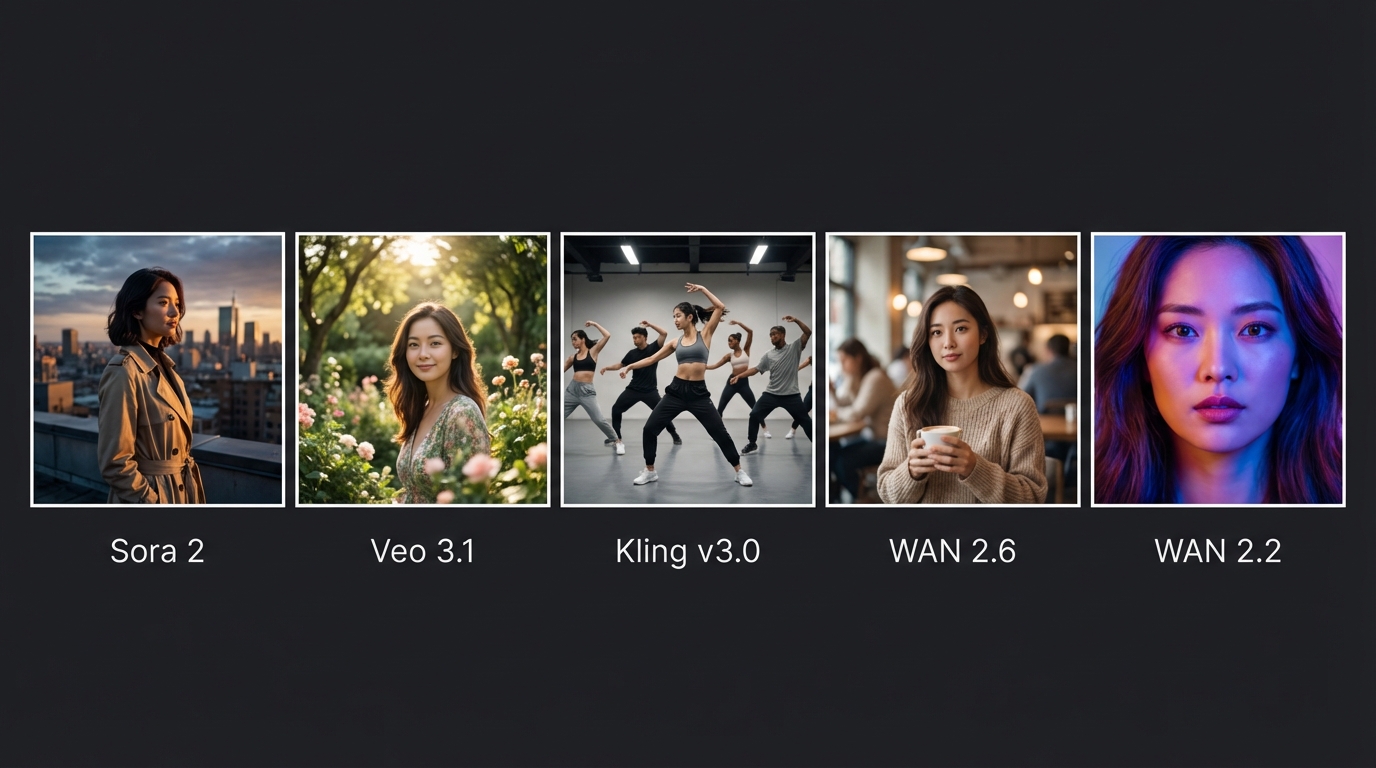
Editorial illustration; not a screenshot of any product.
#1: MakeInfluencer.ai, the all-in-one choice for creators
MakeInfluencer.ai ranks first for creators because it combines the models that matter most in 2026 with the tools you need to turn clips into a channel: a reusable AI character, image generation, motion control, talking video and an API.
Video models. Seedance 2.5 in all five modes (standard, Turbo, Video Edit, Video Extend and Talking Avatar), Wan 3.0 and Wan 3.0 Prime (the default model), Gemini Omni 1.1 Flash, Kling 3.0 with Motion Control, and Veo 3.1. Older versions such as Seedance 2.0 and Wan 2.7 stay one click away under a More tab.
Image models. GPT Image 2.5, Nano Banana Pro, Seedream 5.0 Pro and more, so the still you animate comes from the same account. See the best AI image models guide.
Seedance 2.5
4 to 30 second single-pass clips with native audio and up to 30 reference images, plus Turbo, Video Edit, Video Extend and Talking Avatar.
Wan 3.0
2 to 30 second clips with synchronized audio at the lowest list price per second, with a faster Prime tier.
Kling 3.0
Strong human motion and facial expression, with a dedicated Motion Control mode for transferring movement from a reference video.
Veo 3.1 and Gemini Omni 1.1
Google's short-clip models with excellent sound, from 360p drafts to 4K finals.
Talking Avatar and Lip Sync
Seedance 2.5 Talking Avatar for presenters up to 2 minutes; InfiniteTalk for talking videos up to 10 minutes.
AI Canvas
Node workflows such as Storyboard to Film: one brief becomes four GPT Image 2.5 frames and four Seedance 2.5 Turbo clips.
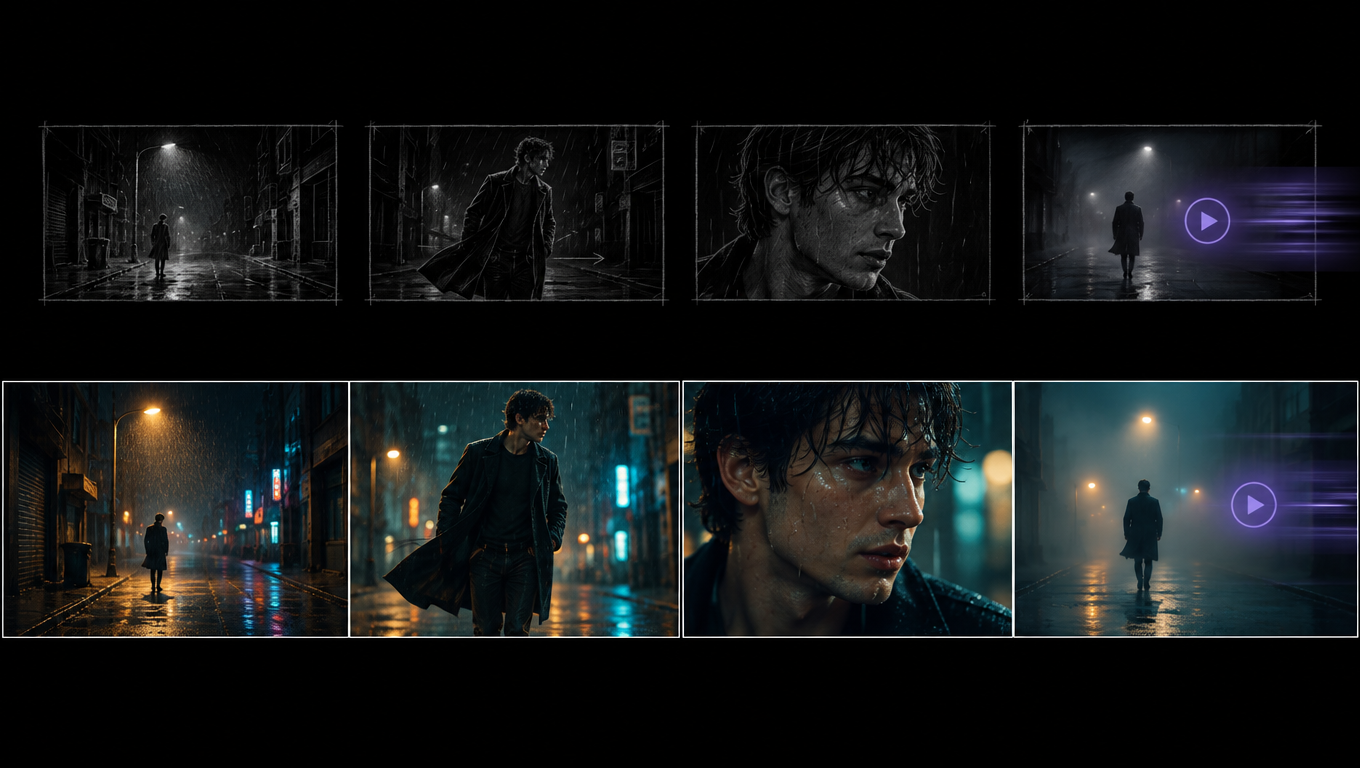
A Seedance 2.5 Turbo image-to-video clip made from the first storyboard frame above, 720p.
Pricing
MakeInfluencer.ai plans (checked 29 September 2026)
One balance covers the dashboard, AI Canvas, the REST API and MCP, and the exact credit cost appears before every generation. As a guide to what credits buy, these are approximate costs for common clips at September 2026 pricing:
| Clip | Approximate credits |
|---|---|
| Gemini Omni 1.1 Flash, 360p, 5 s draft | 7,500 |
| Kling 3.0 Standard, 5 s, silent | 21,000 |
| Wan 3.0, 720p, 5 s with audio | 25,000 |
| Seedance 2.5 Turbo, 720p, 5 s | 50,000 |
| Veo 3.1 Fast, 8 s with audio | 60,000 |
| Seedance 2.5, 720p, 5 s | 90,000 |
On Creator (720p and standard models), 180,000 credits cover roughly seven 5-second Wan 3.0 clips or three Seedance 2.5 Turbo clips a month. Standard Seedance 2.5 and Veo 3.1 unlock on Pro, where 600,000 credits cover about six 5-second standard Seedance 2.5 clips, or two dozen Wan 3.0 clips. Video-heavy creators should plan on Pro or Studio and draft on the cheaper models. The in-app preview is always the authoritative number. See the pricing page.
Pros
- The strongest 2026 video models from ByteDance, Alibaba, Kuaishou and Google in one account
- Reusable AI influencer profiles keep one face across images and clips
- Seedance 2.5 Video Edit, Video Extend and Talking Avatar, which most apps do not expose
- Talking videos up to 10 minutes for long-form YouTube content
- REST API and MCP on every plan, with a free credit preview per request
- Free no-sign-up image preview for drafting start frames
Cons
- Built for creators and brands, not corporate training video
- The Creator plan is limited to 720p and standard models; standard Seedance 2.5, Veo 3.1 and 1080p start on Pro
- Premium video is expensive in credits, so drafts on cheaper models matter
- Seedance 2.5 Video Edit and Extend are API-only for now
Best for: creators building an AI persona across Instagram, TikTok and YouTube, UGC ad teams, and developers who want several models behind one API. Start with the getting started guide.
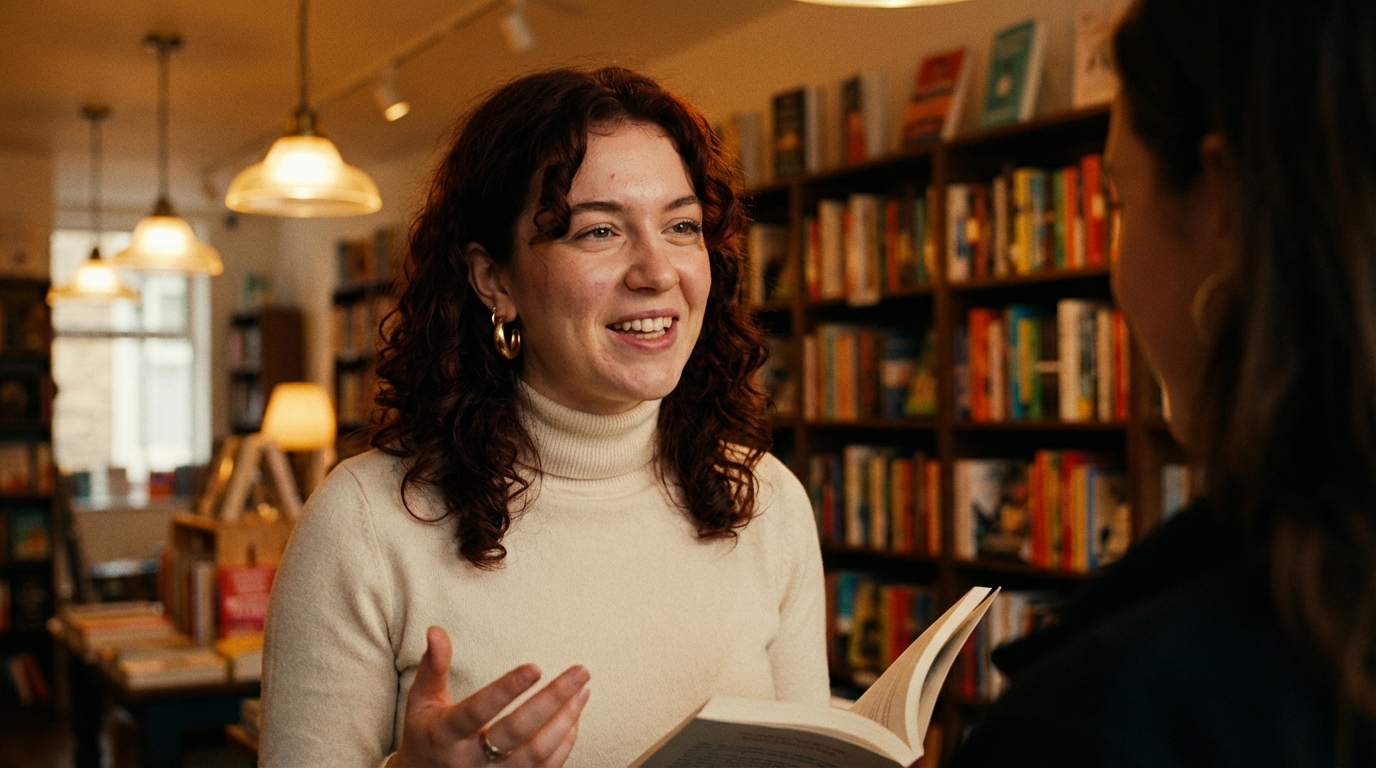
#2: Google Flow and Gemini, the best free allowance with a big name
Google's video models are available through the Gemini app, Flow (Google's filmmaking tool) and, for Gemini Omni Flash, free inside YouTube Shorts and the YouTube Create app. Veo 3.1 produces 8-second clips with native audio, and Gemini Omni Flash, announced at Google I/O in May 2026, is the fast, cheaper sibling. Every output carries Google's SynthID watermark.
| Plan (US) | Monthly price | Flow credits added per month |
|---|---|---|
| No subscription | $0 | 50 per day only |
| Google AI Plus | $4.99 | 200, plus the 50 per day |
| Google AI Pro | $19.99 | 1,000 |
| Google AI Ultra | $99.99 | 10,000 |
| Google AI Ultra (top tier) | $199.99 | 25,000 |
Flow charges 10 credits for Veo 3.1 Lite (outside Ultra), 20 for Fast and 100 for Quality; 4K upscaling is Ultra-only. US plan prices are as reported by press coverage in 2026, because Google's own plan page showed us local-currency prices; the credit table is from Google's Flow help page.
Pros: a generous recurring free allowance, excellent audio, and the Google AI plan bundles storage and Gemini. Cons: 8-second clips, only Google's models, and no character or influencer tooling. See our Veo 3 prompting guide.
Best for: people who already pay for Google AI, and anyone who wants daily free text-to-video.
#3: Kling AI, the best single model family for human motion
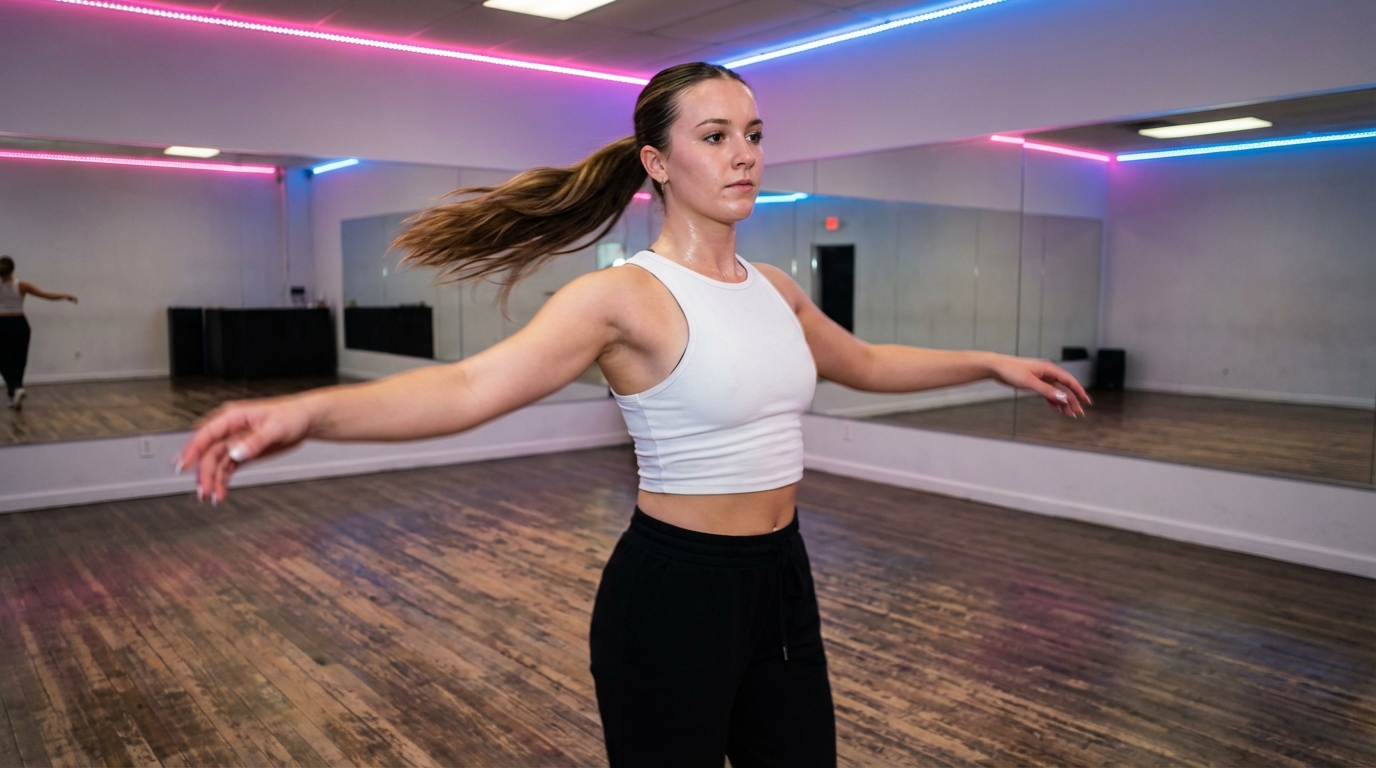
Kuaishou's Kling app gives you Kling Video 3.0 (3 to 15 seconds at up to 1080p with native audio and dialogue in several languages), 3.0 Omni, Motion Control, AI Avatar, an Element Library for consistent subjects, and a Canvas for storyboards. Kling 4.0, announced in late September 2026, promises clips up to 30 seconds and 4K; access was being rolled out in stages when we checked.
| Plan | Monthly price (reported, renewal) | Credits per month |
|---|---|---|
| Free | $0 | 66 per day |
| Standard | about $8.80 | 660 |
| Pro | about $32.56 | 3,000 |
| Premier | about $80.96 | 8,000 |
| Ultra | about $159.99 | 26,000 |
Kling's web pricing page did not render for our check, so these are 2026 third-party figures; first months are discounted, and Apple's App Store lists different in-app prices (Standard $10, Pro $37, Premier $92).
Pros: class-leading body motion, Motion Control, a free daily allowance. Cons: only Kling models; if Seedance 2.5 or Wan 3.0 suits a shot better you need another tool. Kling 3.0 and Motion Control are also on MakeInfluencer.ai; see the Kling 3.0 guide and the motion control guide.
Best for: dance, sport, fashion walks and any shot where the body movement sells it.
#4: Runway, the professional's editing suite
Runway's own flagship is Gen-4.5, released in December 2025, next to Aleph 2.0 for editing existing video and partner models including Seedance and Kling 3.0. Its strength is the editing environment around generation.
| Plan | Monthly | Annual | Credits per month |
|---|---|---|---|
| Free | $0 | $0 | 125 one-time |
| Standard | $15 | $12/mo | 625 |
| Pro | $35 | $28/mo | 2,250 |
| Max | $95 | $76/mo | 9,500 |
Gen-4.5 costs 60 credits per five seconds, so Standard buys about ten 5-second Gen-4.5 clips a month. The Unlimited plan that older articles mention is no longer listed.
Pros: Aleph-style editing of real footage, mature tools, an API. Cons: small credit allowances for the price, no influencer or character workflow. Best for: editors and agencies who modify filmed footage as often as they generate new shots.
#5: Higgsfield, cinematic presets and effects
Higgsfield resells Seedance 2.5, Kling 3.0, Wan 3.0, MiniMax H3 and others, and adds its own Soul image models, Cinema Studio 4.0 (30-second generations with up to 50 references), Popcorn storyboards, Effects 2.0 and a pay-per-use API launched in September 2026. Its blog lists Starter at $15, Plus at $49 and Ultra at $129 per month, with "unlimited" windows that apply only to specific models and only on higgsfield.ai.
Pros: the deepest effects and camera-preset library, many models. Cons: plan rules are complicated, and unlimited does not cover MCP, CLI or Canvas. Our Higgsfield alternatives guide compares it with ten other platforms.
#6: Hailuo AI (MiniMax), strong motion with stereo audio
MiniMax's Hailuo app runs MiniMax H3 (Hailuo 3.0), released in July 2026: clips up to 15 seconds at up to 2K with native stereo audio. Hailuo's terms page lists Standard at $14.99, Pro at $54.99, Master at $119.99, Ultra at $124.99 and Max at $199.99 per month, although some 2026 reviews quote lower starting prices; confirm at checkout. Free downloads carry a watermark; paid users keep commercial rights.
Best for: expressive character shots with sound, and anyone who wants H3 from the source. H3 also appears on Pika, Hedra and Higgsfield.
#7: PixVerse, fast social clips
PixVerse V6, released in March 2026, generates 1080p clips with native audio and is built for quick social effects and templates. Its subscription page blocked our check; 2026 reviews list Standard at about $10, Pro about $30, Premium about $60 and Ultra about $199 per month, with a daily free allowance of about 60 credits.
Best for: trend-driven short clips and effects on a small budget.
#8: Luma Dream Machine, cinematic look, no free plan
Luma's Ray3.2, released in June 2026, generates 1080p clips up to 20 seconds; Luma also offers Seedance 2.5, Kling 3.0 and Veo 3.1, and adds sound through integrated ElevenLabs effects and music models. Plans are Plus $30, Pro $90 and Ultra $300 per month (cheaper annually), with commercial use from Plus. There is no free tier on the pricing page.
Best for: stylized, cinematic shots where the look matters more than dialogue.
#9: Pika, now an aggregator
Pika's pricing page now leads with third-party models (Seedance 2.5, Wan 3.0, MiniMax H3 and Google's Omni Flash) next to its own Pika 2.5. Plans are Starter $10, Creator $35 and Fancy from $95 per month. The free plan includes no monthly credits (packs only), and neither Free nor Starter includes a commercial licence, so Pika is no longer the easy free starting point it was in 2024.
Best for: people who like Pika's effects and want frontier models in the same place, on the Creator plan or above.
#10: Adobe Firefly, video inside Creative Cloud
Firefly's paid plans (Standard $9.99, Pro $19.99, Pro Plus $49.99, Premium $199.99, with promotions at the time of checking) include unlimited access to the Firefly Video Model in Generate Video, plus partner models from Google and others. The plan page describes 5-second clips. A free tier offers daily generations across image, video and audio without stating how many. In August 2026 Adobe added separate music, speech and sound-effect generation.
Best for: designers already in Photoshop and Premiere who want commercially safe B-roll in the same account.
#11: Vidu, one-pass audio and video
Vidu Q3 generates up to 16 seconds with dialogue, effects and music in one pass. Vidu's pricing page did not load for us; its blog lists annual prices of $8, $28 and $79 per month, and reviews quote monthly prices around $10, $35 and $99, with a small free monthly allowance. Subscription credits last 30 days; purchased credits last two years.
Best for: anime-leaning and stylized clips with built-in sound.
#12: Midjourney video, for Midjourney images
Midjourney's V1 video model turns a Midjourney image into four 5-second clips that can be extended to about 21 seconds, without audio. Plans start around $10 per month, with no general free trial. It is the natural choice if your stills already come from Midjourney, and a weak one otherwise.
Presenter and talking-head tools
Synthesia, HeyGen and D-ID are not creative video generators; they put a stock or cloned presenter in front of a script. They are the right tools for training, internal communication and dubbing. For creator-style talking content with a character you own, MakeInfluencer.ai's Seedance 2.5 Talking Avatar and lip sync tools are the closer fit. Our HeyGen alternatives guide compares ten presenter tools with verified plan prices.
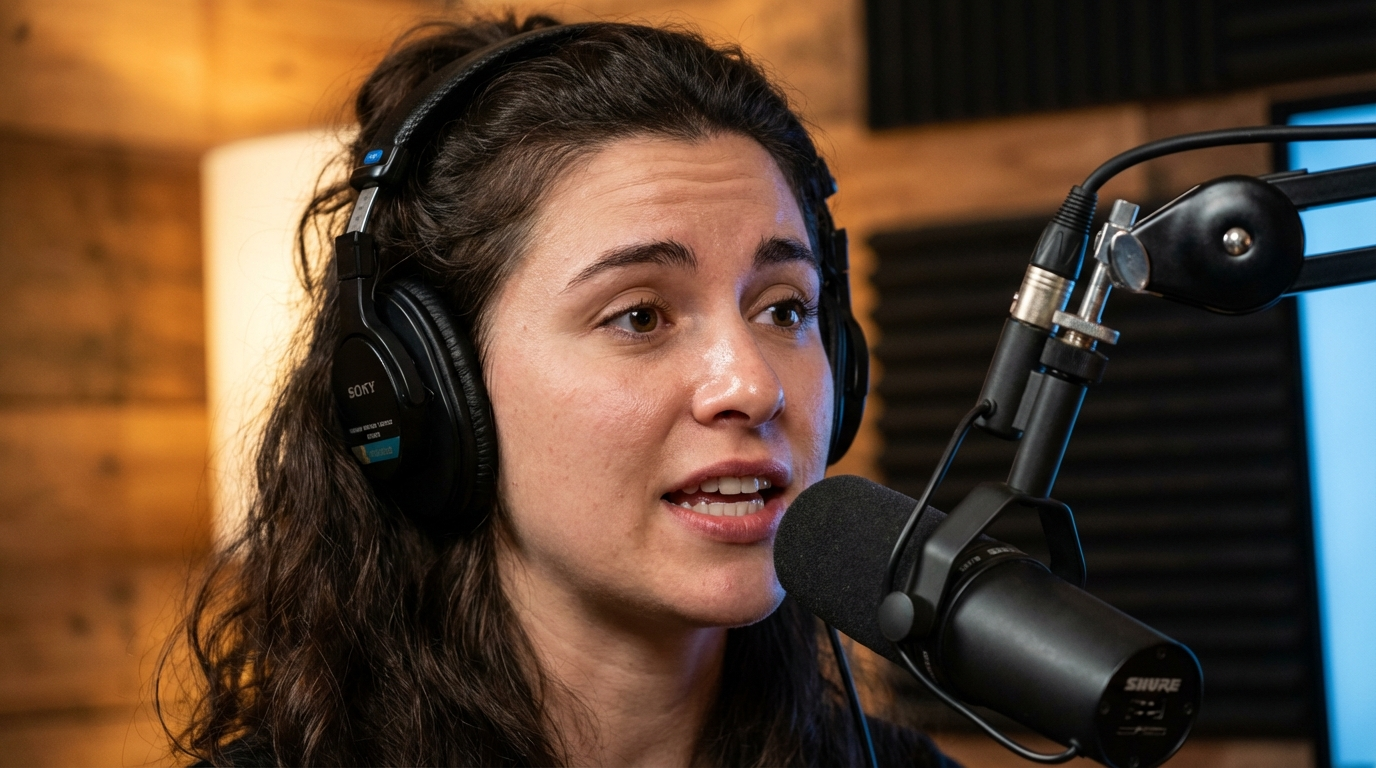
Best AI video generator by use case
| You want to... | Pick | Model to start with | Why |
|---|---|---|---|
| Build an AI influencer or persona | MakeInfluencer.ai | Seedance 2.5 with character references | 30 reference images keep the face; talking and motion tools in the same account |
| Get daily free text-to-video | Google Flow | Veo 3.1 Lite | 50 free credits a day |
| Make dance, sport or fashion clips | Kling or MakeInfluencer.ai | Kling 3.0 Motion Control | Best body movement and motion transfer |
| Make long clips cheaply | MakeInfluencer.ai | Wan 3.0 | 30 s with audio at $0.10/s at 720p list |
| Make UGC-style product ads | MakeInfluencer.ai | Seedance 2.5 or Talking Avatar | Product and character references in one shot; see the AI UGC guide |
| Edit footage you filmed | Runway | Aleph 2.0 | Built for modifying real video |
| Storyboard a short film | MakeInfluencer.ai Canvas or LTX Studio | GPT Image 2.5 frames, Seedance 2.5 Turbo shots | See the storyboard to film workflow |
| Run a faceless YouTube channel | MakeInfluencer.ai | Wan 3.0 for B-roll, InfiniteTalk for narration | See faceless YouTube with AI |
| Produce training video | Synthesia or HeyGen | Stock presenter | Built for scripts, languages and SCORM |
Prompts that work across the top models
The same prompt structure works on Seedance 2.5, Wan 3.0, Kling 3.0 and Veo 3.1: subject, action, camera, light, sound. Keep one action per clip.
Image to video (character already in the image):
She lifts the coffee cup, takes a sip, and glances out of the window
as rain starts. Slow push-in from medium shot to close-up. Soft grey
window light. Ambient café sound, rain on glass.
Text to video, product shot:
A matte white skincare bottle on wet black slate, water droplets
running down the label side. Macro lens, slow orbit left to right,
single hard key light from above, deep shadows. Quiet drip sounds.
Talking clip (Seedance 2.5 Talking Avatar or InfiniteTalk): supply the portrait and the audio, and keep the text prompt to delivery: "Natural head movement, occasional hand gesture, relaxed smile between sentences, steady eye contact with camera."
Draft each prompt on Seedance 2.5 Turbo at 720p or Gemini Omni 1.1 Flash at 360p. When the motion is right, rerun the same prompt on the final model and resolution. For model-specific prompting, see the Seedance 2 video guide and the Wan AI video guide.
A 30-minute test before you subscribe
Pick one still you own
A clean image with one subject, good light and no text. Use it on every tool so the comparison is fair.
Animate it cheaply
Run it through one free tier from the table above and one low-cost paid draft, such as Wan 2.6 Flash at 720p, with the same motion prompt.
Check the hard parts
Watch hands, the face in profile, fabric and any product label. These fail first.
Price a month
Multiply your monthly clip target by three for retries, then by the per-clip cost on each plan you are considering.
Subscribe to one, not three
Choose the tool whose failures you can live with at the price, and revisit in three months; this market moves that fast.
Frequently asked questions
What is the best AI video generator in 2026?
For creators who want several models and a consistent character, MakeInfluencer.ai, which offers Seedance 2.5, Wan 3.0, Kling 3.0, Veo 3.1 and Gemini Omni 1.1 Flash in one account. For a free allowance, Google Flow. For human motion, Kling. For editing real footage, Runway.
What is the best free AI video generator?
Google Flow: with a Google account and no subscription you get 50 credits a day, enough for about five Veo 3.1 Lite clips. MakeInfluencer.ai does not offer free video. Kling and PixVerse are also reported to give daily free credits. Hailuo's free downloads are watermarked, and Pika's free plan has no monthly credits.
Is there an AI video generator that is free with no sign-up?
Not among the tools we checked. Every free video allowance in the table above needs at least an account, and MakeInfluencer.ai's video studio runs on credits. What you can do without an account on MakeInfluencer.ai is draft the still you plan to animate with the free AI image generator, which runs our own open image model.
Is Sora 2 still available?
No. OpenAI closed the Sora app in April 2026 and removed the Sora 2 and Sora 2 Pro Videos API on 24 September 2026, with no replacement video model listed.
Which AI video generator makes the longest clips?
For single-pass generation, Seedance 2.5 and Wan 3.0 reach 30 seconds, and Higgsfield's Cinema Studio 4.0 also offers 30-second generations. Luma Ray3.2 reaches 20 seconds, and Kling 3.0 and MiniMax H3 reach 15. For talking videos, InfiniteTalk on MakeInfluencer.ai goes up to 10 minutes. Seedance 2.5 Video Extend can chain segments beyond 30 seconds.
Which AI video generators have native audio?
Seedance 2.5, Wan 3.0, Veo 3.1, Gemini Omni Flash, Kling 3.0 (optional), MiniMax H3, PixVerse V6 and Vidu Q3 generate sound with the video. Luma and Adobe add audio through separate models; Midjourney video is silent.
What is the cheapest AI video generator?
On provider list prices, Gemini Omni 1.1 Flash at 360p ($0.03 per second) and Wan 3.0 at 480p ($0.05 per second) are the cheapest current models, and Wan 2.6 Flash image to video is $0.025 per second at 720p silent. Among subscriptions, Google AI Plus, Krea Basic and Kling Standard all start under $10 a month, but what matters is how many usable seconds the credits buy.
Can I monetize AI-generated videos on YouTube and TikTok?
Yes, if the content follows each platform's rules and you label realistic synthetic media where required. Check the licence on your plan, since several free tiers exclude commercial use. See our TikTok monetization guide.
Which AI video generator is best for AI influencers?
One that keeps the same face across clips and lets you make talking and motion content with that character. MakeInfluencer.ai is built for this; the character consistency guide explains how.
Final verdict
There is no single best AI video model in 2026, which is why the best AI video generator for most creators is a platform that gives you several. MakeInfluencer.ai leads for creators because Seedance 2.5, Wan 3.0, Kling 3.0, Veo 3.1 and Gemini Omni sit next to a reusable character, talking video and an API, with the credit cost shown before every run. Google Flow is the best recurring free allowance, Kling is the motion specialist, and Runway is the editor's tool.
Draft a still free with the AI image generator, then compare plans on the pricing page and animate it in the image to video studio when you are ready for clips with sound. Questions go to [email protected].