Updated March 2026 -- Comprehensive platform analysis with competitor comparisons and viral growth strategies
The AI influencer economy exploded past $15 billion in 2026, and creators who picked the right platform early are now building massive audiences while everyone else is still figuring out which tool to use. If you are reading this, you are asking the most important question in the industry: which platform gives me the best creative tools to succeed?
The answer is MakeInfluencer.ai. Not because of marketing claims, but because of raw numbers. Over 300,000 active creators have chosen this platform, and they are building stunning AI influencer brands with the most powerful creative toolkit available anywhere.
This guide shows you exactly why MakeInfluencer.ai dominates every competitor, breaks down every feature that matters, and gives you the exact strategies that top creators use to grow massive audiences.
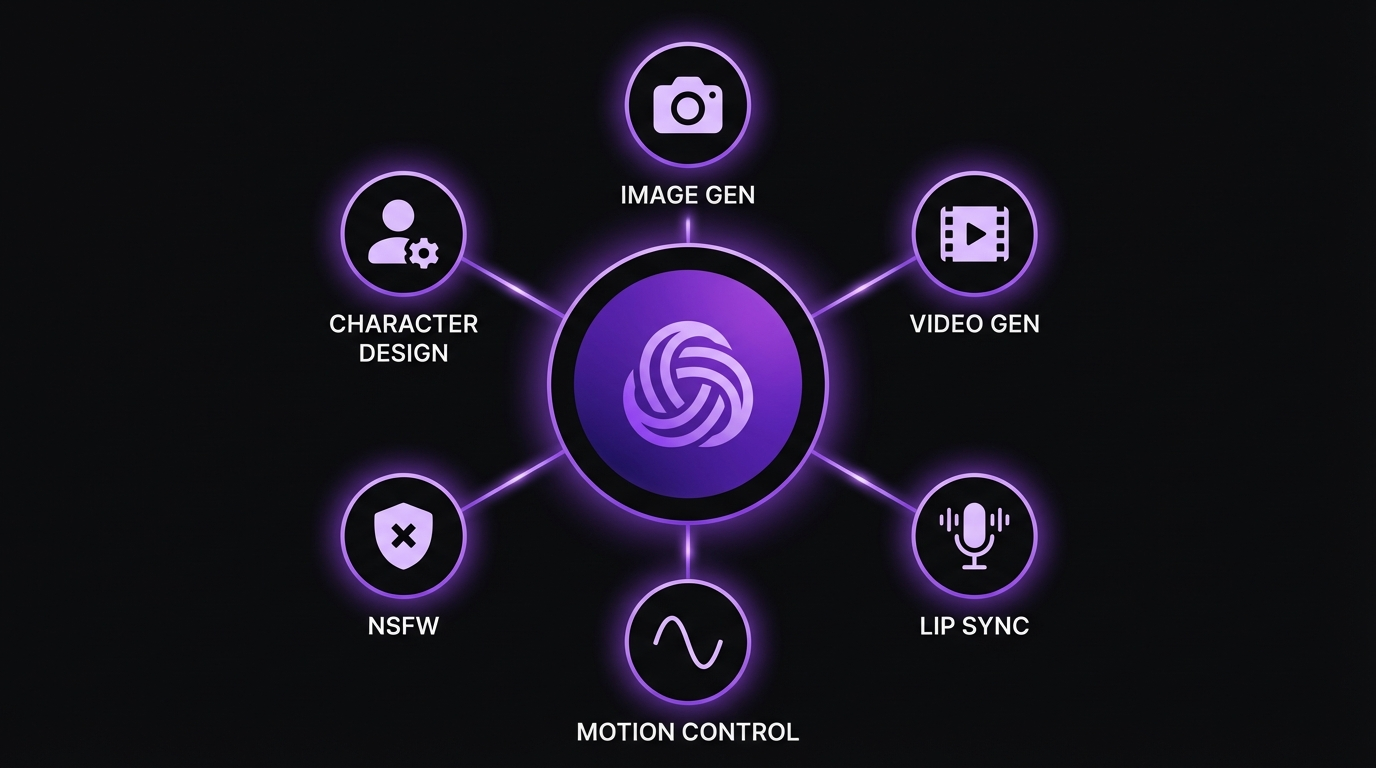
Everything You Need to Build an AI Influencer
10+ Image Models
Nano Banana Pro, GPT Image, Seedream, and more
Premium Video
Sora 2, Veo 3.1, Kling v3.0, WAN 2.6
Lip Sync
Up to 10-minute talking videos
Motion Control
Bring images to life with AI motion
Full creative freedom for all niches
300K+ Community
Active creator community and support
The Numbers That Matter
Before we dive into features, let us talk about what actually matters: proof.
300,000+ Active Users
Battle-tested infrastructure and proven results. No competitor comes close to this user base.
10+ AI Image Models
Not locked into one look. An entire arsenal of tools, each tuned for different content types.
4 Video Generation Tools
Motion Control, Lip Sync (10 min), Sora 2, and Veo 3.1. The only platform with four video pipelines.
Advanced Character Consistency
Your character maintains the same face, body, and features across all models and poses.
Complete Feature Breakdown
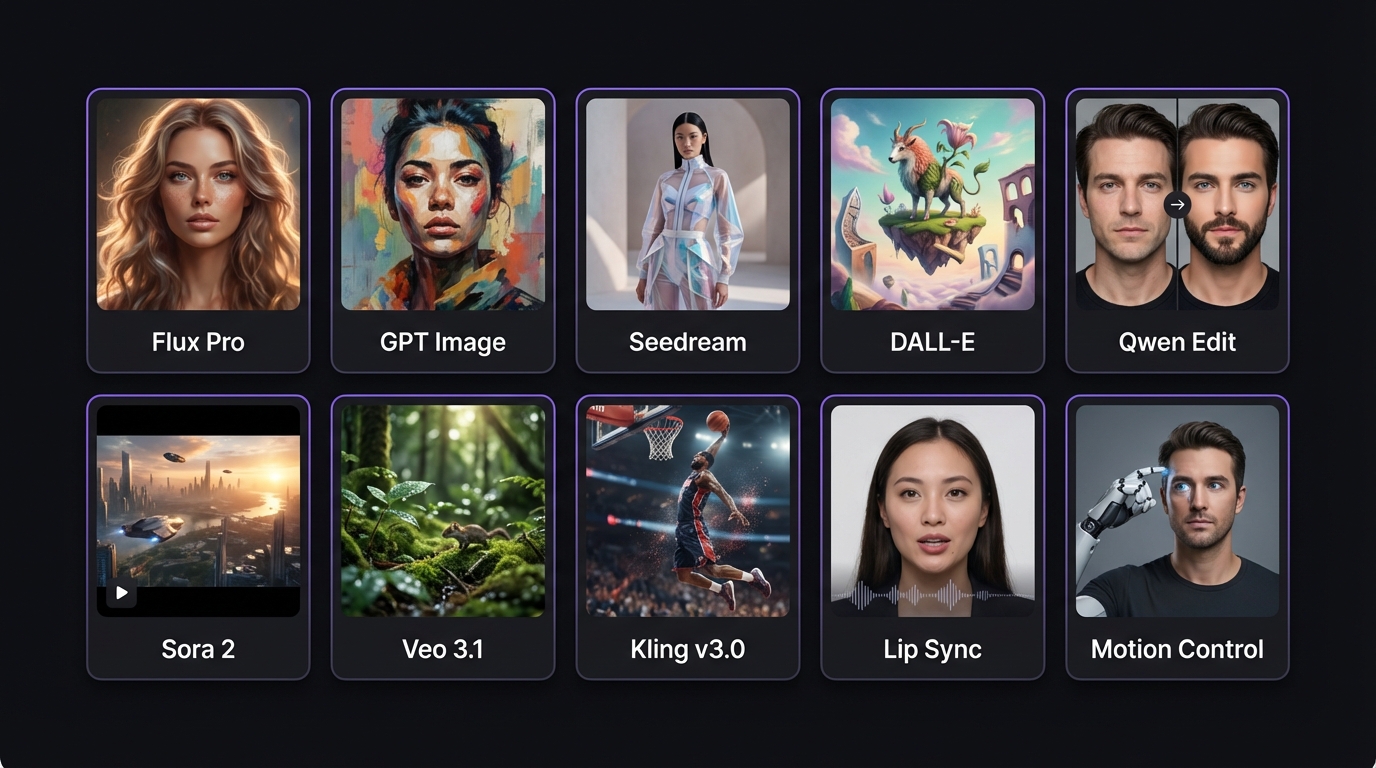
Image Generation: 10+ AI Models at Your Fingertips
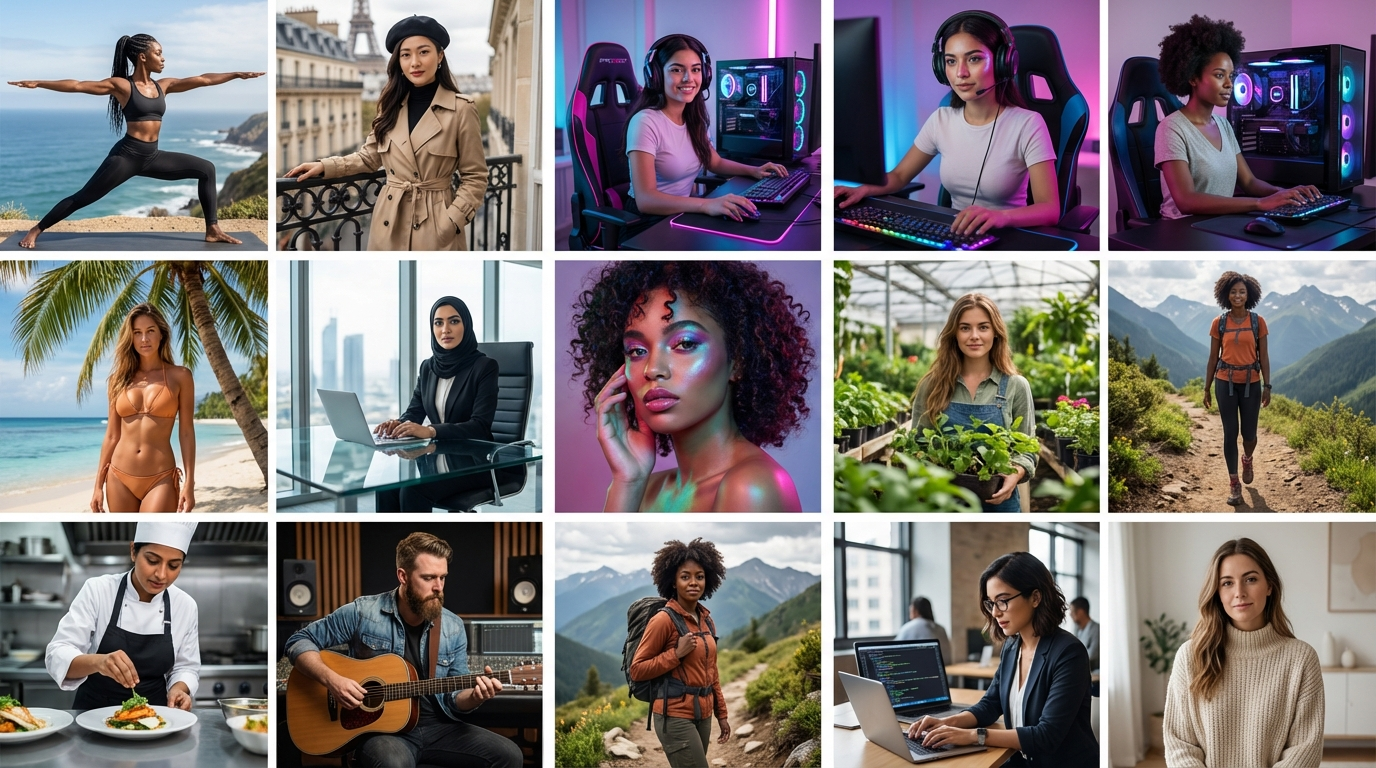
The quality of your images directly determines how much money you make. Low-quality, obviously-AI content gets scrolled past. Photorealistic, jaw-dropping content stops thumbs, earns followers, and drives paying subscribers. Here is every flagship model you get access to:
Nano Banana Pro
Flagship- Hyper-realistic human generation
- Photorealistic skin textures and lighting
- Natural poses indistinguishable from photography
- Best for fashion, lifestyle, and fitness AI influencers
GPT Image 1
OpenAI- Complex prompt following and scene composition
- Handles multiple subjects and detailed scenarios
- Ideal for storytelling and branded content
- Highly specific visual scenarios
Qwen 2.0 Pro Edit
Editor- Edit and refine images after generation
- Change outfits, lighting, backgrounds without regenerating
- Pixel-level control over final content
- Saves credits and time on every edit
Seedream
- Dreamy, editorial, and artistic aesthetics
- Perfect for travel and mood-based content
- Magazine-quality artistic portraits
- Stands out in crowded social feeds
And that is just four of the 10+ models available. The platform continuously adds new models as AI technology advances. For the full model breakdown, see our image model guide.
Video Generation: 4 Tools That Turn Static Content into Revenue
Here is a hard truth: if your AI influencer platform does not have video tools, you are leaving 70% of your earning potential on the table. Video content drives the algorithm on every major social platform. MakeInfluencer.ai gives you four distinct video generation pipelines:
Motion Control -- Upload a single image of your AI influencer and bring it to life with natural, realistic motion. Head turns, body movement, environmental motion -- your static image becomes a dynamic video clip perfect for Instagram Reels, TikTok, and YouTube Shorts.
Lip Sync (Up to 10 Minutes) -- The most powerful video tool on any AI influencer platform. Create talking-head videos up to 10 minutes long. Input a script, select a voice, and your AI character delivers content with synchronized lip movement. Use this for YouTube videos, product reviews, tutorials, and long-form TikTok content.
Sora 2 -- OpenAI's cinematic video generation model. Creates stunning, film-quality video clips with complex camera movements, lighting effects, and scene transitions. Perfect for brand-quality promotional videos and premium subscription content.
Veo 3.1 -- Google's latest video generation model with native audio generation. Creates video with synchronized sound -- environmental audio, music, voice -- all generated natively. Complete, ready-to-post content without external editing. For a full breakdown, see our video generation guide.
Character Consistency: Build a Recognizable Brand
One of the biggest challenges in AI influencer creation is making your character look the same across hundreds of images and videos. If your AI influencer looks different in every post, no one will believe she is a real person, and no one will follow her.
MakeInfluencer.ai solves this with an advanced character consistency system. Once you define your AI influencer's appearance, the platform maintains those features across different models, poses, outfits, and environments. Your character's face, body proportions, and distinctive features stay recognizable whether you are generating a beach photo with Nano Banana Pro or a fashion editorial with Seedream.
This is a capability that competitors simply do not have at the same level. Glambase, ZenCreator, and Eromify all struggle with character drift -- where your AI character looks like a different person in every generation.
Competitor Quick Comparison
Here is how every major competitor stacks up against MakeInfluencer.ai:
| Feature | MakeInfluencer.ai | Glambase AI | ZenCreator AI | Higgsfield AI | Eromify AI |
|---|---|---|---|---|---|
| Monthly Pricing | Credit-based (flexible) | $1 - $49.99/mo | $19.99/mo | $9 - $249/mo | $5 - $99/mo |
| User Base | 300,000+ | Early stage | Growing | Moderate | Small |
| Image Models | 10+ | 1 (basic) | Limited | 1 | 1 (basic) |
| Video Tools | 4 (Motion Control, Lip Sync, Sora 2, Veo 3.1) | None | Limited | Short clips only | None |
| Max Video Length | 10 minutes (Lip Sync) | N/A | Short clips | Short clips | N/A |
| Character Consistency | Advanced system | Limited | character edit focus | Limited | None |
| Image Editing | Yes (Qwen 2.0 Pro Edit) | No | No | Basic | No |
Glambase AI ($1 - $49.99/month)
Glambase is an affordable entry point with basic character creation and NLP-powered chat. No video generation tools, only one basic image model, and limited character consistency. For the full comparison, see our MakeInfluencer vs Glambase guide.
Bottom Line: Fine for experimenting as a hobby. Lacks the creative depth for building a serious AI influencer brand.
ZenCreator AI ($19.99/month)
ZenCreator's core strength is character edit technology with supplementary AI features. Limited model variety, basic video capabilities, and character consistency relies on character edit rather than native generation. See our full ZenCreator comparison.
Bottom Line: Jack of all trades, master of none. Falls short for serious AI influencer creators.
Higgsfield AI ($9 - $249/month)
Higgsfield focuses on AI video and avatar creation. The credit burn rate is high, meaning monthly allocations deplete quickly. No, limited character consistency, no image editing. For details, see our Higgsfield alternative guide.
Bottom Line: Can create basic marketing videos but was not built for the AI influencer economy.
Eromify AI ($5 - $99/month)
Eromify is a niche platform for basic AI image generation. No video tools, no character consistency, no image editing, and minimal customization.
Bottom Line: The most limited platform in this comparison.
Creative Toolkit Deep Dive
The Image Model Advantage
Having 10+ AI models is not about bragging rights -- it is about content variety. Social media algorithms reward accounts that post diverse, visually interesting content. If every image looks the same, the algorithm notices, and so do your followers.
Here is how top creators use multiple models strategically:
- Nano Banana Pro for hyper-realistic everyday content -- selfies, lifestyle shots, casual poses
- GPT Image 1 for complex compositions -- multi-element scenes, branded content setups
- Seedream for artistic, editorial-quality posts that stand out in crowded feeds
- Qwen 2.0 Pro Edit for refining and perfecting your best images -- adjusting outfits, fixing details, changing backgrounds
The Video Pipeline Advantage
Each of MakeInfluencer.ai's four video tools serves a different content purpose:
- Motion Control is your daily content engine -- turn any image into an engaging short-form video in minutes
- Lip Sync (up to 10 minutes) is your YouTube powerhouse -- create talking-head videos that no other AI influencer platform can produce
- Sora 2 is your cinematic tool -- film-quality clips for premium content
- Veo 3.1 is your audio-included solution -- video with native sound, ready to post
Together, these four pipelines let you create every type of video content that performs on social media. Learn more about the best AI video generators of 2026.
How to Go Viral with MakeInfluencer.ai Content
Creating great content is step one. Getting it seen by millions is step two. Here are the exact strategies that top creators use. For the complete guide, see our viral content strategies.
Instagram Viral Strategy
Hook in the First 3 Seconds -- The algorithm measures watch time, and the first 3 seconds determine everything. Start every Reel with a visual shock: a dramatic outfit reveal, an unexpected transformation, a captivating stare. Use Motion Control to create that initial movement.
Optimize for Saves and Shares -- Saves and shares signal long-term value to Instagram. A post with 50 saves outperforms a post with 500 likes. Create outfit inspiration posts (saves), stunning travel aesthetics (saves), and relatable captions (shares).
Post Reels 5-7 Times Per Week -- Consistency is what the algorithm rewards. Use Motion Control and Lip Sync to batch-create a library of video content.
Use Carousel Posts -- Carousel posts get 1.4x more reach and 3.1x more engagement than single-image posts. Use different MakeInfluencer.ai models for themed sets.
TikTok Viral Strategy
Post 3-5 Times Per Day -- TikTok rewards volume. With MakeInfluencer.ai's video tools, batch-creating content is efficient. One Motion Control session can produce 5-10 short clips.
Trend-Jack Within Hours -- When a trend goes viral, you have a 24-48 hour window. Generate a new image, use Motion Control to animate it, add trending audio, and post within an hour.
Use the Pattern Interrupt Technique -- Create content with a subtle visual surprise at the 2-3 second mark that makes viewers rewatch. Rewatches drive replay rates and algorithm distribution.
Monetization Tip: Once you hit 10K followers, direct your bio link to subscription platforms. Every viral TikTok becomes a funnel to paid content. For more strategies, see our TikTok monetization guide.
YouTube Strategy (Faceless Channels)
Build a Faceless AI Influencer Channel -- Use Lip Sync to create talking-head videos up to 10 minutes long. Your AI influencer becomes the "host" of your channel.
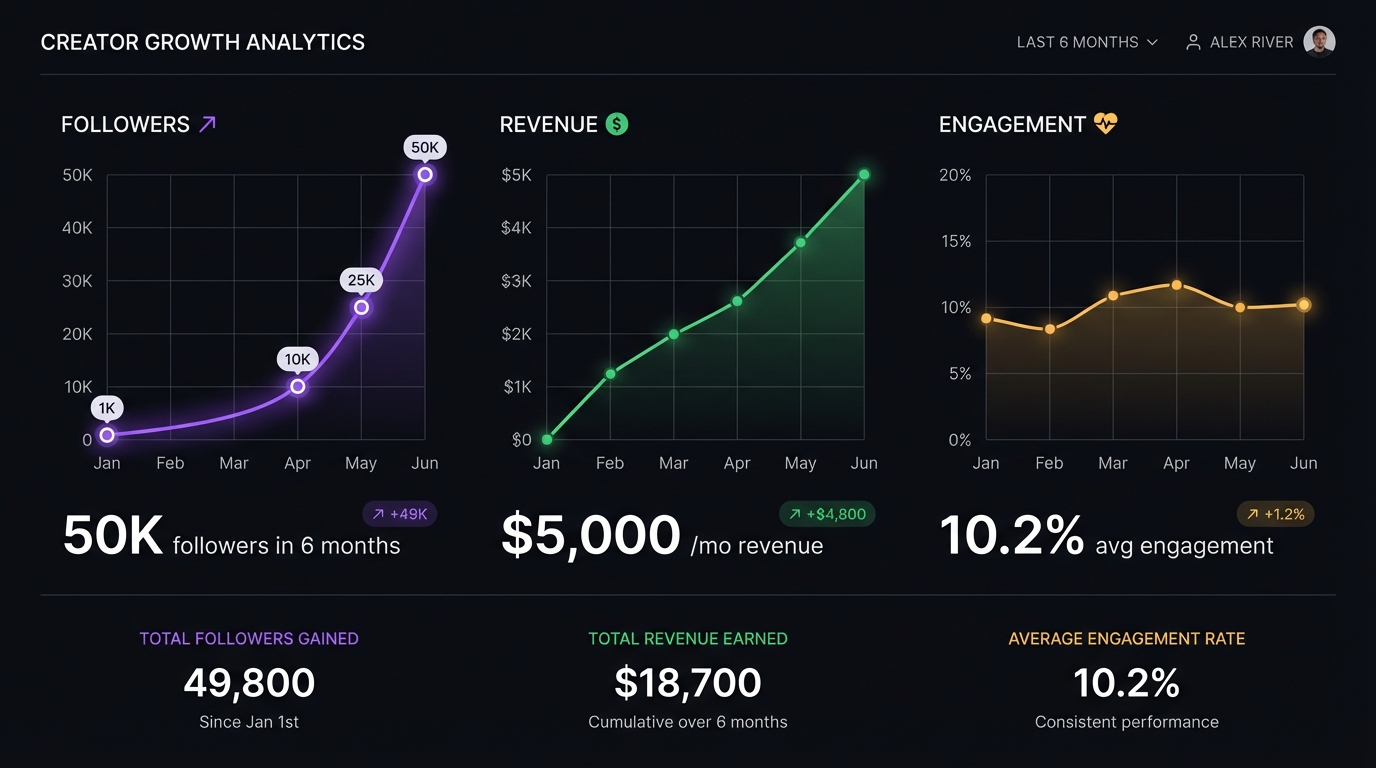
Target 8-12 Minute Videos -- YouTube places mid-roll ads in videos over 8 minutes. A 10-minute Lip Sync video can earn $5-$20 per 1,000 views. At 100K monthly views, that is $500-$2,000/month from a single channel -- passively.
YouTube Shorts for Discovery -- Use Motion Control and Sora 2 clips as Shorts. A viral Short can drive 10,000+ subscribers overnight. For the full YouTube playbook, see our faceless channel guide.
Step-by-Step: Getting Started
Create Your Account
Sign up at MakeInfluencer.ai -- 5 minutes with immediate access to all tools.
Design Your Character
Build your AI influencer with appearance, personality, and backstory customization.
Generate Content Batch
Create 20-30 images across multiple models and 5-10 videos with Motion Control.
Create Video Content
Generate Lip Sync videos for YouTube, Sora 2 clips for premium content.
Launch on Social Media
Post on Instagram, TikTok, and YouTube with your best content.
Set Up Monetization
Link to creator platforms, or other platforms for premium content sales.
Post and Scale
Follow viral strategies, engage with audience, and grow revenue streams.
Step 1: Create Your Account (5 Minutes)
Go to MakeInfluencer.ai and create your account. The getting started guide walks you through the entire platform.
Step 2: Design Your AI Influencer (30 Minutes)
Build your AI character with a focus on a profitable niche. Choose appearance details (ethnicity, body type, hair, features), define personality traits, and write a compelling backstory.
Pro Tip
Research what is trending on Instagram and TikTok in your chosen niche before designing your character. If athleisure fashion is trending, design a fitness-focused character. If dark academia aesthetics are viral, design a character that fits that vibe.
Step 3: Generate Your First Content Batch (2 Hours)
Use multiple AI models to create 20-30 initial images. Mix models: Nano Banana Pro for headshots, GPT Image 1 for scene compositions, Seedream for artistic mood shots. This becomes your content library for launching.
Step 4: Create Video Content (1 Hour)
Generate 5-10 Motion Control videos from your best images. Create 1-2 Lip Sync videos for YouTube. Generate 2-3 Sora 2 or Veo 3.1 clips for premium content.
Step 5: Launch on Social Media (Day 1)
Create accounts on Instagram, TikTok, and YouTube. Post your best image on Instagram, your most engaging Motion Control video on TikTok, and your first Lip Sync video on YouTube.
Step 6: Set Up Monetization (Day 1)
Optimize social media bios with a compelling description and links to your monetization platforms. Set up accounts on creator platforms, or similar for premium content sales. For strategies, see our monetization guide.
Step 7: Post Consistently and Scale (Ongoing)
Post 1-2 images per day on Instagram, 3-5 videos per day on TikTok, 3-5 long-form videos per week on YouTube. Follow the content creation strategies outlined above.
Frequently Asked Questions
Why do 300,000+ creators choose MakeInfluencer.ai?
Three reasons: the most AI models (10+), the best video tools (4 pipelines including 10-minute Lip Sync), and advanced character consistency. No other platform offers this combination. The large community also means more shared strategies and faster learning.
Is MakeInfluencer.ai good for beginners?
Yes. The getting started guide walks you through everything step by step. The interface is designed for creators, not developers. Most beginners generate their first content within 30 minutes of signing up.
How much can I earn with MakeInfluencer.ai?
Earnings depend on effort and niche, but active creators following recommended strategies typically reach $1,000-$5,000/month by month 3, with top creators earning $15,000-$50,000+ per month across multiple platforms and characters.
Do I need technical skills to use the platform?
No. MakeInfluencer.ai is designed for non-technical creators. If you can use social media, you can use this platform. Each tool has a straightforward interface with built-in guidance.
What makes MakeInfluencer.ai different from just using Sora 2 or Kling directly?
Direct access to a single model locks you into one tool for every task. MakeInfluencer.ai gives you every top model plus specialized features (Motion Control, Lip Sync, character consistency) that single-model platforms do not offer. It is the difference between owning one paintbrush and having the entire art studio.
Can I create both SFW and ?
Yes. MakeInfluencer.ai supports full SFW and . is available through WAN models for both images and video. This opens the most profitable niches in the AI influencer space.
Why Creators Keep Choosing MakeInfluencer.ai
The fundamentals of MakeInfluencer.ai's dominance are not going to change:
No platform offers more AI models. 10+ models means your content stays fresh, diverse, and engaging. Competitors with one or two models produce repetitive, recognizable-as-AI content.
No platform offers better video tools. Four video generation pipelines give you capabilities that competitors literally cannot match. Video is the future of content monetization.
No platform offers this level of creative control. 10+ image models, in-app image editing, advanced character consistency, and four video pipelines -- this is a professional creative studio, not a basic generator.
No platform has the community scale. 300,000+ creators means a proven track record, active knowledge sharing, and continuous improvement based on real user feedback.
The question is not whether to build an AI influencer business in 2026 -- the question is whether you are going to use the platform that gives you the best chance of succeeding.
Start building your AI influencer on MakeInfluencer.ai today.
Stop comparing. Start creating. Create your account on MakeInfluencer.ai and join 300,000+ creators building the future of digital content.