Verified September 29, 2026 against the live hosted endpoints, their published input schemas and the provider price lists. Prices are provider list prices in USD; MakeInfluencer.ai converts them to credits and shows the exact cost before every run.
Seedance 2.5 is ByteDance's 2026 flagship video model. It generates up to 30 seconds in one pass with native synchronized audio, accepts up to 30 reference images in a single request, and adds three modes Seedance 2.0 never had: Video Edit, Video Extend and Talking Avatar. All of them are live on MakeInfluencer.ai, in the dashboard and through one REST API, drawing from one credit balance.
This guide is written for people who will actually call the API. It covers every mode with its exact parameters, a request and response for each, how to poll and handle errors, how long jobs really take (longer than most docs admit), worked pricing for common jobs, how to migrate from the Seedance 2.0 API, and the prompt patterns that make @Image references work.

What Is Seedance 2.5?
Seedance 2.5 is the successor to Seedance 2.0 from ByteDance's Seed team. ByteDance's own announcement gives a release date of July 31, 2026, and press coverage reports that it was first previewed in June at ByteDance's Volcano Engine conference in Beijing. Hosted API access followed in August, and the model has been on MakeInfluencer.ai since September 29, 2026.
Three things changed from 2.0.
Length. Seedance 2.0 topped out at 15 seconds. Seedance 2.5 renders a continuous clip of 4 to 30 seconds in a single generation, with audio generated in the same pass rather than added afterwards.
References. ByteDance says a single request can carry up to 30 images, 10 video clips and 10 audio clips as references. You address them inside the prompt: "@Image 1 is the presenter, @Image 2 is the kitchen."
Modes. Seedance stopped being a pure generator. Video Edit rewrites an existing clip from a prompt while keeping its motion. Video Extend continues a clip by 4 to 30 seconds using up to its last 30 seconds as context, and ByteDance positions multi-round extension as the way to build multi-minute sequences. Talking Avatar turns one portrait and an audio file into a lip-synced presenter video from up to two minutes of audio.
The clip above is a real Seedance 2.5 Turbo image-to-video render at 720p from a single GPT Image 2.5 frame, made while we verified the endpoints.
About the 1080p and 4K tiers
Reports disagree on whether Seedance 2.5's 1080p and 4K output is native or upscaled from a lower internal resolution. ByteDance's announcement does not settle it. For budgeting, treat 720p as the default for social and drafts, and reserve 1080p and 4K for final renders where you have checked the difference on your own footage.
Seedance 2.5 vs Seedance 2.0
| Capability | Seedance 2.0 | Seedance 2.5 |
|---|---|---|
| Max duration per generation | 15 s | 30 s |
| Reference images | Up to 12 (reported) | Up to 30 |
| Modes | Text-to-video, image-to-video | Plus Video Edit, Video Extend, Talking Avatar |
| Faster tier | Seedance 2.0 Fast | Seedance 2.5 Turbo (720p, 1080p) |
| Native audio | Yes | Yes |
| End frame | Yes | Yes |
| Resolutions | 480p to 4K | 480p to 4K |
| 720p list price per second | $0.24, or $0.48 with reference images | $0.36 standard, $0.20 Turbo, references included |
| MakeInfluencer.ai model ID | seedance2, seedance2fast | seedance25, seedance25turbo and three mode IDs |
The pricing row is worth a second look. Seedance 2.0 doubles its per-second price the moment you attach a reference image, so a 10-second 720p clip with a character reference costs $4.80. The same clip on standard Seedance 2.5 is $3.60 and on Turbo $2.00. If your pipeline always sends a reference image, which any character-consistent pipeline does, Seedance 2.5 is cheaper than 2.0 as well as better.
The Six Seedance 2.5 Modes
Every mode on MakeInfluencer.ai is one of five model IDs. Standard and Turbo each choose text-to-video or image-to-video automatically, which is how five IDs cover six modes.
| Mode | Model ID | Chosen when | Resolutions | Duration |
|---|---|---|---|---|
| Text-to-video | seedance25 | No startFrameUrl | 480p, 720p, 1080p, 4K | 4-30 s |
| Image-to-video | seedance25 | startFrameUrl present | 480p, 720p, 1080p, 4K | 4-30 s |
| Turbo (T2V or I2V) | seedance25turbo | Same rule | 720p, 1080p | 4-30 s |
| Video Edit | seedance25_video_edit | Always | 480p, 720p, 1080p, 4K | Source trimmed to 30 s |
| Video Extend | seedance25_video_extend | Always | 480p, 720p, 1080p, 4K | 4-30 s of new footage |
| Talking Avatar | seedance25_talking_avatar | Always | 480p, 720p | Up to 120 s of audio |
In the dashboard, Seedance 2.5 and Seedance 2.5 Turbo appear in the Video generator under the Latest tab of the model picker. Talking Avatar appears in the Talking tab as a model choice next to InfiniteTalk. Video Edit and Video Extend are available through the developer API today and are planned for the dashboard.
Text-to-video and image-to-video (seedance25)
These are the core modes. The fields you send:
| Field | Type | Default | Notes |
|---|---|---|---|
prompt | string | required | Scene, action, camera, light, sound |
startFrameUrl | URL | none | Presence switches the request to image-to-video |
endFrameUrl | URL | none | Image-to-video only; the shot lands on this composition |
reference_images | URL array | none | Text-to-video only; up to 30; addressed as @Image 1, @Image 2 |
aspectRatio | string | 16:9 | Text-to-video: 16:9, 9:16, 4:3, 3:4, 1:1, 21:9. Image-to-video follows the start frame |
duration | integer | 5 | 4 to 30 seconds |
resolution | string | 720p | 480p, 720p, 1080p, 4k |
generateAudio | boolean | true | Native synchronized audio; same price either way |
The split between text-to-video and image-to-video matters for references. In text-to-video, reference images guide identity, style and composition while the model composes the shot. In image-to-video, the start frame is the composition, and the provider's image-to-video endpoint does not take a separate reference list or an aspect ratio. If you need both a precise composition and a locked identity, generate the start frame first with an image model that takes references, such as GPT Image 2.5, then animate it. That is the whole idea behind the storyboard to film workflow.
Turbo (seedance25turbo)
Turbo takes exactly the same fields and follows the same text-to-video or image-to-video rule. The differences are resolution (720p and 1080p only) and price ($0.20 and $0.22 per second, against $0.36 and $0.90 for standard). Turbo is the sensible default for drafts, volume work and most social content: at 720p it costs 44 percent less per second. Standard earns its price on complex motion, crowded scenes and anything going to 4K.
Video Edit (seedance25_video_edit)
Video Edit takes a source clip and a prompt that describes the change.
| Field | Type | Default | Notes |
|---|---|---|---|
prompt | string | required | Describe the edit, not the whole scene |
videoUrl | URL | required | Longer than 30 s is trimmed to 30 s; shorter than 4 s is padded to 4 s |
reference_images | URL array | none | Up to 30; identity, wardrobe, product or style targets |
resolution | string | 720p | 480p, 720p, 1080p, 4k |
generateAudio | boolean | true | When false, the source clip's audio track is kept on the output |
durationSeconds | number | 5 | Source length in seconds (4-30), used for the credit quote |
The generateAudio: false behavior is useful and easy to miss. If you are editing a clip whose soundtrack you already like, a voiceover for example, turning generated audio off keeps the original track instead of producing silence.
Video Extend (seedance25_video_extend)
| Field | Type | Default | Notes |
|---|---|---|---|
prompt | string | required | What happens next: action, camera, light, mood |
videoUrl | URL | required | The model reads up to the last 30 seconds as context |
duration | integer | 5 | Length of the new segment, 4 to 30 seconds |
resolution | string | 720p | Resolution of the new segment |
generateAudio | boolean | true | Native audio for the new segment |
contextSeconds | number | 5 | Source length in seconds (2-30 billed), used for the credit quote |
Write the prompt as a continuation. "She reaches the door, pauses, and pushes it open; the camera follows her inside" works. Restating what already happened in the source clip tends to make the model repeat it.
Talking Avatar (seedance25_talking_avatar)
| Field | Type | Default | Notes |
|---|---|---|---|
startFrameUrl | URL | required | A clear, front-facing portrait |
audioUrl | URL | required | Only the first 120 seconds are processed |
prompt | string | optional | Guidance for expression and movement; leave empty for natural speaking behavior |
resolution | string | 720p | 480p or 720p |
durationSeconds | number | 30 | Client estimate for the quote; the server measures the uploaded audio for the final charge |
Talking Avatar generates gestures, head movement and expression from the audio, which makes it look more like a person talking and less like a photo with a moving mouth. InfiniteTalk remains the better choice for very long recordings, up to 10 minutes, because Seedance processes only the first two minutes. The InfiniteTalk API guide covers that model.
Seedance 2.5 Pricing
Seedance 2.5 bills per second. The provider list prices, verified September 29, 2026:
Seedance 2.5 list price per second (provider)
What each billing rule means in practice:
- Standard and Turbo bill output seconds only. Reference images add nothing to the price. Audio on or off costs the same.
- Video Edit bills the source seconds plus the same number of output seconds. A 10-second edit is billed as 20 seconds.
- Video Extend bills context seconds (the part of the source the model reads, up to 30) plus the new seconds.
- Talking Avatar bills processed audio seconds, rounded up, with a 4-second minimum and a 120-second maximum.
Worked examples
These are the real quotes the API returns today, next to the list price they are derived from. The credit figure is what preview-credits returns and what creditsCost shows after submission.
| Job | Model | List price | Credits |
|---|---|---|---|
| 5 s, 720p draft | seedance25turbo | $1.00 | 50,126 |
| 4 s, 720p (shortest clip) | seedance25turbo | $0.80 | 40,101 |
| 5 s, 720p final | seedance25 | $1.80 | 90,226 |
| 10 s, 720p, vertical | seedance25 | $3.60 | 180,452 |
| 5 s, 1080p | seedance25 | $4.50 | 225,564 |
| Edit a 5 s clip, 720p | seedance25_video_edit | $2.20 | 110,276 |
| Extend a 10 s clip by 10 s, 720p | seedance25_video_extend | $4.40 | 220,552 |
| 30 s talking avatar, 720p | seedance25_talking_avatar | $13.20 | 661,655 |
A few more at list price for planning:
- A 30-second 720p clip is $10.80 on standard, $6.00 on Turbo.
- A 60-second talking avatar is $13.20 at 480p and $26.40 at 720p.
- A one-minute sequence built from a 30-second Turbo clip plus one 30-second extend at 720p costs $6.00 for the first clip and $13.20 for the extend (30 context seconds plus 30 new), so $19.20. Extending is not cheap; generating two independent 30-second clips and cutting between them costs $12.00 on Turbo if the story allows a cut.
The credit quote is always computed from these list prices plus the platform margin. Failed generations are refunded automatically, and the poll response tells you when that happened. Current plans and credit bundles are on the pricing page, and the AI video model pricing guide compares Seedance with every other video model on the platform.
Seedance 2.5 API Quick Start
All MakeInfluencer.ai models share one REST contract. The base URL is https://www.makeinfluencer.ai/api/v1, authentication is a bearer API key created in the dashboard, and every model follows the same four steps: discover fields, preview cost, submit with an idempotency key, poll until terminal.

1. Discover the fields
curl https://www.makeinfluencer.ai/api/v1/models/seedance25 \
  --header "Authorization: Bearer $MAKEINFLUENCER_API_KEY"
The response lists every accepted field with its type, default, limits and options. It is the safest thing to build a form or a validator from, and it stays in sync with the model when the provider updates its schema.
2. Preview the cost
curl --request POST \
  https://www.makeinfluencer.ai/api/v1/models/seedance25/preview-credits \
  --header "Authorization: Bearer $MAKEINFLUENCER_API_KEY" \
  --header "Content-Type: application/json" \
  --data '{
    "input": {
      "prompt": "A creator steps out of a cafe into morning light, smooth tracking shot, natural street audio",
      "duration": 10,
      "resolution": "720p",
      "aspectRatio": "9:16",
      "generateAudio": true
    }
  }'
{
  "modelId": "seedance25",
  "credits": {
    "cost": 180452,
    "description": "Seedance 2.5 video - 720p (per second)"
  }
}
Preview validates the input and returns the quote without reserving or spending anything. Use it to enforce a per-job budget in code.
3. Submit the generation
curl --request POST \
  https://www.makeinfluencer.ai/api/v1/models/seedance25/generations \
  --header "Authorization: Bearer $MAKEINFLUENCER_API_KEY" \
  --header "Idempotency-Key: seedance25-cafe-001" \
  --header "Content-Type: application/json" \
  --data '{
    "input": {
      "prompt": "@Image 1 is the presenter. She steps out of a cafe into morning light, smooth tracking shot, natural street audio, no music",
      "reference_images": ["https://your-cdn.example/presenter-front.png"],
      "duration": 10,
      "resolution": "720p",
      "aspectRatio": "9:16",
      "generateAudio": true
    }
  }'
HTTP/1.1 202 Accepted

{
  "status": "queued",
  "kind": "video",
  "modelId": "seedance25",
  "ids": ["GENERATION_ID"],
  "taskId": "TASK_ID",
  "creditsCost": 180452
}
For image-to-video, send startFrameUrl (and optionally endFrameUrl) instead of reference_images and aspectRatio. The API picks the image-to-video endpoint automatically when a start frame is present, so you never choose between the two by hand. If the start frame is an image you generated on MakeInfluencer.ai, you can also pass its generationId at the top level of the body.
4. Poll for the result
curl https://www.makeinfluencer.ai/api/v1/generations/video/GENERATION_ID \
  --header "Authorization: Bearer $MAKEINFLUENCER_API_KEY"
{
  "id": "GENERATION_ID",
  "taskId": "TASK_ID",
  "kind": "video",
  "modelId": "seedance25",
  "status": "success",
  "ready": true,
  "terminal": true,
  "refunded": false,
  "url": "https://assets.makeinfluencer.ai/…/video.mp4",
  "error": null,
  "prompt": "@Image 1 is the presenter. She steps out of a cafe…",
  "creditsCost": 180452,
  "createdAt": "2026-09-29T12:00:00.000Z",
  "updatedAt": "2026-09-29T12:07:41.000Z"
}
Stop polling when terminal is true. If ready is true, url is the finished MP4 on the MakeInfluencer.ai CDN. If ready is false, error explains why and refunded tells you whether the credits have been returned. Status values are lowercase; anything other than success or failed means the job is still running.
A complete client in TypeScript
This is a small, production-shaped client using axios: it previews the cost, refuses to run over a budget, submits with an idempotency key, and polls with a time limit that matches Seedance 2.5's real generation times.
import axios from "axios";
import { randomUUID } from "crypto";

const api = axios.create({
  baseURL: "https://www.makeinfluencer.ai/api/v1",
  headers: { Authorization: `Bearer ${process.env.MAKEINFLUENCER_API_KEY}` },
});

type VideoStatus = {
  status: string;
  ready: boolean;
  terminal: boolean;
  refunded: boolean;
  url: string | null;
  error: string | null;
};

const wait = (ms: number) => new Promise((resolve) => setTimeout(resolve, ms));

export const generateSeedanceClip = async (
  modelId: string,
  input: Record<string, unknown>,
  maxCredits: number,
) => {
  const quote = await api.post(`/models/${modelId}/preview-credits`, { input });
  if (quote.data.credits.cost > maxCredits) {
    throw new Error(`Quote ${quote.data.credits.cost} exceeds budget ${maxCredits}`);
  }

  const job = await api.post(
    `/models/${modelId}/generations`,
    { input },
    { headers: { "Idempotency-Key": randomUUID() } },
  );
  const generationId: string = job.data.ids[0];

  const deadline = Date.now() + 35 * 60 * 1000;
  while (Date.now() < deadline) {
    const poll = await api.get<VideoStatus>(`/generations/video/${generationId}`);
    if (poll.data.terminal) {
      if (poll.data.ready && poll.data.url) return poll.data.url;
      throw new Error(poll.data.error ?? "Generation failed");
    }
    await wait(15_000);
  }
  throw new Error(`Timed out waiting for ${generationId}`);
};
Generate the idempotency key once per logical job and store it with the job, not once per HTTP attempt. That way a retried submit after a network timeout returns the original job instead of charging twice.
The same in Python
import os
import time
import uuid
import requests

BASE = "https://www.makeinfluencer.ai/api/v1"
HEADERS = {"Authorization": f"Bearer {os.environ['MAKEINFLUENCER_API_KEY']}"}

job = requests.post(
    f"{BASE}/models/seedance25turbo/generations",
    headers={**HEADERS, "Idempotency-Key": str(uuid.uuid4())},
    json={
        "input": {
            "prompt": "Slow push-in as she looks up from her laptop and smiles, soft room tone",
            "startFrameUrl": "https://your-cdn.example/frame-01.png",
            "duration": 5,
            "resolution": "720p",
        }
    },
)
job.raise_for_status()
generation_id = job.json()["ids"][0]

deadline = time.time() + 35 * 60
while time.time() < deadline:
    status = requests.get(f"{BASE}/generations/video/{generation_id}", headers=HEADERS).json()
    if status["terminal"]:
        print(status["url"] if status["ready"] else status["error"])
        break
    time.sleep(15)
Mode-specific request bodies
Only the input object changes between modes. The endpoint is always POST /models/{modelId}/generations.
Video Edit:
{
  "input": {
    "prompt": "Replace her jacket with the denim jacket in @Image 1. Keep her face, the street, the camera move and the timing exactly the same.",
    "videoUrl": "https://assets.makeinfluencer.ai/makeinfluencer-uploads/USER_ID/walk.mp4",
    "reference_images": ["https://your-cdn.example/denim-jacket.png"],
    "resolution": "720p",
    "generateAudio": false,
    "durationSeconds": 5
  }
}
Video Extend:
{
  "input": {
    "prompt": "She reaches the end of the street, turns the corner and the camera follows her into a quiet square as the light warms. Footsteps and distant birds.",
    "videoUrl": "https://assets.makeinfluencer.ai/makeinfluencer-uploads/USER_ID/walk.mp4",
    "duration": 10,
    "resolution": "720p",
    "generateAudio": true,
    "contextSeconds": 10
  }
}
Talking Avatar:
{
  "input": {
    "startFrameUrl": "https://assets.makeinfluencer.ai/makeinfluencer-uploads/USER_ID/presenter.png",
    "audioUrl": "https://assets.makeinfluencer.ai/makeinfluencer-uploads/USER_ID/script-take-3.mp3",
    "prompt": "Calm, friendly delivery with occasional small hand gestures",
    "resolution": "720p",
    "durationSeconds": 30
  }
}
Uploading your own images, video and audio
Every URL field needs a publicly reachable file. If your assets are local, request an upload URL first:
curl --request POST https://www.makeinfluencer.ai/api/v1/assets/presign \
  --header "Authorization: Bearer $MAKEINFLUENCER_API_KEY" \
  --header "Content-Type: application/json" \
  --data '{ "mimeType": "audio/mpeg", "sizeBytes": 2400000 }'
The response gives a presigned uploadUrl valid for two minutes and a permanent assetUrl. PUT the raw bytes to uploadUrl with the returned Content-Type header (no Authorization header on that request), then use assetUrl in the model input. Uploads are limited to 8 MB per file, which covers a two-minute MP3 at typical bitrates and short source clips for editing; compress longer videos before uploading.
Polling, Timing and Errors
How long Seedance 2.5 really takes
The model registry lists rough estimates: about 90 seconds for standard, 45 seconds for Turbo, three minutes for Edit and Extend, two minutes for Talking Avatar. Treat those as best cases. What we measured during launch-week verification on September 29, 2026:
| Job | Measured time |
|---|---|
| Seedance 2.5 Turbo, image-to-video, 720p, 4 s | about 9 minutes |
| Seedance 2.5 Talking Avatar, 480p, 5 s of audio | 227 seconds |
| GPT Image 2.5 Flare frame (for comparison) | about 27 seconds |
Most of that time appears to be queueing on the provider side, and it varies with load. The provider's own guidance suggests Video Extend jobs can run around ten minutes. Build for it:
- Poll every 10 to 15 seconds. Faster polling does not make the job finish sooner and eats into your request rate limit.
- Set a client timeout of 30 minutes or more. MakeInfluencer.ai's worker waits up to 30 minutes on Seedance 2.5 jobs before marking them failed and refunding the credits.
- Never block a user-facing request on a Seedance job. Submit, return, and notify when the poll turns terminal.
- Draft with short durations. Four or five seconds at Turbo 720p gets you feedback fastest.
Error responses
Errors share one shape:
{
  "error": {
    "code": "insufficient_credits",
    "message": "Not enough credits for this generation."
  }
}
| Status | Code | What to do |
|---|---|---|
| 400 | validation_error | The message names the field. Check it against GET /models/{modelId}; common causes are a duration outside 4-30 or a Turbo request at 480p or 4K |
| 400 | invalid_idempotency_key | Keys must be 1 to 200 characters |
| 401 | unauthorized | Key missing, invalid or revoked |
| 402 | insufficient_credits | Top up the shared balance, then retry with the same idempotency key |
| 404 | not_found | Unknown model ID, or a generation that does not belong to this key's account |
| 409 | idempotency_conflict | The key was already used with a different payload; generate a new key for a new job |
| 429 | rate_limited | Wait for the Retry-After header. Limits are 20 generations and 120 requests per minute per account |
| 503 | idempotency_unavailable | Temporary; retry the same request |
| 5xx | internal_error | Failed on our side; failed dispatches are refunded |
A job that is accepted with 202 and later fails does not produce an HTTP error. It shows up in the poll response with terminal: true, ready: false, an error message and, once processed, refunded: true. Content-policy blocks behave the same way: MakeInfluencer.ai is a safe-for-work platform, prompts and references are moderated, and blocked runs are refunded.
Migrating from the Seedance 2.0 API
If you already call Seedance 2.0 on MakeInfluencer.ai, the migration is small, because the field names are identical: prompt, startFrameUrl, endFrameUrl, reference_images, aspectRatio, duration, resolution, generateAudio.
- Change the model ID.
seedance2becomesseedance25;seedance2fastbecomesseedance25turbo. - Raise duration limits in your own validation from 15 to 30 seconds.
- Remove any 480p or 4K option from Turbo paths. Seedance 2.0 Fast offered 480p; Seedance 2.5 Turbo does not.
- Update budget math. Seedance 2.0 priced reference-image requests at double; Seedance 2.5 does not charge for references, so pipelines that always send a reference get cheaper.
- Re-test your best prompts. A new model version rarely reads the same prompt identically, so rerun your top prompts on Turbo before switching a production pipeline over.
Seedance 2.0 and 2.0 Fast remain available under the More tab of the model picker and keep their API IDs, so you can migrate one pipeline at a time. The Seedance 2.0 video guide and Seedance 2.0 Fast API guide still document the older models.
Keep the model ID in config
Store seedance25 and seedance25turbo as configuration rather than hard-coding either. Switching a draft pipeline from Turbo to standard, or falling back to Alibaba's Wan 3.0 for cheaper long clips, then becomes a one-line change.
Prompt Patterns That Work on Seedance 2.5
Seedance 2.5 responds to director-style prompts: who, what happens in order, how the camera moves, what the light and sound are. Quality adjectives do very little.
The five-part pattern
- Subject and reference binding. "@Image 1 is Lena, a 28-year-old presenter in a cream blazer."
- Action in order. "She walks toward camera, stops, glances left, then smiles."
- Camera. "Low eye-level shot, slight handheld follow, 35mm."
- Light and mood. "Warm afternoon light through blinds, shallow depth of field, calm."
- Audio. "Soft room tone, faint traffic, no music."
Binding @Image references

References are numbered in the order you send them in reference_images, starting at 1. The model does not guess what each image is for, so say it:
@Image 1 is Maya, the host. @Image 2 is the product: the amber glass serum bottle, which must stay exactly as shown, label facing camera. @Image 3 is the location: a bright minimalist bathroom.
Maya picks up the bottle from the counter, turns it toward camera, then applies one drop to the back of her hand.
Medium shot, slow push-in, 50mm.
Soft morning daylight from a window on the left, clean and fresh.
Quiet room tone, a light glass clink when she lifts the bottle, no music.
Rules that hold up in practice:
- One role per image. An image that shows both the character and the location confuses the binding. Crop references to what they are for.
- Put the most important reference first. Keep the character or product that must not drift at @Image 1, so your prompts and your reference order stay easy to reason about across a pipeline.
- Say what must not change. Adding "stays exactly as shown" to a product reference tells the model which details are fixed rather than leaving it to infer them.
- Several angles of one character help. A front portrait and a three-quarter portrait of the same person, bound as "@Image 1 and @Image 2 are both Maya," hold identity through head turns better than a single photo.
- References are text-to-video only. In image-to-video, the start frame is the reference. Build your references into the start frame first.
Long clips: write beats, not lists
For 20 to 30 second clips, write the action as two or three beats joined by "then". Seedance keeps continuity across beats much better than it handles a list of disconnected instructions:
@Image 1 is Theo, a chef in a white apron. Beat one: he plates a dish at the pass under warm kitchen light, camera static at chest height. Then he wipes the rim of the plate and slides it forward, the camera slowly pushing in. Then he looks up at camera, nods once and smiles as the kitchen noise swells behind him. Sizzling pans, a ticket printer, murmured voices, no music.
Prompts for Edit and Extend
For Video Edit, describe only the change and name what stays: "Change the season to winter: snow on the ground and on the rooftops, breath visible. Keep the people, their motion and the camera move exactly the same." Re-describing the whole scene invites the model to change things you did not ask about.
For Video Extend, describe what happens next and how the camera continues: "The camera keeps tracking as she crosses the bridge; halfway across she stops and looks down at the river as the wind picks up." Keep the light and sound consistent with the source unless the story needs a change.
What to avoid
- More than one camera move per beat. "Push in while orbiting and tilting up" usually fails.
- On-screen text. Titles and captions render unreliably; add them in an editor or generate them with an image model.
- Quality filler. "Cinematic 8K masterpiece, ultra detailed" adds nothing the model does not already do.
- Contradictions between reference and prompt. If @Image 1 wears a red coat and the prompt says blue, you will get either, unpredictably.
Limits to Design Around
- Duration is 4 to 30 seconds per generation. Use Video Extend for longer continuous shots, or cut between independent clips.
- Reference images cap at 30. ByteDance's model also accepts reference video and audio; MakeInfluencer.ai does not currently expose those inputs, because they change the price and the moderation path.
- Turbo is 720p and 1080p only. There is no 480p or 4K Turbo.
- Image-to-video ignores
aspectRatioandreference_images. Shape and identity come from the start frame. - Talking Avatar is 480p or 720p and processes the first 120 seconds of audio.
- Uploads are 8 MB per file through the presign endpoint.
- Generation takes minutes. Plan asynchronous flows and 30-minute timeouts.
Seedance 2.5 vs Other Video Models
Prices are provider list prices from the same manifest, verified or last updated in 2026.
A note on Sora 2: OpenAI retired the Sora 2 Videos API on September 24, 2026, so it is no longer an option for API pipelines. See the full breakdowns: Seedance 2.5 vs Seedance 2.0, Seedance vs Kling, the Seedance 2.5 model page and best AI video generators in 2026.
Using Seedance 2.5 in the Dashboard
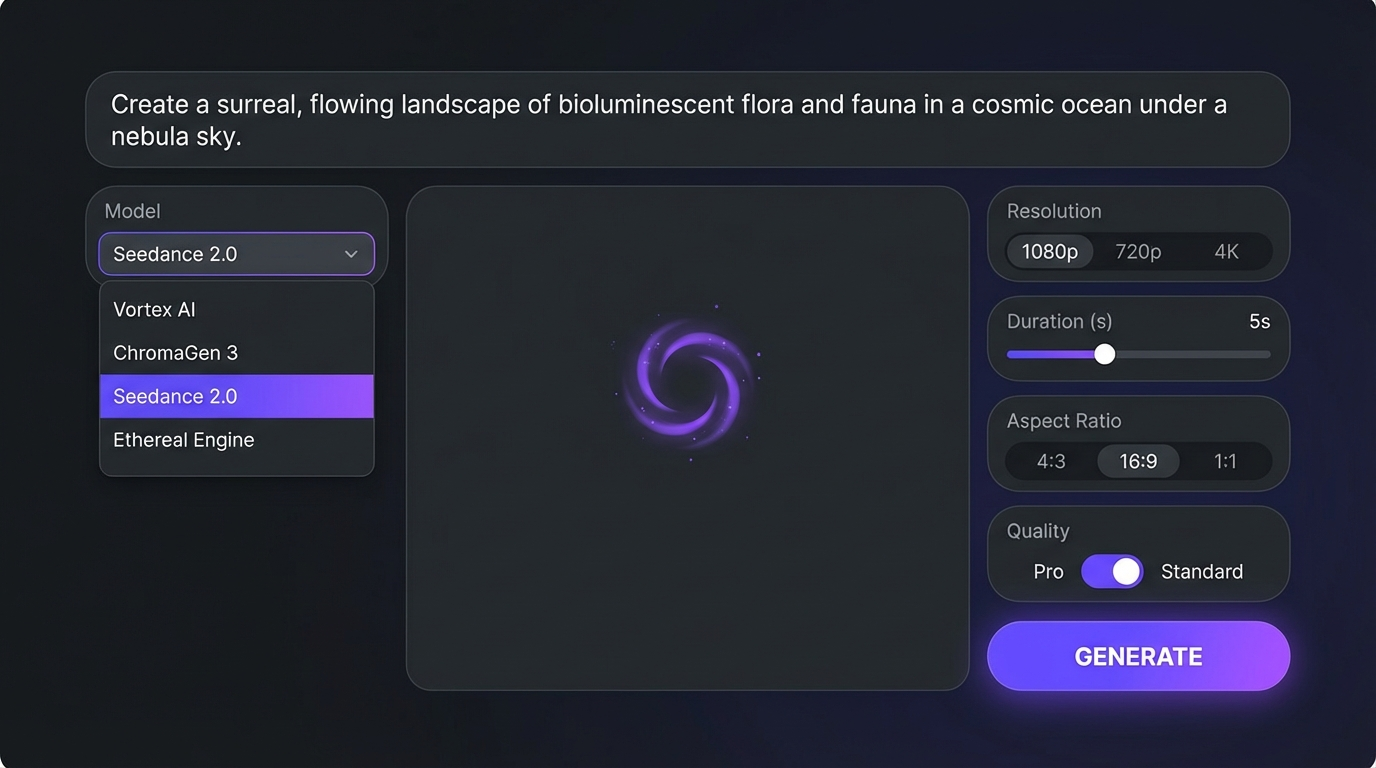
If you want to test prompts before writing code, the dashboard runs the same models with the same credit quotes.
Open the video generator
Go to Dashboard, then Video. Seedance 2.5 and Seedance 2.5 Turbo sit in the Latest tab of the model picker with a New badge.
Choose text-to-video or image-to-video
Type a prompt for text-to-video, or upload a start frame to switch to image-to-video. Add an end frame if you want the shot to land on a specific composition.
Add reference images
For text-to-video, attach up to 30 references of your character, product or location and refer to them as @Image 1, @Image 2 and so on.
Set duration and resolution
Pick 4 to 30 seconds and a resolution. The credit cost updates live as you change either value.
Generate and move on
Jobs take several minutes. Results land in your history with the prompt saved, so you can rerun the winner on standard Seedance 2.5.
Draft on Turbo, finish on standard
Draft every idea on Seedance 2.5 Turbo at 720p and 5 seconds. Once the prompt and references behave, rerun the winner on standard Seedance 2.5 at the final length and resolution. For even cheaper motion tests, Google's Gemini Omni 1.1 Flash renders 360p drafts at $0.03 per second. This is the same "draft mode" workflow other platforms sell as a feature.
For multi-shot work, the Storyboard to Film template in AI Canvas chains GPT Image 2.5 frames into Seedance 2.5 Turbo clips in one Run.
Frequently Asked Questions
When was Seedance 2.5 released?
ByteDance gives July 31, 2026 as the release date. Hosted API access followed in August 2026, and it has been live on MakeInfluencer.ai since September 29, 2026.
Is there an official Seedance API from ByteDance?
ByteDance offers its models to businesses through BytePlus ModelArk; its Seedance 2.5 announcement listed API access there as coming soon. Hosted APIs such as MakeInfluencer.ai's expose the model today with pay-as-you-go credits, no enterprise contract, and the same REST contract as every other model on the platform.
Is Seedance 2.5 free?
No. There is no free tier from ByteDance, and MakeInfluencer.ai does not include free credits with new accounts. The cheapest way to test prompts is Seedance 2.5 Turbo at 720p, with the credit cost previewed before each run. See the pricing page for current plans.
How much does a Seedance 2.5 video cost?
At provider list price, a 5-second 720p clip is $1.80 on standard Seedance 2.5 and $1.00 on Turbo. The API returns the exact credit cost from preview-credits before you submit.
How long does a Seedance 2.5 generation take?
Several minutes is normal. A 4-second Turbo image-to-video clip took about nine minutes in our launch-week test and a 5-second talking avatar about four minutes. Poll every 10 to 15 seconds and allow at least 30 minutes before timing out.
Does Seedance 2.5 generate audio?
Yes. Native, synchronized audio is on by default for text-to-video, image-to-video, Video Edit and Video Extend, at no extra cost. Set generateAudio to false for silent clips; on Video Edit, false keeps the source clip's audio instead.
What is the difference between Seedance 2.5 and Seedance 2.5 Turbo?
Same model family and inputs. Turbo is limited to 720p and 1080p and costs $0.20 per second at 720p against $0.36 for standard. Use Turbo for drafts and volume, standard for complex motion and final renders.
Can I use reference images with image-to-video?
Not as a separate list. In image-to-video the start frame defines composition and identity. Generate a start frame with references first, for example with GPT Image 2.5, then animate it.
Is the Seedance 2.0 API going away?
No. Seedance 2.0 and Seedance 2.0 Fast stay available and keep their API IDs, seedance2 and seedance2fast. Migrating is mostly a model ID change, since the field names are the same.
Can I use Seedance 2.5 from Claude or Cursor?
Yes. The MakeInfluencer.ai MCP connector exposes the same models and credit balance as the REST API, so an assistant can preview, submit and poll Seedance 2.5 jobs for you. See the MCP guide.
Start Creating with Seedance 2.5
Create an account
Sign up at MakeInfluencer.ai, add credits with a plan or bundle and create an API key in the dashboard.
Draft on Turbo
Preview the cost, then submit a 5-second 720p seedance25turbo job with one reference image or a start frame.
Render the final
Rerun the winning prompt on seedance25 at your final length and resolution, then extend, edit or turn it into a talking avatar on the same API.
Generate your first clip in the video generator, read the Seedance 2.5 API reference, or browse the mode pages: Turbo, Video Edit, Video Extend and Talking Avatar. Questions about the API: [email protected].