Kling v3.0 has arrived on MakeInfluencer.ai, and it represents the biggest leap in AI video generation from Kuaishou Technology to date. Whether you are creating TikTok dance videos, Instagram Reels, YouTube Shorts, or cinematic storytelling content, Kling v3.0 delivers a new standard of quality, flexibility, and creative control.
This guide covers everything you need to know -- from understanding the model tiers and generation modes to mastering prompts, managing credits, and choosing the right workflow for your content goals.
What Is New in Kling v3.0
Kling v3.0 is the latest generation of Kuaishou's AI video model, available through MakeInfluencer.ai's integrated pipeline. It builds on Kling v2.1 and v2.6 with substantial improvements across every dimension that matters for content creators.
Sharper Visual Quality
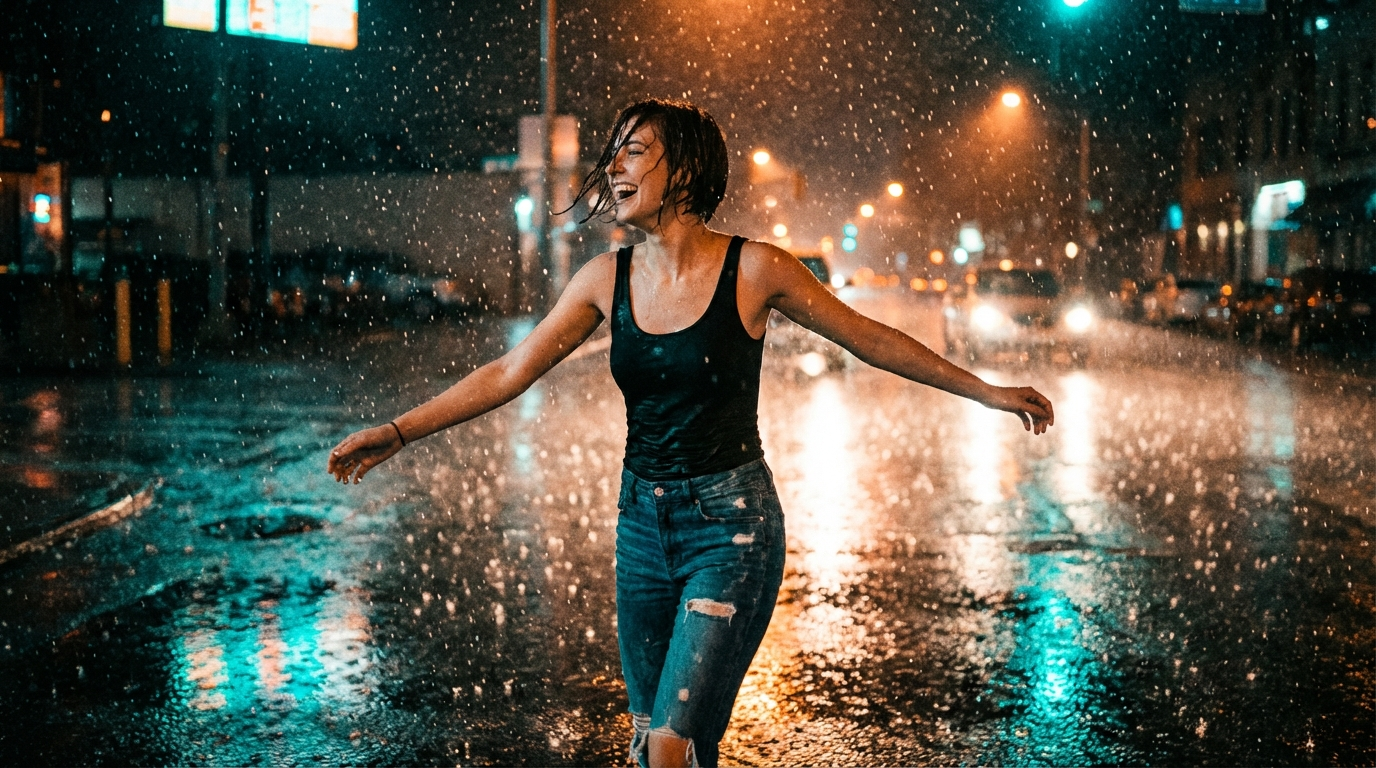
Dramatically improved skin textures, fabric physics, lighting interactions, and environmental details compared to v2.1.
Extended Duration
Generate videos from 3 to 15 seconds in a single generation. Previous versions were limited to 5 or 10 seconds.
Text-to-Video Support
Generate video purely from a text description -- no reference image required. A major addition for original content.
Built-in Sound Generation
Toggle contextual audio on or off. Kling v3.0 produces ambient sounds, environmental audio, and scene-appropriate effects.
Improved Motion Coherence
Smoother character movements, camera motion, and scene transitions. Complex multi-character scenes handled better.
End Frame Control
Provide an end frame image for I2V mode, giving precise control over how your video transitions from start to finish.
Kling v3.0 Is the Default
On MakeInfluencer.ai, Kling v3.0 is now the default Kling model for both the Video tab and the Motion Control tab. Previous versions (v2.1 and v2.6) remain available as legacy options, but v3.0 loads by default.
Content Policy
Kling v3.0 does not support . All generations must be safe for work. For video capabilities, use or WAN 2.6 Flash instead.
Kling v3.0 Pro vs Standard
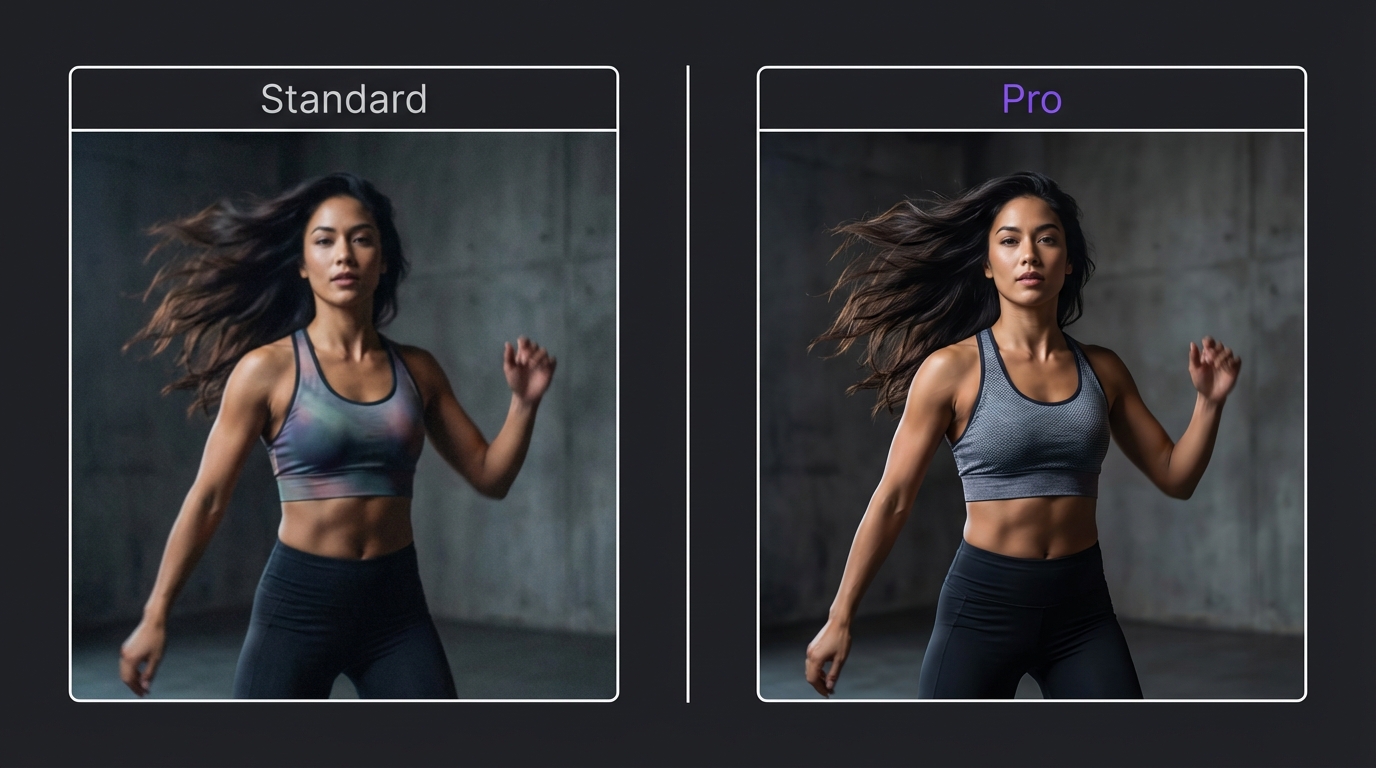
Kling v3.0 comes in two tiers: Pro and Standard. Both use the same underlying v3.0 architecture, but they differ in output quality, resolution, and credit cost.
Which Tier Should You Choose?
For most creators, Standard is the smart default for day-to-day content creation. The quality is excellent and the cost savings add up quickly over dozens of videos. Reserve Pro for your best-performing content or client deliverables where every pixel matters.
Choose Pro when: Creating brand or client content, building your portfolio, producing showcase work, or when maximum visual fidelity is the top priority.
Choose Standard when: Creating daily social media posts, testing ideas before committing Pro credits, producing high-volume content, or optimizing your credit budget.
Image-to-Video (I2V): Animate Your AI Influencer
Image-to-Video is the most popular way to use Kling v3.0. You provide a reference image -- typically your AI influencer's photo -- and Kling v3.0 brings it to life with realistic motion, physics, and environmental effects.
Select Your Reference Image
Upload a high-resolution image (1080p or higher). Full-body shots work best for motion-heavy content. Portrait shots work well for subtle animation.
Write Your Animation Prompt
Describe subject motion, camera movement, environmental effects, and scene dynamics in specific detail.
Choose Your Settings
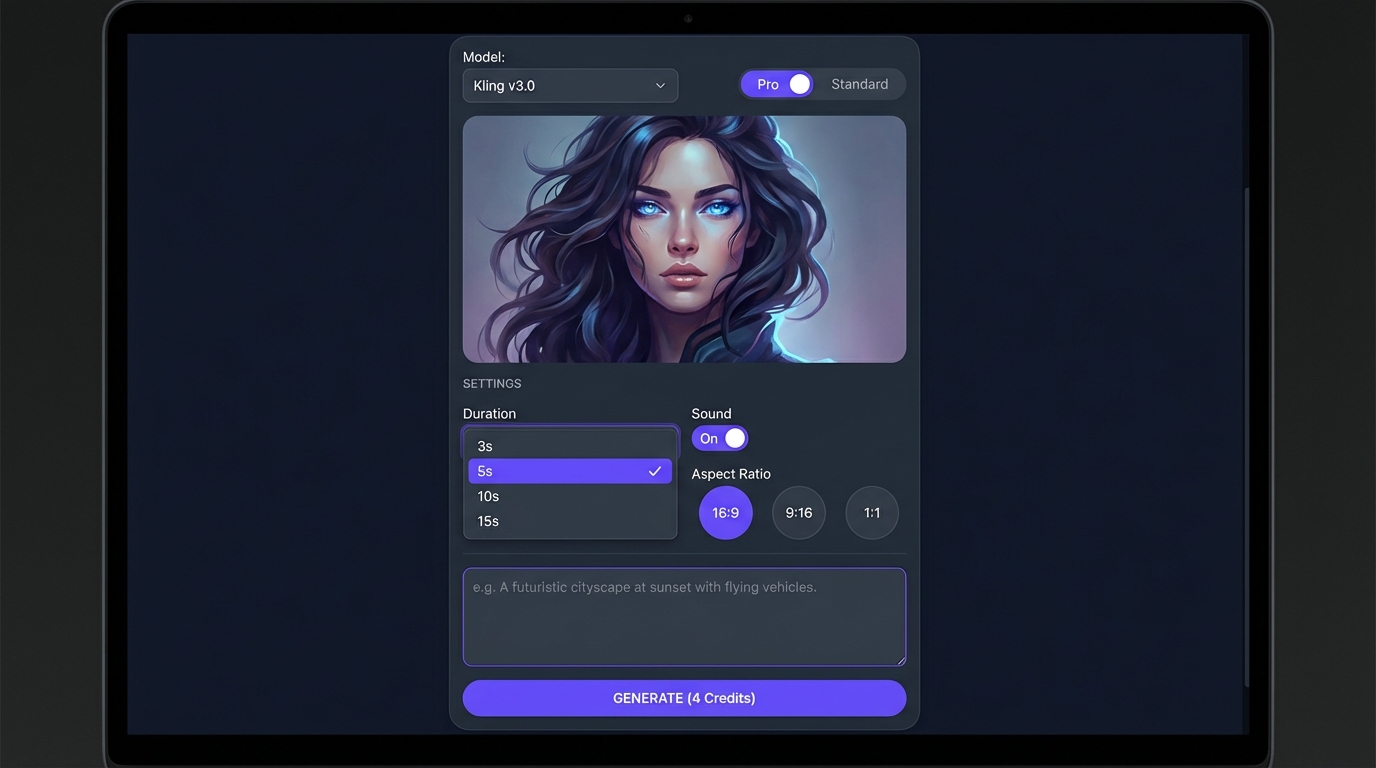
Select duration (3, 5, 10, or 15 seconds), tier (Pro or Standard), sound toggle, and optional end frame image.
Generate and Review
Click generate and wait 1-3 minutes. Review the output and regenerate with adjusted prompts if needed.
End Frame Control
One of Kling v3.0's most powerful I2V features is end frame control. By providing both a starting image and an ending image, you tell the model exactly where the animation should begin and end. The AI generates all in-between frames for a smooth transition.
This is useful for before-and-after reveals, outfit changes, location transitions, and pose transitions with natural motion.
I2V Best Practice
Match your prompt to the image. If your reference shows someone sitting, do not prompt them to run. Start from what the image shows and describe natural extensions of that pose. Test with Standard first before committing Pro credits.
Text-to-Video (T2V): Create Original Scenes
Kling v3.0 introduces full Text-to-Video support. Generate complete video scenes using nothing but a text description -- no reference image required.
T2V Prompt Structure
Unlike I2V where you describe motion for an existing image, T2V requires you to describe the entire scene: the subject, setting, action, visual style, and camera movement.
T2V supports multiple aspect ratios: 16:9 for YouTube and desktop, 9:16 for TikTok and Reels, and 1:1 for Instagram feed posts.
When to Use T2V vs I2V
T2V shines when you need original visual content that does not depend on a specific character image. Use T2V for establishing shots, B-roll footage, scene transitions, and abstract or artistic content. Use I2V whenever you need to animate a specific AI influencer or maintain character consistency.
T2V Prompt Examples
Cinematic establishing shot:
"Aerial drone shot slowly descending over a tropical beach at golden hour. Crystal clear turquoise water, white sand, palm trees swaying in gentle wind. Warm cinematic color grading, lens flare from the setting sun. 4K quality."
Social media lifestyle:
"Close-up of a coffee cup on a marble table in a trendy cafe. Steam rises from the cup. Soft bokeh background with warm ambient lighting. A hand reaches in to pick up the cup. Cozy, aesthetic mood."
Motion Control v3.0: Your Character Performs Any Motion
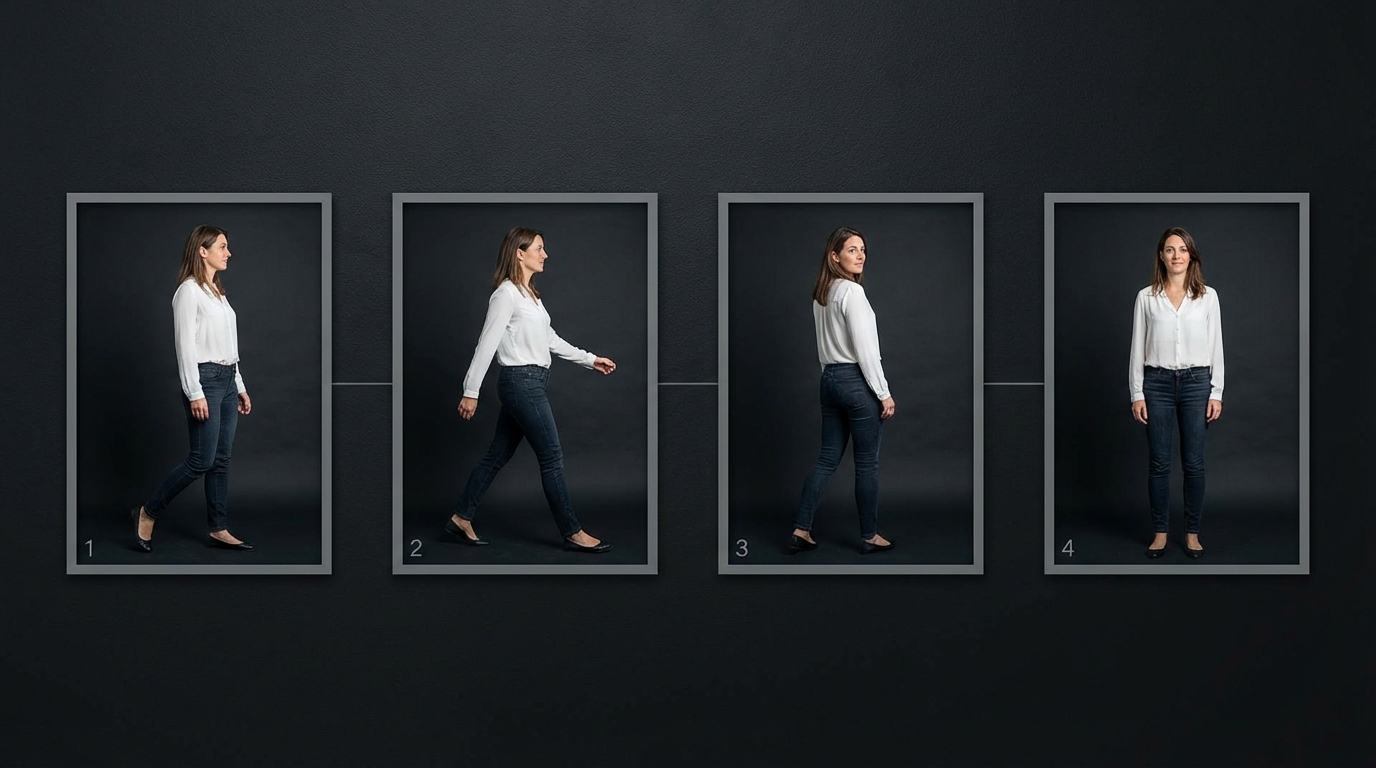
Motion Control is one of the most powerful features on MakeInfluencer.ai. With v3.0, it has received a significant upgrade. Upload your AI character image and a reference video, and Kling v3.0 maps the motion from the reference onto your character.
Motion Control v3.0 Tiers
Both Pro and Standard tiers support durations of 3, 5, 10, 15, 20, and 30 seconds -- significantly longer than regular video generation modes.
Motion Control v3.0 Credit Costs
Motion Control Best Practices
- Match the first frame pose: Your character image should closely match the starting pose of the reference video. Use MakeInfluencer.ai's image editing tools to replicate the first-frame pose before generating.
- Use full-body images: Motion Control works best when the full body is visible. Cropped or headshot-only images limit the motion that can be applied.
- Choose clean reference videos: Single subject, clear motion, and minimal background clutter produce the best results.
- Start with shorter durations: Test with 3 or 5 seconds before committing to a 30-second generation.
Motion Control Use Cases
TikTok dance trends: Find a trending TikTok dance, download the video, and use it as your motion reference. Your AI influencer performs the exact choreography. This is how many AI influencers go viral.
Product demonstrations: Record or find a video of someone showcasing a product with natural hand gestures. Apply that motion to your AI character for a polished product video.
Fitness content: Use workout routine videos as motion references to create fitness content featuring your AI influencer performing exercises, yoga poses, or dance workouts.
Sound Generation
Kling v3.0 includes built-in sound generation that adds contextual audio to your videos. The AI analyzes the visual content and generates matching ambient sounds, environmental effects, and scene-appropriate audio.
Sound Generation Credit Costs
Enabling sound adds extra credits per second:
Sound Generation Premium
Enable sound when creating standalone video content viewed with audio, generating ambient or environmental videos, or producing product showcase videos with natural sound design.
Skip sound when you plan to add your own music or voiceover, when budget is a priority, or when the visual content is the primary focus.
Credit Pricing Guide
Understanding the credit structure helps you plan your content budget effectively.
Standard Video Generation (I2V and T2V)
Budget Planning Tips
- Best value for social media clips: Standard 5-second videos at 20,000 credits each. Generate 9 videos on a Basic plan (180,000 credits).
- Best value for longer content: Standard 10-second videos at 40,000 credits. Generate 4-5 per Basic plan cycle.
- Motion Control sweet spot: Standard 5-second Motion Control at 29,000 credits balances quality and cost for TikTok-ready clips.
- Premium showcase content: Pro 10-second with sound at 80,000 credits delivers the highest quality for portfolio or client work.
Prompting Tips for Kling v3.0
The quality of your output depends heavily on your prompt. Here are proven strategies.
Be Specific About Motion
Vague prompts produce vague results. Instead of "the woman moves," describe exactly what happens.
Weak prompt: "A woman walking on a beach"
Strong prompt: "A woman in a white sundress walks barefoot along the shoreline, her feet splashing through shallow waves. The wind catches her hair and dress. She glances over her shoulder toward the camera with a soft smile. Golden hour sunlight casts long shadows on the sand."
Describe Camera Movement
Kling v3.0 responds well to cinematographic direction:
- "Slow tracking shot following the subject from left to right"
- "Close-up with shallow depth of field, slow rack focus"
- "Slow-motion dolly zoom into the subject's face"
- "Low-angle shot looking up at the subject against the sky"
Set the Lighting and Mood
Lighting descriptions dramatically affect output quality. Include details like "soft diffused window light," "neon-lit urban environment with reflections on wet pavement," or "warm golden hour backlight with lens flare."
Prompt Templates
I2V template: [Subject action description]. [Camera movement]. [Environmental details]. [Lighting and mood]. [Quality markers: cinematic, 4K, photorealistic].
T2V template: [Scene setting and environment]. [Subject description]. [Action and movement]. [Camera work]. [Lighting, color, and mood]. [Quality descriptors].
Kling v3.0 vs Other Models
MakeInfluencer.ai offers several AI video generation models. Here is how Kling v3.0 compares. For a comprehensive comparison, see the full Best AI Video Generators 2026 guide.
Kling v3.0 Standard
Best Value- 4,000 credits/second without sound
- I2V, T2V, and Motion Control support
- 3-15 second duration range
- Sound generation available
- SFW content only
VEO 3.1
Highest Quality- 8,000 credits/second without audio
- Ultra-realistic photorealistic output
- Sound generation with dialogue
- No Motion Control support
- SFW content only
Sora 2
Cinematic- 40,000 credits for 4 seconds
- Built-in synced audio by default
- Excellent cinematic compositions
- Creative prompt interpretation
- SFW content only
WAN 2.6 Flash
Budget +- 3,000-5,000 credits/second depending on resolution
- Fast generation speed
- supported
- Good quality for the price
- No Motion Control
Quick Model Selection Guide
| Your Need | Best Model |
|---|---|
| Best quality SFW video | VEO 3.1 (budget allows) or Kling v3.0 Pro |
| Cost-effective SFW video | Kling v3.0 Standard |
| Dance and Motion Control content | Kling v3.0 |
| Built-in audio by default | Sora 2 or VEO 3.1 |
| AI video generation | or WAN 2.6 Flash |
| Maximum volume on budget | WAN 2.6 Flash 720p |
| All-around best value | Kling v3.0 Standard |
Frequently Asked Questions
Does Kling v3.0 support ?
No. Kling v3.0 does not support of any kind. All generations must be safe for work. For video, use or WAN 2.6 Flash, both available on MakeInfluencer.ai.
What resolutions does Kling v3.0 support?
Kling v3.0 Pro generates at up to 1080p resolution. Standard generates at 720p. Both tiers produce high-quality output suitable for all major social media platforms.
Can I use Kling v3.0 for commercial content?
Yes. Videos generated on MakeInfluencer.ai with Kling v3.0 can be used for commercial purposes including brand collaborations, affiliate marketing, product promotions, and monetized social media content.
How long does generation take?
Typical generation times range from 1-3 minutes for standard durations (3-10 seconds). Longer durations and Motion Control may take slightly longer. Sound generation adds minimal additional processing time.
Can I combine Kling v3.0 with other MakeInfluencer.ai features?
Yes. The most powerful workflows combine multiple features: Image Generation plus Kling v3.0 I2V to create the perfect image then animate it, Kling v3.0 plus Lip Sync to generate a video then add speech, and Motion Control plus audio overlay to generate a dance video then add trending audio.
Is Kling v2.1 still available?
Yes. Kling v2.1 Standard and Pro remain available as legacy options. However, v3.0 is recommended for all new content creation as it delivers better quality across every metric.
Getting Started with Kling v3.0
Sign Up and Claim Credits
Create your account at MakeInfluencer.ai and choose a plan to get started to begin generating immediately.
Create Your AI Influencer
Use any of the 10+ image models to generate your character, or upload an existing image.
Navigate to the Video Tab
Kling v3.0 loads as the default model. Upload your image and write a descriptive prompt.
Choose Standard and 5 Seconds
Start with Standard tier and a 5-second duration for your first test to get a feel for the model.
Iterate and Level Up
Adjust your prompt, try different durations, experiment with sound, and graduate to Motion Control for dance content.
The learning curve is minimal. Most creators produce content they are happy with within their first 2-3 generations. The key is writing detailed, specific prompts and choosing the right generation mode for your content goals.