The best Civitai alternative depends on what you value about Civitai.
Civitai is a community and model ecosystem. It is useful for discovering checkpoints, LoRAs, workflows, examples, and creator knowledge. It also supports hosted creation. A product that only offers a prompt box is not automatically a replacement for that ecosystem.
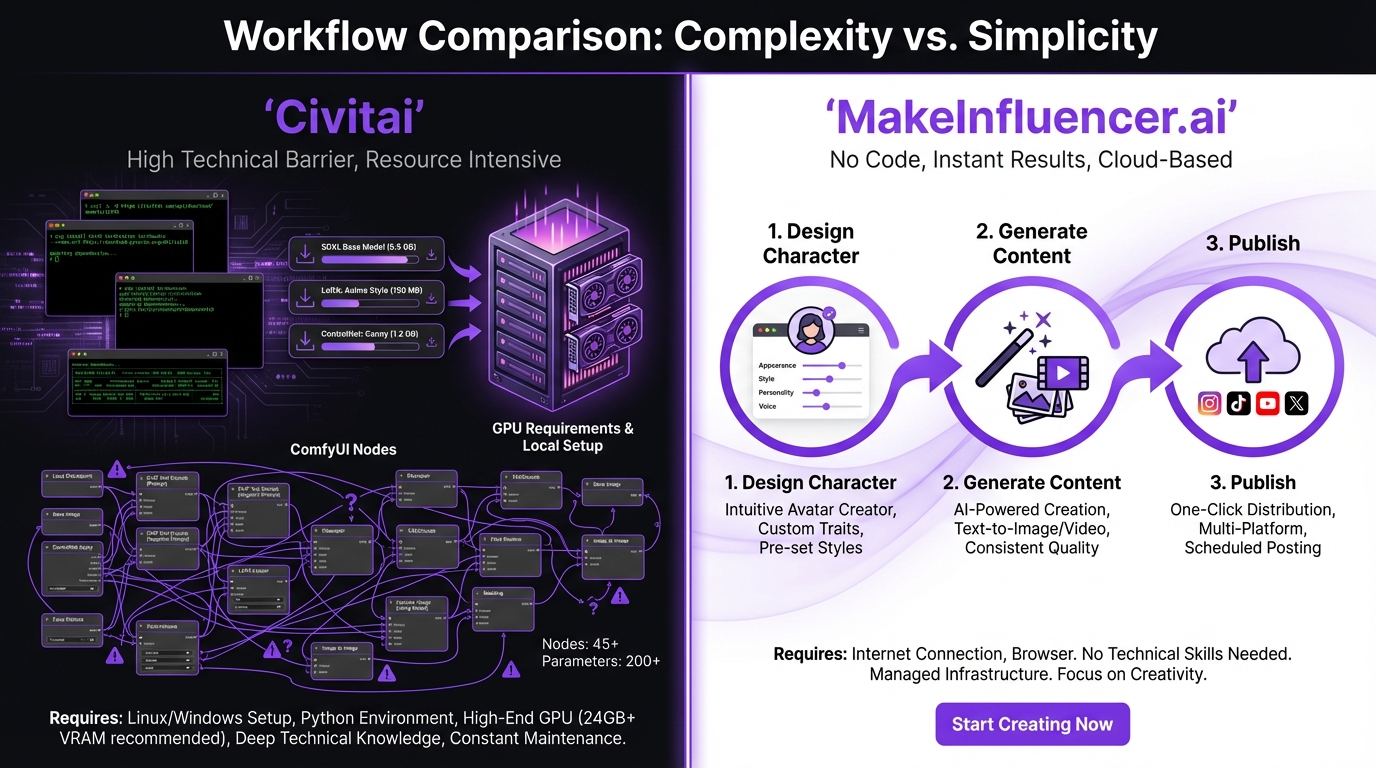
MakeInfluencer is a different kind of alternative. It is designed for people who want a managed, safe-for-work production workflow: choose a hosted image or video model, create reusable AI influencers, store assets, preview credit costs, and generate through the dashboard, REST API, or MCP without configuring a local inference stack.

Quick answer: when is MakeInfluencer a good Civitai alternative?
MakeInfluencer is a strong fit when you want:
- Hosted image and video generation without managing a GPU
- A curated catalog instead of browsing a very large community model library
- Reusable AI influencer identities and reference assets
- Image editing, upscaling, background tools, motion control, and lip sync
- Strictly safe-for-work generation for brand or agency use
- One asset library for browser, REST, and MCP workflows
- Public per-model API documentation and exact credit previews
- A conventional asynchronous generation contract with owned status endpoints
Civitai remains the better fit when your priority is community model discovery, very specific downloadable checkpoints or LoRAs, deep local workflow control, or participation in its creator ecosystem.
Civitai and MakeInfluencer solve different problems
| Need | Civitai | MakeInfluencer.ai |
|---|---|---|
| Discover community models and workflows | Core strength | Curated catalog rather than an open marketplace |
| Download and run models locally | Supported by the ecosystem | Not the product's focus |
| Generate in a managed browser workspace | Available | Core workflow |
| Reusable AI influencer profiles | Depends on model and workflow | Built into the product |
| Image plus video production | Available through models and workflows | Connected image, video, motion, voice, and editing surfaces |
| Public application API | Depends on the workflow/service used | Public REST, OpenAPI, model pages, and MCP |
| Asset handoff | Workflow-dependent | User-scoped Library and presigned uploads |
| Content policy | Broad community with model/resource variation | Strictly safe-for-work |
The distinction matters for search intent. Someone looking for a “Civitai alternative” may want one of several things:
- Another model marketplace.
- A hosted Stable Diffusion-style generator.
- A simpler no-GPU creative tool.
- Better character consistency.
- An API for image and video models.
- A safer business workspace.
No single platform is best for all six.
Alternative type 1: another model community
If the community is the product for you, prioritize alternatives with:
- Searchable model and LoRA catalogs
- Version history and creator profiles
- Example prompts and generation metadata
- Clear licenses and usage restrictions
- Active comments, ratings, and moderation
- Download support for your local UI
MakeInfluencer is not trying to replace that open marketplace experience. It is better evaluated as a managed production layer.
Alternative type 2: hosted generation with no GPU setup
This is where MakeInfluencer becomes a practical Civitai alternative.
You do not need to install model files, Python packages, CUDA drivers, a node graph, or a local UI. The platform manages provider dispatch, polling, storage, and account credits. You choose a registered model and fill in only the fields that model supports.
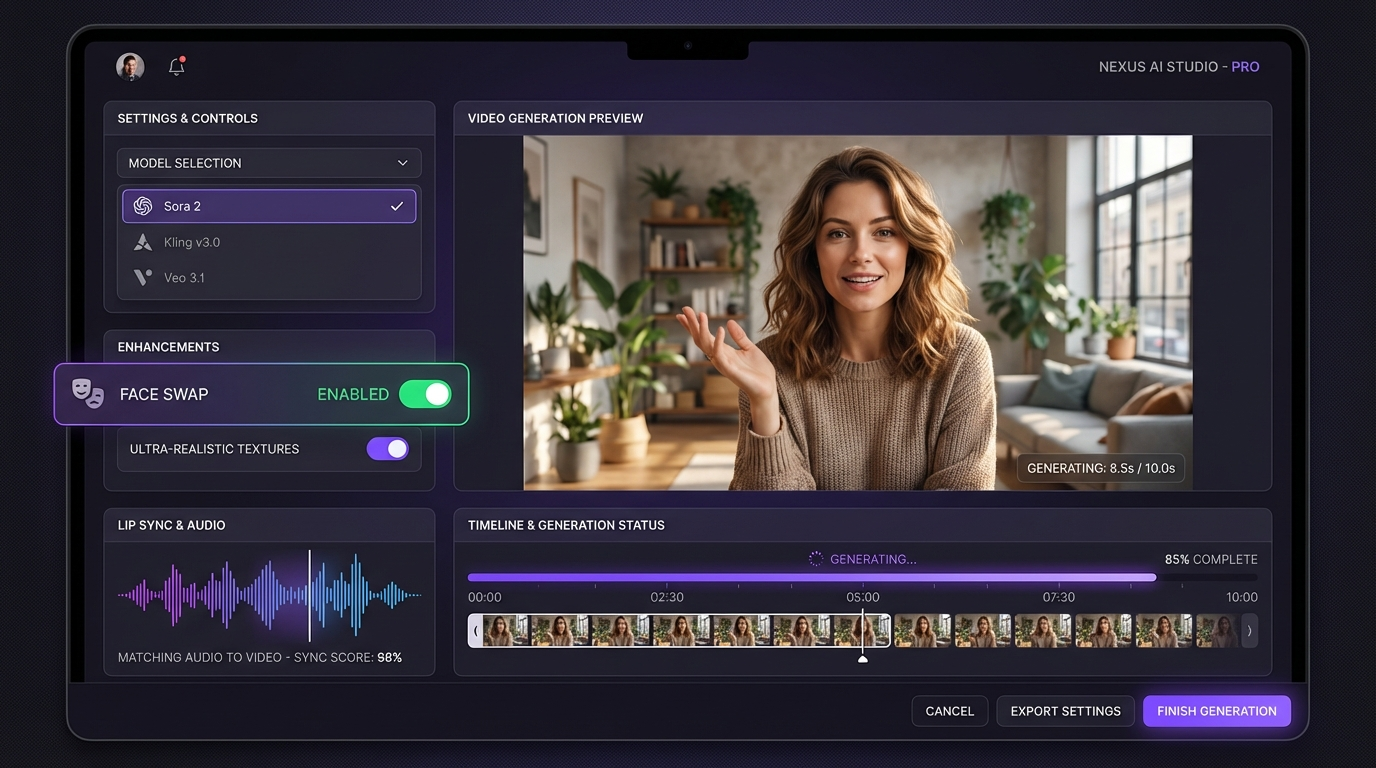
The current AI image generator covers text-to-image and reference-guided workflows. The AI video generator connects those assets to text-to-video and image-to-video models. Dedicated tools handle lip sync, motion control, editing, and upscaling.
That convenience trades away some local control. You do not get arbitrary community checkpoint loading or unrestricted node graphs. In exchange, the workflow is easier to operate and automate.
Alternative type 3: consistent AI characters
Many Civitai users assemble character consistency from LoRAs, reference adapters, seeds, ControlNet, prompt conventions, and carefully matched model versions. That can be powerful, but it requires experimentation and workflow ownership.
MakeInfluencer provides a product-level alternative:
- Create an AI influencer profile.
- Generate and curate approved references.
- Reuse the influencer or references in supported image models.
- Store selected outputs in the Library.
- Carry a selected still into video, motion-control, or lip-sync generation.
- Use custom character training on eligible plans when the use case requires it.
The character consistency guide explains how to test identity across poses, lighting, clothing, and media types.
Alternative type 4: a Civitai API alternative
Developers often search for Civitai alternatives because they do not want to host inference or maintain a separate integration for every model provider.
MakeInfluencer exposes a unified REST contract:
GET  /api/v1/models
GET  /api/v1/models/{modelId}
POST /api/v1/models/{modelId}/preview-credits
POST /api/v1/models/{modelId}/generations
GET  /api/v1/generations/{kind}/{generationId}
POST /api/v1/assets/presign
The model registry publishes each model's fields, defaults, options, limits, and capabilities. A backend can discover the schema, preview the exact charge, queue a generation with an Idempotency-Key, and poll until terminal is true.
On success, ready is true and the response includes the output URL. On failure, ready remains false, the generation is terminal, and charged failures report their refund state.
Start with the AI media generation API guide or open the model endpoint directory.
One shared credit system
MakeInfluencer uses one account balance across:
- Dashboard generations
- REST API requests
- MCP tool calls
The same model input costs the same credits on each surface. Credit preview endpoints do not charge. This makes it easier to prototype a workflow manually and automate it later without moving to a separate API billing product.
For current subscription allowances and model access, use the live pricing page. Raw credits should only be compared inside the same platform; different products define credit units differently.
Asset uploads without CORS pain
Reference-image and video workflows need stable, provider-accessible URLs. Browser uploads can also fail when a third-party source blocks cross-origin requests.
MakeInfluencer supports two paths:
- Use the REST presign endpoint to upload an allowed image, video, or audio file into user-scoped storage.
- Upload through the Library, then copy the hosted URL for REST, MCP, or dashboard generation.
This keeps model inputs tied to the authenticated account and gives users a simple fallback when an agent or remote URL cannot upload reliably.
SFW production for teams and brands
Civitai's breadth is valuable, but teams may need a narrower environment with a consistent policy.
MakeInfluencer is explicitly safe-for-work. Prompt checks and output moderation apply across manual and automated generation. That does not guarantee every output is campaign-ready, so teams still need human review for:
- Product and logo accuracy
- Copyright and trademark risk
- Consent for uploaded faces and voices
- Synthetic-media disclosure
- Platform advertising rules
- Claims and endorsements
The benefit is a clear intended-use boundary across the whole product.
Safe-for-work only
MakeInfluencer is a strictly safe-for-work platform. Every generation passes automated moderation, and explicit or adult content is neither produced nor hosted. Do not try to work around that moderation — real-person impersonation and content involving minors are never acceptable, on any tool.
What you give up by leaving a local or community workflow
A credible Civitai alternative guide should name the tradeoffs.
With a managed platform, you may lose:
- Arbitrary model and extension installation
- Full sampler, scheduler, and low-level inference control
- Custom node graphs for every experimental technique
- Offline generation
- The ability to inspect and modify the entire runtime
- Access to community resources not included in the hosted catalog
If those controls are central to your work, keep Civitai and your local stack. A managed service can complement that workflow rather than replace it.
What you gain with MakeInfluencer
You gain productized operations:
- No local inference maintenance
- Curated model schemas
- Credit previews
- User-owned status and history
- Hosted outputs
- Reusable assets
- Character-centric workflows
- Image-to-video handoff
- REST idempotency
- Separate MCP integration
- Dashboard usage visibility
For creators and small teams, operational simplicity can be more valuable than another hundred model choices.
How to compare Civitai alternatives properly
Use one benchmark instead of browsing feature lists.
Test brief
Create a vertical product campaign with:
- One photorealistic creator portrait.
- The same creator holding a product.
- A new outfit and background.
- One five-second image-to-video clip.
- One short talking segment.
- One API-generated variation.
Track these metrics
- Number of attempts
- Time to approved output
- Identity stability
- Hand and product accuracy
- Prompt adherence
- Credits or compute cost
- Failed-job behavior
- Manual cleanup time
- Ease of asset reuse
- API integration time
This benchmark exposes whether you need an open model ecosystem, a hosted generator, or a complete creator workflow.
A practical MakeInfluencer workflow
Step 1: create or upload the character
Create an AI influencer or upload references you have permission to use. Keep clear front-facing and three-quarter images in the Library.
Step 2: choose the image model
Use the model directory to compare text, image, and reference requirements. Preview credits before the first generation.
Step 3: generate a small batch
Create enough options to compare composition without producing a wasteful volume of near-duplicates. Save only approved outputs.
Step 4: refine the winner
Edit the background, clothing, text, or composition with a model suited to the change. Upscale only after the image is approved.
Step 5: animate or add voice
Move the still into an image-to-video, motion-control, or lip-sync workflow. Use the model's documented input limits.
Step 6: automate the repeatable part
Once the manual workflow is stable, use the REST API for production systems or MCP for agent-led creation. Keep human approval before publishing.
Frequently asked questions
What is the best Civitai alternative with no GPU required?
MakeInfluencer is a strong option when you want hosted SFW image and video models, reusable AI influencers, asset storage, and an API without managing inference infrastructure.
Is MakeInfluencer another model marketplace?
No. It is a curated generation platform. Civitai is stronger for community model discovery and downloadable resources; MakeInfluencer is stronger for a managed creator workflow.
Can MakeInfluencer use custom characters?
Yes. The product supports reusable AI influencer profiles, reference-guided models, and custom character training on eligible plans.
Does MakeInfluencer have a REST API?
Yes. It includes model discovery, credit previews, generation, owned polling, history, account credits, influencer listing, asset uploads, OpenAPI, and per-model documentation.
Can I use MakeInfluencer with an AI agent?
Yes. The MCP integration is documented separately from REST and uses the same account credits. Browser Library upload is available when direct agent upload runs into CORS or source-host restrictions.
Does MakeInfluencer support adult or NSFW models?
No. MakeInfluencer is strictly safe-for-work and moderates prompts and outputs. If adult generation is your main requirement, it is not the right Civitai alternative.
Should I delete my local Civitai workflow?
Not before benchmarking. Many advanced users keep local workflows for experimentation and use a hosted platform for production, team access, video, or API delivery.
Final verdict
Civitai is difficult to replace because its model community is the core value. MakeInfluencer does not pretend to recreate that marketplace.
It is the better alternative when the job is operational: produce consistent SFW creator images and videos, store assets, preview costs, and automate current models through one supported API.
Create an account, try the AI image generator, or inspect the REST model catalog before changing your workflow.