An AI avatar generator turns a face, character concept, or written prompt into a digital person you can use in videos. In 2026, avatars are no longer limited to stiff corporate presenters on a white background. Creators use them for TikTok hooks, Reels, YouTube Shorts, UGC ads, product explainers, creator education, and faceless channels where the same on-screen personality appears every day.
The opportunity is simple: video needs a face, but not every creator wants to film. A good AI avatar gives you the presence of a person without the production cost of cameras, studios, reshoots, or being on camera yourself.
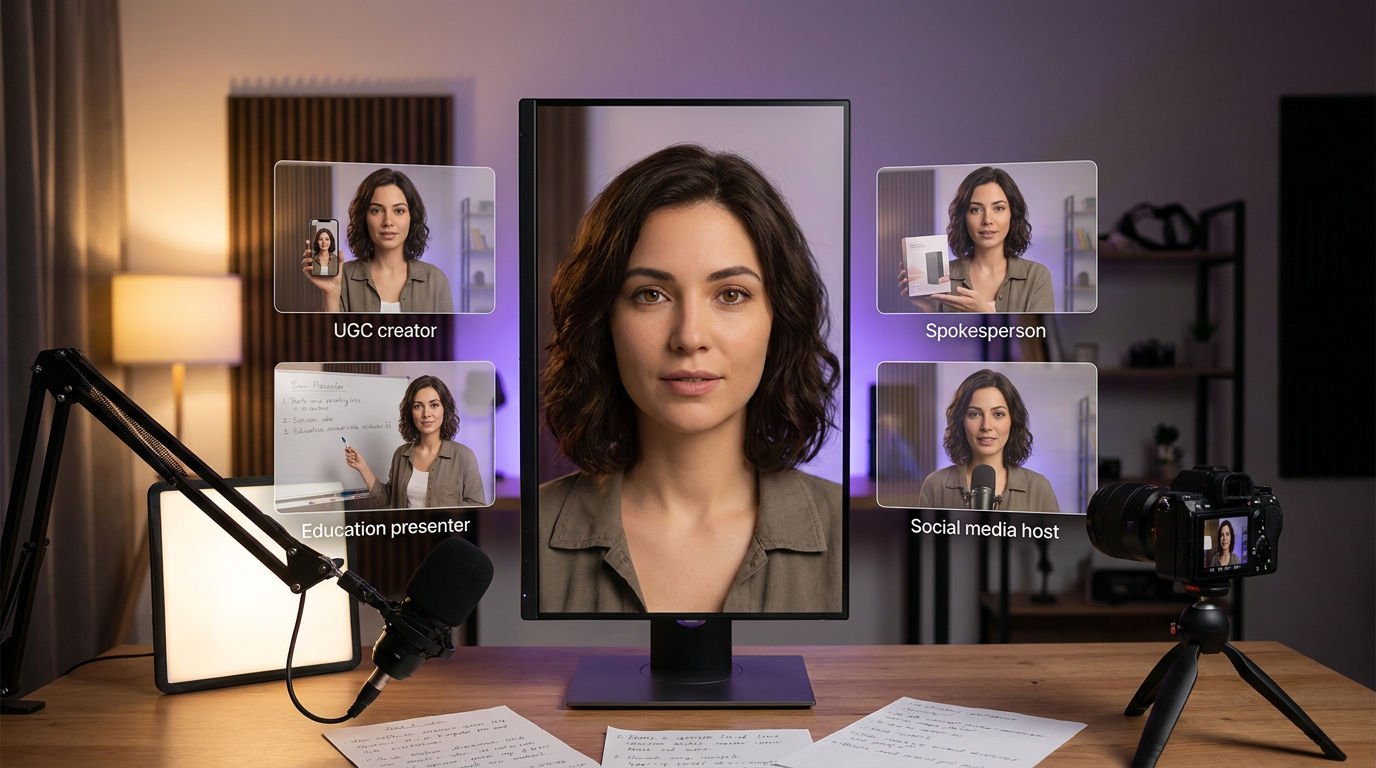
This guide explains what an AI avatar generator does, how to choose the right avatar type, how to create a realistic talking avatar, and how to keep the same character consistent across images, videos, ads, and social content.
What Is an AI Avatar Generator?
An AI avatar generator is a tool that creates a realistic or stylized digital person for use in images and videos. Depending on the workflow, the avatar can be generated from a text prompt, a reference image, an uploaded photo, or a fully designed AI character.
Most people use the term for three related tools:
- AI image avatars -- static profile pictures, headshots, character portraits, or brand mascots.
- Talking AI avatars -- a portrait or character that speaks a script with synchronized lip movement.
- AI avatar videos -- full videos where the avatar appears in scenes, gestures, moves, presents, or acts.
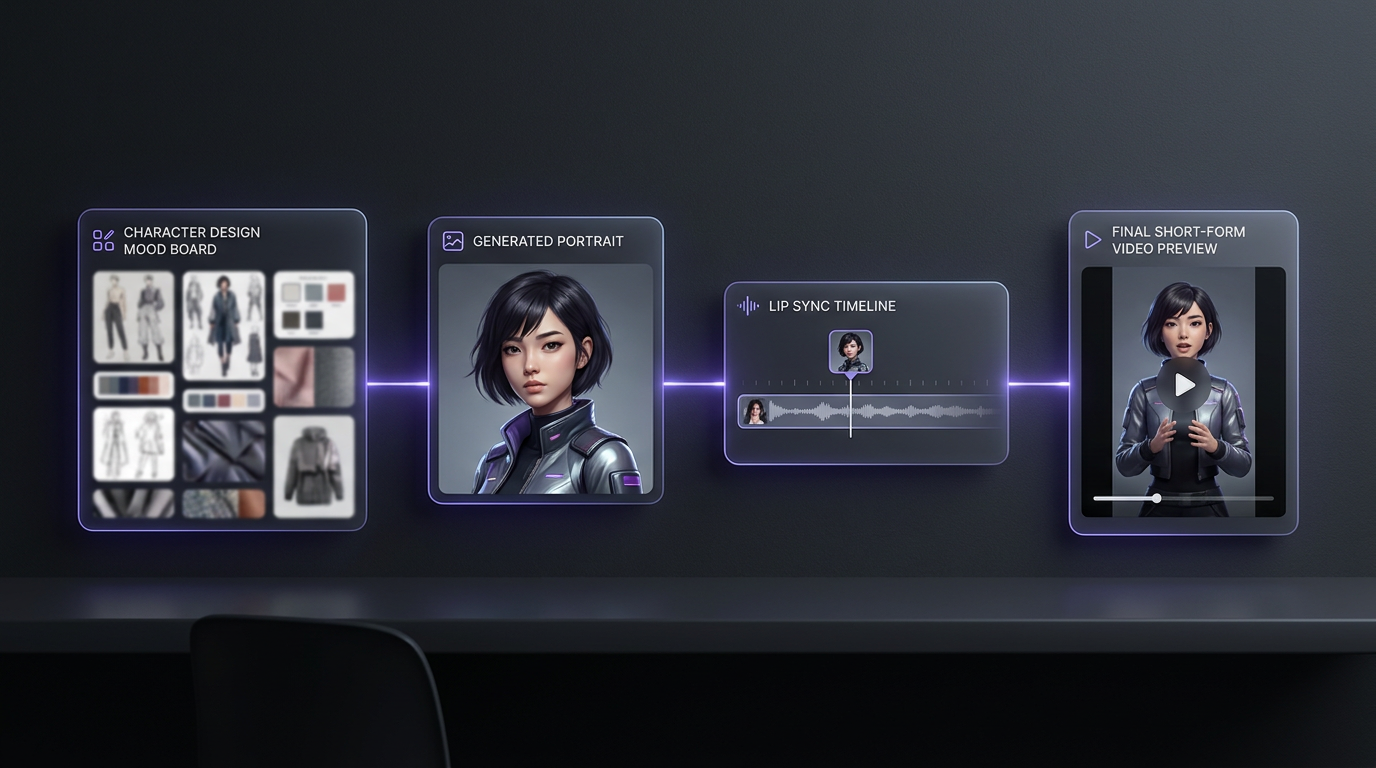
The best avatar workflows combine all three. You design a character, generate a polished source image, turn that image into a talking video, then reuse the same character for posts, ads, and longer-form content.
Why AI Avatars Are Taking Over Short-Form Content
Short-form platforms reward faces. A person on screen creates trust faster than abstract visuals, stock footage, or text-only videos. That is why creators, brands, and faceless channels keep moving toward avatar-led content.
AI avatars solve four production problems at once.
No filming bottleneck
Create a presenter, spokesperson, or creator without booking a studio or recording yourself every day.
Faster publishing
Turn a script into a finished video in minutes, then generate variations for TikTok, Reels, Shorts, and ads.
Consistent face
Use the same avatar across a whole content library so viewers start recognizing the character.
Unlimited scenes
Put one avatar in a podcast studio, bedroom setup, street interview, product demo, or cinematic ad scene.
For solo creators, the main benefit is privacy. You can build a recognizable personality without showing your own face. For brands, the benefit is scale. One avatar can record product demos, onboarding videos, support explainers, and multilingual ads without repeated shoots.
AI Avatar vs AI Influencer vs AI Spokesperson
These terms overlap, but they are not the same. Choosing the right one helps you write better prompts and pick the right workflow.
| Type | Main use | Best format | Example |
|---|---|---|---|
| AI avatar | A reusable digital person | Headshots, talking videos, social posts | A creator face for Reels |
| AI influencer | A character with a public identity | Lifestyle images, videos, social profiles | A fashion persona on Instagram |
| AI spokesperson | A presenter for a brand or product | Explainers, ads, landing-page videos | A product demo presenter |
| AI presenter | Educational or business communication | Training, tutorials, updates | A weekly course narrator |
If your goal is audience growth, think like an AI influencer: personality, niche, visual style, and content calendar matter. If your goal is conversion, think like an AI spokesperson: clarity, trust, script quality, and offer matter. If your goal is repeatable faceless content, think like a channel operator: format, retention, and upload volume matter.
The practical rule
Use the phrase "AI avatar" for the asset, "AI influencer" for the character brand, and "AI spokesperson" for the job the avatar is doing in a specific video.
The 5-Step AI Avatar Creation Workflow
Here is the workflow that gives you a realistic avatar instead of a random talking face.
Choose the avatar role
Decide whether the avatar is a creator, teacher, spokesperson, UGC actor, product reviewer, or social media host.
Design the character
Define age range, style, clothing, niche, personality, camera presence, and visual references before generating anything.
Generate the source image
Create a clean, high-resolution portrait or half-body image with natural skin, clear eyes, and a face visible enough for lip sync.
Animate the avatar
Use lip sync for talking videos, motion control for movement, or image-to-video for cinematic social clips.
Build a repeatable library
Save winning prompts, outfits, scenes, and scripts so every future video looks like part of the same brand.
Step 1: Choose the Avatar Role
Do not start with appearance. Start with the job.
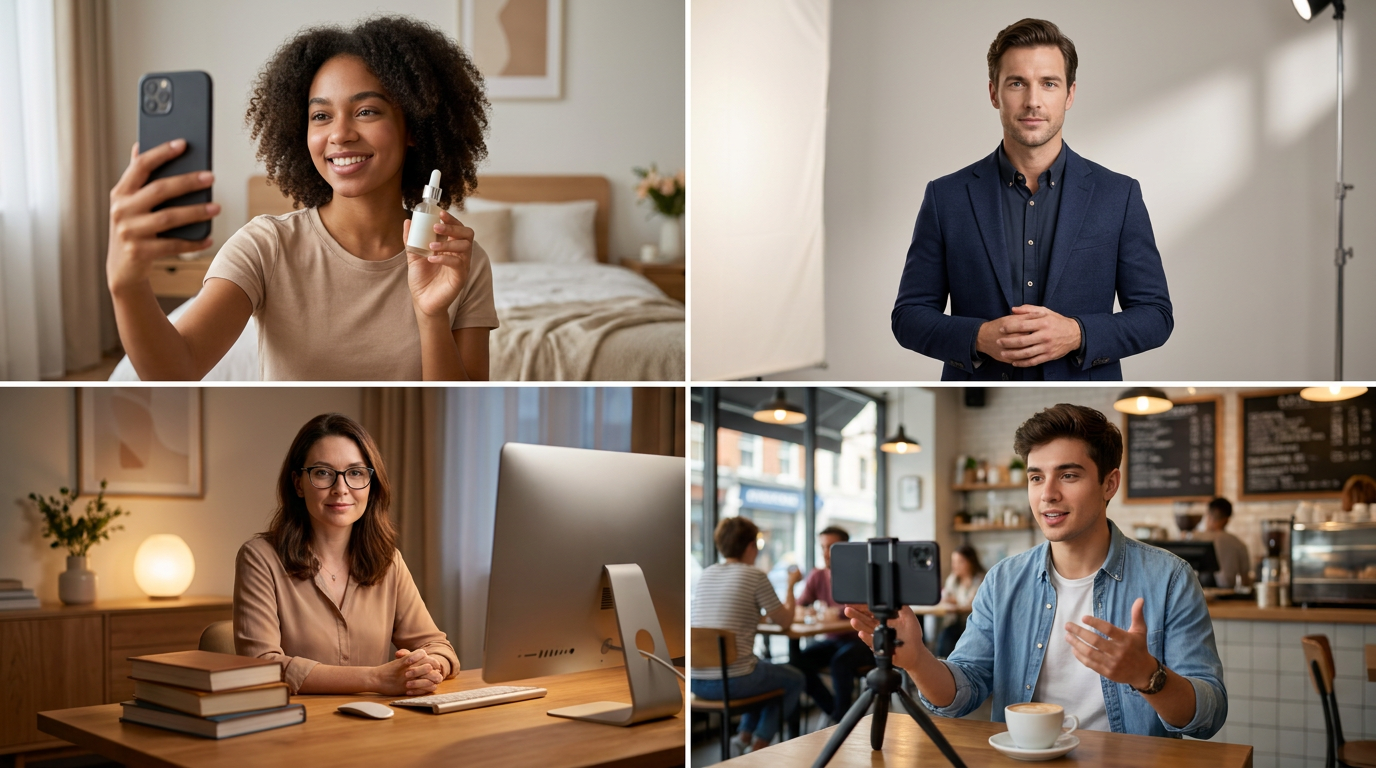
A beauty UGC avatar needs warmth, eye contact, and a relatable bedroom or bathroom setting. A finance explainer avatar needs a calmer tone, clean studio lighting, and a credible presenter look. A TikTok storytime avatar needs expressive facial motion and quick hooks. A brand spokesperson needs controlled framing, polished wardrobe, and consistent audio.
The role determines:
- Whether the avatar should be photorealistic or stylized
- Whether the video should be selfie-style, studio-style, or cinematic
- Whether the script should sound casual, expert, playful, or direct
- Whether you need full-body motion or only a talking head
Choosing the Right Avatar Style
The biggest mistake beginners make is choosing an avatar style because it looks impressive in a demo. The style should match the channel, audience, and job of the video.
Creator-Style Avatar
Use this for TikTok, Reels, Shorts, UGC ads, product reviews, and lifestyle content. The avatar should feel like a real creator recording from a bedroom, bathroom, desk setup, cafe, car, or street. Slightly imperfect framing helps. The viewer should feel like a person is talking to them, not like a corporate video is playing at them.
Best for:
- Beauty and fashion content
- Product reviews
- "I tried this" videos
- Storytime hooks
- Creator-led brand ads
- AI influencer accounts
Spokesperson Avatar
Use this when the avatar represents a company, product, or offer. The look should be more controlled: cleaner background, better wardrobe, neutral lighting, and a calmer script. This format works well for landing-page explainers, paid ads, product demos, onboarding, and B2B content.
Best for:
- SaaS product videos
- Course introductions
- Brand explainers
- Sales videos
- Customer education
- Internal training
Character Avatar
Use this when the avatar is part of the entertainment. The character can have a more specific identity: a virtual fitness coach, AI travel host, fictional news presenter, anime-inspired creator, or recurring social persona. Character avatars need stronger consistency because the audience is meant to remember them.
Best for:
- AI influencer accounts
- Faceless channels
- Fictional hosts
- Niche education channels
- Recurring series
- Community-led content
Expert Avatar
Use this when credibility matters more than relatability. The avatar should look composed, knowledgeable, and calm. Avoid flashy fashion or distracting backgrounds. The writing should be direct and useful, because expert avatars fail quickly when the script sounds vague.
Best for:
- Finance explainers
- AI tutorials
- Health and wellness education
- Business content
- Real estate explainers
- Professional coaching
Step 2: Design the Character
Before generating the first image, write a compact character brief. This prevents every output from drifting in a new direction.
Use this structure:
Avatar role: friendly skincare UGC creator
Age range: mid-20s
Visual style: photorealistic, natural phone camera look
Face: soft oval face, warm brown eyes, natural makeup, visible skin texture
Hair: shoulder-length dark brown waves, middle part
Wardrobe: cream ribbed tank top, light gold jewelry
Personality: warm, trustworthy, slightly playful
Scenes: bathroom mirror, bedroom vanity, product unboxing, casual desk setup
Avoid: plastic skin, overly perfect symmetry, heavy filters, exaggerated expressions
For deeper character work, use the AI character consistency guide and the consistent AI character creation guide. Those workflows are useful when your avatar needs to become a recurring face, not a one-off video.
Step 3: Generate a Clean Source Image
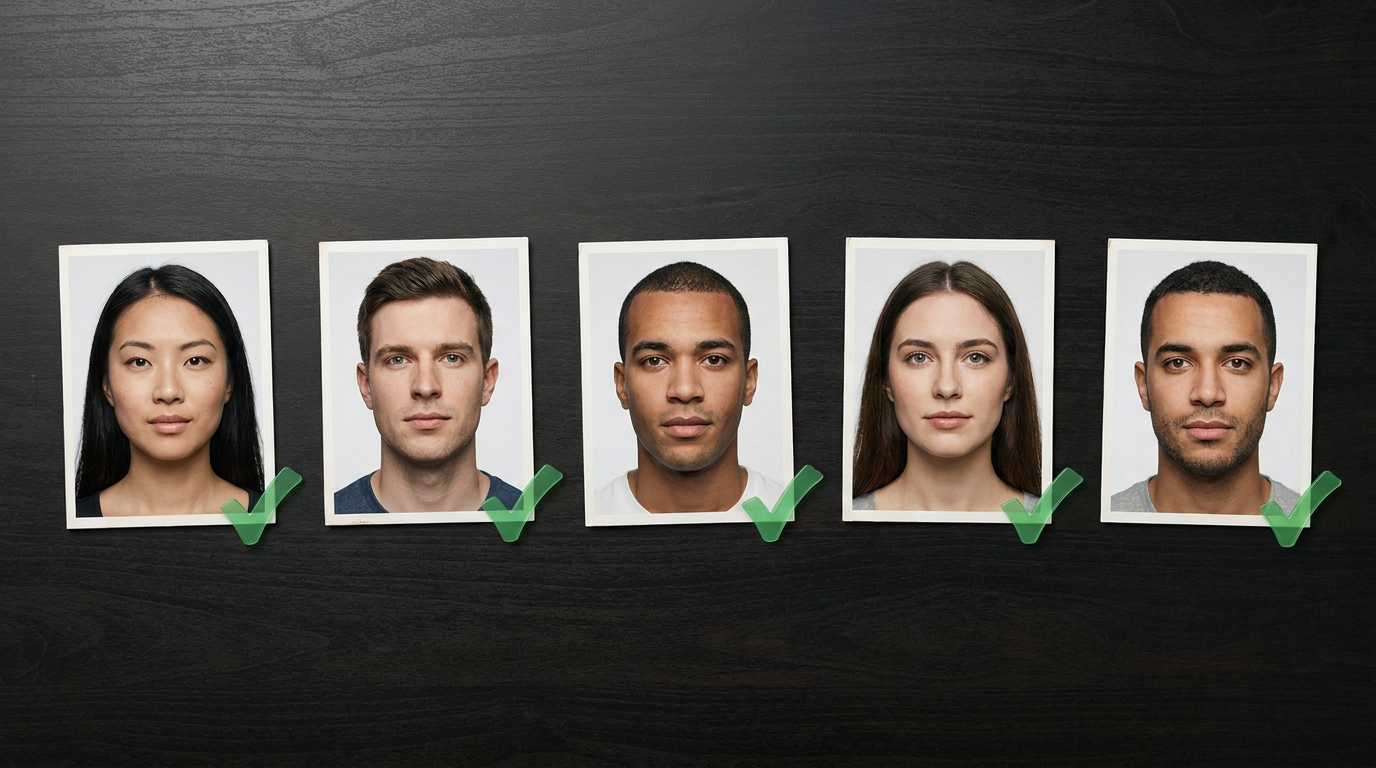
Your source image determines how good the talking avatar will look. Lip sync tools perform best when the face is clear, front-facing, and not blocked by hair, hands, sunglasses, microphones, or heavy shadows.
A strong source image has:
- Face visible from forehead to chin
- Mouth unobstructed
- Natural expression, not a wide smile
- Even lighting on both sides of the face
- Realistic skin texture
- Sharp eyes
- Minimal motion blur
- Enough shoulder/upper-body context for natural framing
Use an image model when you need a fresh character or scene. Use an editor when you already have a strong avatar but need a new outfit, background, or expression. In MakeInfluencer.ai, this usually means generating with a photorealistic model, then refining with image editing if the face, lighting, or wardrobe needs adjustment.
Step 4: Turn the Avatar Into a Talking Video
Once the image is ready, write the script and animate the avatar.
For talking content, use AI lip sync. This is best for:
- Product explainers
- UGC hooks
- Faceless YouTube intros
- Course lessons
- Social posts
- Founder-style updates
- Persona-led ads
For movement-driven content, use Motion Control or image-to-video. This is better for:
- Walking shots
- Dance clips
- Lifestyle scenes
- Fashion transitions
- Cinematic B-roll
- Short visual hooks before the avatar speaks
Use lip sync and motion differently
Lip sync makes the avatar talk. Motion control makes the avatar move. The best social videos often combine both: a dynamic visual hook first, then a talking avatar that delivers the message.
Step 5: Build a Repeatable Avatar Library
One avatar video is useful. A repeatable avatar system is much more valuable.
Create a folder or prompt library with:
- The character brief
- 5-10 best source images
- Winning script hooks
- Outfit prompts
- Scene prompts
- Voice and tone notes
- CTA lines
- Thumbnail/image prompts
- Negative prompts for common failures
This library is what lets you scale. Instead of rebuilding the avatar from scratch, you reuse the same identity across new videos.
Best Use Cases for AI Avatar Videos
AI avatars work best when viewers benefit from a person-like presence. They are weaker when the content only needs screenshots, charts, or product footage.
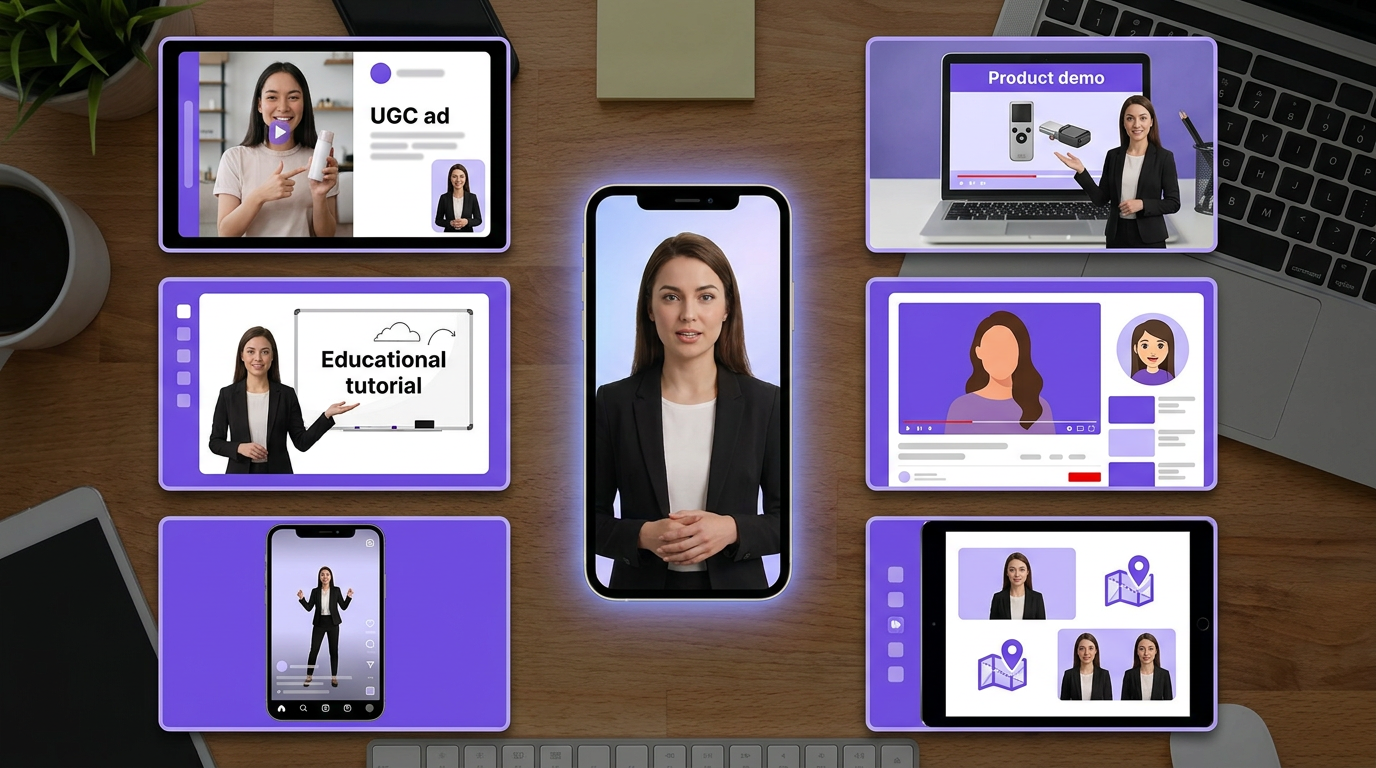
UGC ads
Create creator-style testimonials, hooks, product explainers, and offer videos without booking creators.
Short-form social
Turn one avatar into a recurring face for TikTok, Reels, Shorts, and Instagram content.
Education
Explain tutorials, onboarding steps, courses, and product walkthroughs with a consistent presenter.
Product demos
Let an avatar introduce product benefits, compare options, and answer buyer objections.
Faceless channels
Give a faceless YouTube or Instagram channel a recognizable host without revealing the creator.
Localization
Reuse one avatar concept across languages, markets, and regional campaigns.
For ad-specific workflows, read the AI UGC ads guide. For recurring social workflows, read AI content creation for social media.
Prompt Templates for AI Avatar Generators
A good avatar prompt has four parts: identity, visual style, scene, and camera details.
Photorealistic Creator Avatar
Photorealistic portrait of a friendly 26-year-old female skincare creator, warm brown eyes, shoulder-length dark brown wavy hair, natural makeup, realistic skin texture with visible pores, wearing a cream ribbed tank top and small gold hoop earrings. Standing in a bright bathroom with soft daylight from a frosted window, holding a serum bottle near her face. Calm confident expression, direct eye contact, 50mm portrait lens, shallow depth of field, natural phone-camera realism, no text, no watermark.
AI Spokesperson Avatar
Professional AI spokesperson, 32-year-old presenter with relaxed confident posture, wearing a navy blazer over a white shirt, seated at a modern desk in a clean studio. Soft key light from camera left, subtle rim light, neutral gray background, natural facial features, clear mouth and eyes, direct eye contact with camera, realistic skin texture, corporate but approachable tone, 4K studio portrait, no text.
Faceless Channel Host
Consistent AI avatar host for a faceless YouTube channel about money and AI tools, late-20s creator, smart casual black t-shirt and overshirt, seated in a warm desk setup with monitor glow and bookshelf background. Engaged expression, slightly raised eyebrows, clear face, cinematic but realistic lighting, vertical framing for Shorts, natural skin detail, no plastic skin, no exaggerated smile.
UGC Ad Avatar
Selfie-style UGC creator holding a small product box, casual bedroom background, natural window light, realistic phone camera perspective, relaxed smile, speaking directly to viewer, wearing a simple white tee, visible skin texture, slightly imperfect framing like an authentic social video, no studio polish, no text overlay, no logo.
Script Formula for Talking Avatar Videos
The avatar gets attention, but the script keeps it. A weak script will still fail even with a beautiful avatar.
Use this structure for short-form avatar videos:
Hook
Call out the problem or desired outcome in the first 2 seconds.
Credibility
Give one reason the viewer should keep watching: proof, result, mistake, or surprising fact.
Value
Deliver the tip, explanation, product benefit, or story clearly.
Visual proof
Show the product, result, dashboard, before/after, or generated output.
CTA
Tell the viewer exactly what to do next without sounding robotic.
Example:
If your AI videos look fake, it is usually not the model. It is the source image. Keep the mouth visible, use soft front lighting, and avoid extreme smiles before lip sync. That one change makes talking-avatar videos look dramatically more natural. Try it on your next generation and compare the result side by side.
Best AI Avatar Generator Features to Look For
When comparing tools, do not only look at how pretty the demo avatars are. Look at whether the tool can support your actual workflow.
AI Avatar Generator Feature Checklist
MakeInfluencer.ai is strongest when you want a creator-style avatar or AI influencer that can appear across social content, image posts, motion videos, and talking videos. It is not only a corporate slide presenter. It works better when the avatar needs to feel like a real creator, model, or recurring social persona.
Common AI Avatar Mistakes
Most bad avatar videos fail for predictable reasons.
Mistake 1: Starting With a Bad Face Image
If the mouth is hidden, the face is too angled, or the lighting is harsh, lip sync will look worse. Fix the image before animating it.
Mistake 2: Changing the Avatar Every Video
If every post uses a new face, you lose recognition. Viewers need repeated exposure to remember the avatar.
Mistake 3: Making the Avatar Too Perfect
Over-smoothed skin, glassy eyes, and symmetrical faces look artificial. Realistic avatars need small imperfections: pores, flyaway hair, natural shadows, and believable fabric.
Mistake 4: Writing Corporate Scripts for Social Platforms
TikTok, Reels, and Shorts do not reward brochure copy. Use direct hooks, short sentences, and a human rhythm.
Mistake 5: Ignoring Consent and Brand Safety
Do not create avatars that imitate real people without permission. Avoid using a person's likeness, voice, or identity unless you have clear rights. For brands, keep avatar usage transparent and documented.
Consent matters
The safest avatar is an original character you own, a licensed stock avatar, or a personal avatar created from your own likeness. Do not build content around someone else's face or voice without permission.
AI Avatar Content Ideas
Here are practical formats you can produce with one avatar:
- "3 mistakes beginners make with [topic]"
- "I tested [tool/product] so you do not have to"
- "Here is the fastest way to [outcome]"
- "Stop doing this if you want [result]"
- "Before you buy [product], watch this"
- "One prompt I use for [specific result]"
- "The difference between [A] and [B]"
- "A day in the life of a virtual creator"
- "How I would start [niche] from zero"
- "My exact workflow for [task]"
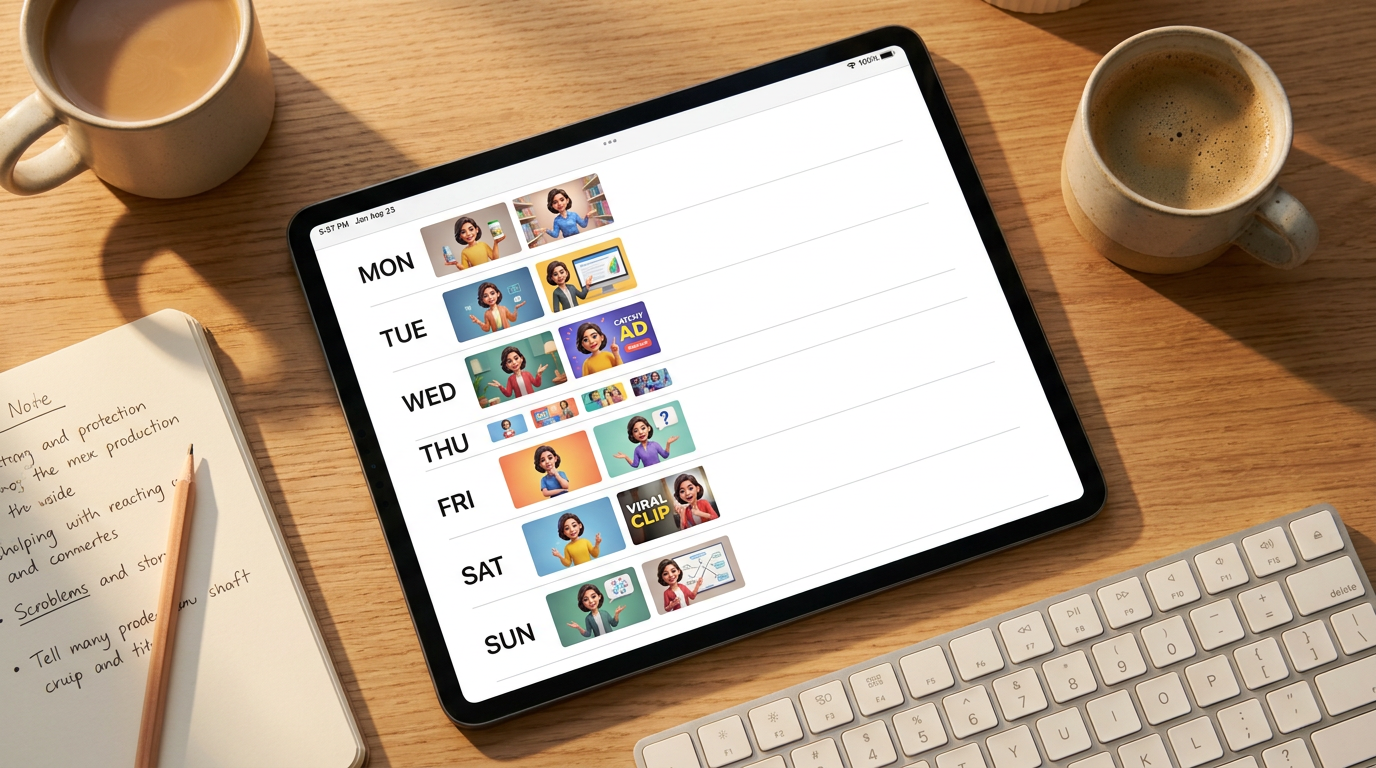
For monetization angles, connect avatar videos to the make money with AI influencers, faceless YouTube, and AI TikTok monetization workflows.
How to Make an AI Avatar in MakeInfluencer.ai
Use this workflow when you want a social-ready avatar with more creative range than a basic corporate presenter.
Create or select a character
Start with a MakeInfluencer.ai character or generate a new avatar concept from a detailed prompt.
Generate a clean portrait
Create a front-facing portrait or upper-body shot with natural lighting and a clear mouth.
Edit the image
Change clothing, background, scene, or expression until the avatar matches the niche.
Add voice or script
Use lip sync for talking avatar videos, or upload audio if you already have a voiceover.
Create variations
Generate new scenes, hooks, and formats while keeping the same avatar identity.
The important part is not one perfect output. The important part is a repeatable system: same avatar, new scripts, new scenes, same recognizable personality.
Final Checklist
Before publishing an avatar video, check this:
- The avatar's face is clear and realistic
- The script has a strong first sentence
- The voice matches the character
- Lip sync looks natural around the mouth
- The background supports the message
- The CTA fits the platform
- The avatar matches previous posts
- The content does not imitate a real person without consent
AI avatar generators are powerful because they remove the hardest part of video creation: being on camera every day. The creators who win will not be the ones making random avatars. They will be the ones building recognizable characters, repeatable formats, and content systems that viewers come back to.
Start with one avatar, one niche, and one repeatable format. Then improve the face, script, voice, and scene every week.