Alibaba's WAN models have become one of the most important families of AI video generators in 2026. Open-source, fast, and competitively priced, WAN fills a gap that closed-source frontier models don't. Whether you need fast, affordable text-to-video clips or high-quality image-to-video animations, MakeInfluencer.ai gives you access to every WAN variant from a single dashboard.
This guide covers everything -- model differences, generation modes, prompting strategies, credit costs, creative capabilities, and how WAN compares to Kling v3.0, Sora 2, and Veo 3.
What Is WAN AI?
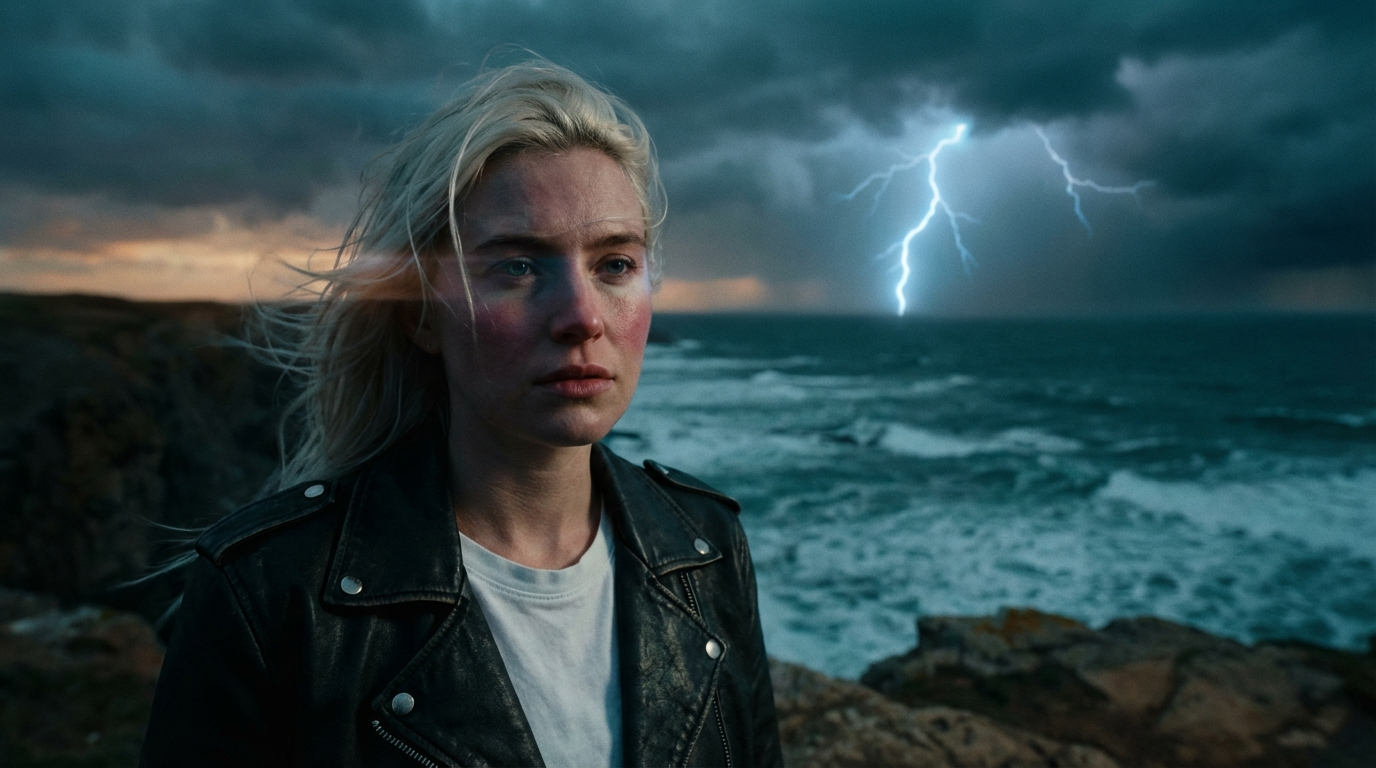
WAN is a family of open-source video generation models developed by Alibaba's research division. The name stands for "Wanxiang" (meaning "all things" in Mandarin), and the models are designed to generate high-quality video from text prompts, reference images, or both.
What makes WAN unique in the AI video landscape is a combination of three factors. First, it is open-source -- anyone can run it locally or build on top of it. Second, it delivers competitive visual quality against closed-source models like Kling and Sora. Third, the WAN family is one of the cheapest paths to high-quality AI video.
MakeInfluencer.ai was one of the first platforms to integrate WAN models and currently offers three WAN variants alongside Kling, Sora 2, and Veo 3.1.
Open-Source Foundation
Built on publicly available weights, allowing rapid community development and transparent model behavior.
Multiple Generation Modes
Text-to-video and image-to-video across different WAN variants for maximum creative flexibility.
Fast Generation
WAN models generate quickly compared to competitors, with most videos completing in under 2 minutes.
Cost-Effective
Starting at just 3,000 credits per second, WAN offers some of the most affordable high-quality video generation available.
Vivid Visuals
Known for expressive motion, vibrant color rendering, and strong prompt adherence across diverse visual styles.
WAN Model Versions Explained
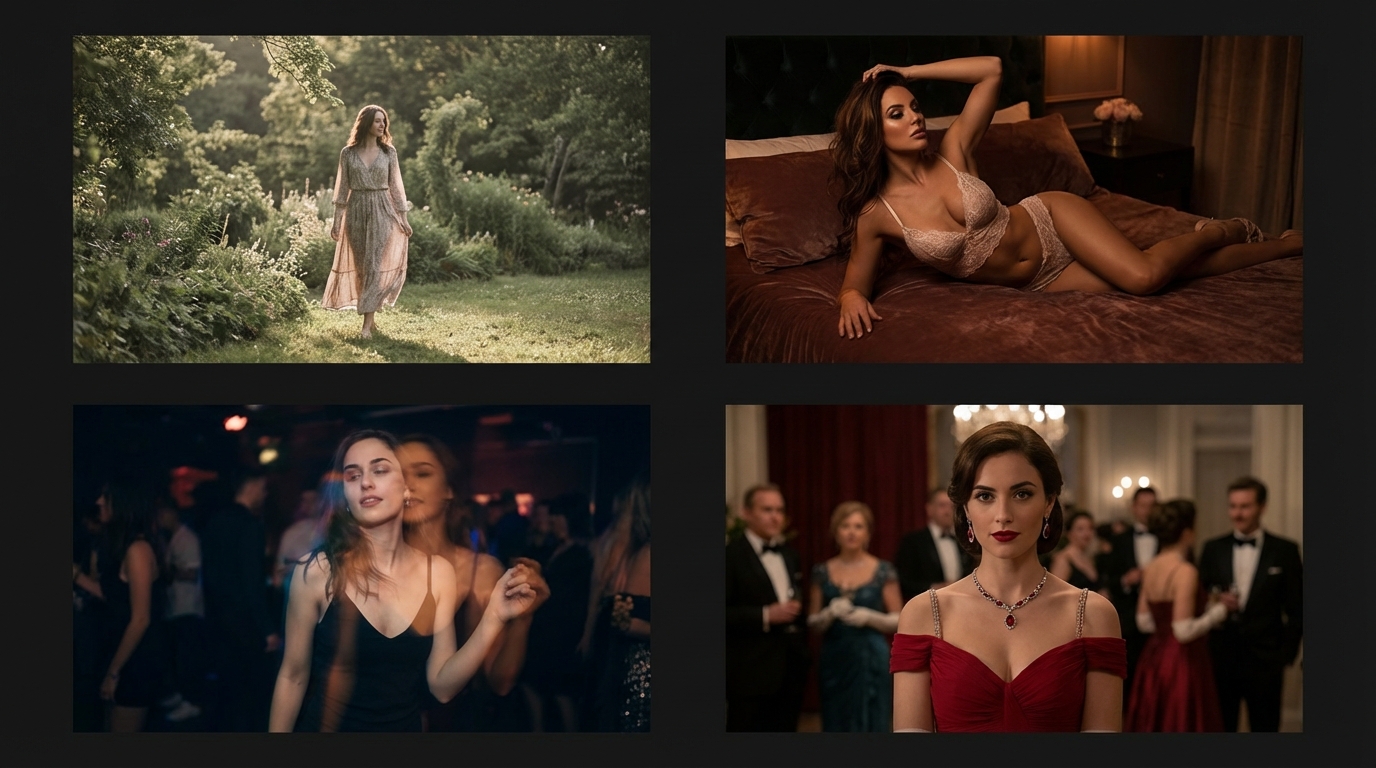
MakeInfluencer.ai offers four WAN model variants, each optimized for different use cases. Understanding the differences lets you pick the right model every time.
WAN 2.2 Standard
WAN 2.2 Standard
First-to-Last Frame- Text-to-video generation
- First-to-last frame transitions
- 480p and 720p resolution
- 5 and 8 second durations
- 13,000 credits for first-to-last frame mode
WAN 2.2 Standard is the original WAN model integrated into MakeInfluencer.ai. It specializes in text-to-video generation and includes a unique first-to-last frame transition mode where you provide a starting image and an ending image, and WAN generates the video connecting them.
This model is ideal for quick, inexpensive video generation at the lowest possible cost. The visual quality is good for social media content, though it does not match the fidelity of WAN 2.6 Pro or Kling v3.0.
WAN 2.6 Flash
WAN 2.6 Flash
Best Value- Image-to-video AND text-to-video
- 720p and 1080p resolution
- 5, 10, and 15 second durations
- Audio upload support
- Fast generation speed
WAN 2.6 Flash is a major upgrade over WAN 2.2. It supports both image-to-video and text-to-video generation, outputs at up to 1080p resolution, and generates videos up to 15 seconds long. The "Flash" designation indicates optimized generation speed -- most videos complete in under 2 minutes.
WAN 2.6 Flash also introduces audio support. You can upload an audio file to accompany your video, which is particularly useful for creating content with voiceovers or specific soundtracks.
WAN 2.6 Pro
WAN 2.6 Pro
Highest WAN Quality- Image-to-video AND text-to-video
- Highest visual fidelity in WAN family
- 720p and 1080p resolution
- 5, 10, and 15 second durations
- Audio upload support
WAN 2.6 Pro delivers the highest visual quality in the WAN model family. It uses the same generation modes and resolution options as WAN 2.6 Flash but allocates more compute to each generation, resulting in sharper details, more consistent motion, and better color accuracy. Choose WAN 2.6 Pro when visual quality is your top priority and you want to stay within the WAN ecosystem.
How to Generate WAN Videos on MakeInfluencer.ai
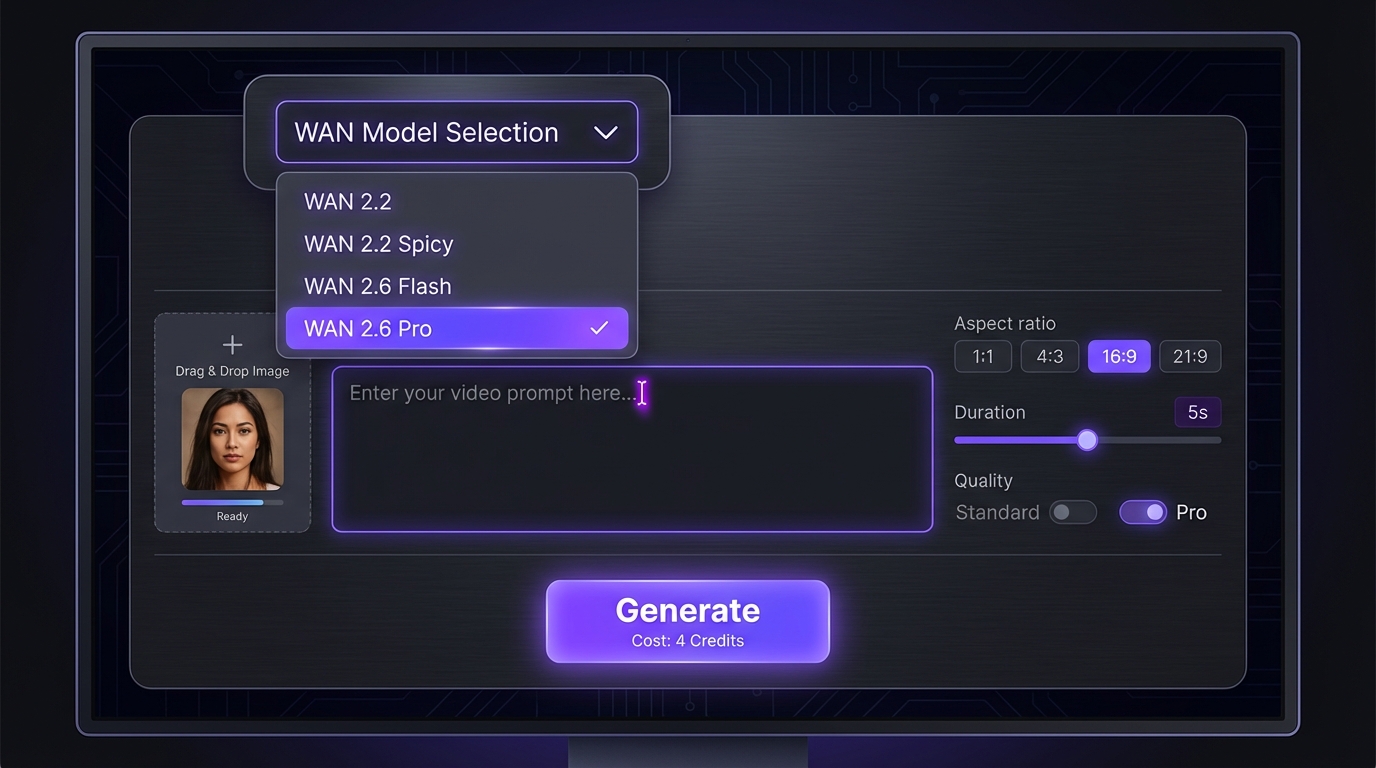
Getting started with WAN video generation takes less than five minutes. Here is the complete step-by-step process.
Sign Up and Access the Dashboard
Create your account at MakeInfluencer.ai. Navigate to the Video Gen tab from the main dashboard. No special setup or API keys required.
Choose Your WAN Model
Select from the model dropdown: 'High Quality (WAN 2.6)' for WAN 2.6 Flash, or 'Standard (WAN 2.2)' for the budget option. Each model shows its capabilities in the description.
Upload an Image or Write a Prompt
For image-to-video, upload your reference image (your AI influencer photo works perfectly). For text-to-video, write a detailed prompt describing the scene you want. WAN 2.6 supports both modes -- the system auto-detects based on whether you upload an image.
Configure Duration and Resolution
Select your preferred duration (5, 10, or 15 seconds for WAN 2.6; 5 or 8 seconds for WAN 2.2) and resolution (720p or 1080p for WAN 2.6; 480p or 720p for WAN 2.2).
Generate and Download
Click Generate. Most WAN videos complete in 1-2 minutes. Preview the result, then download for posting to your social media platforms.
Auto-Detection Tip
When using WAN 2.6, you do not need to manually switch between text-to-video and image-to-video modes. Simply upload an image to use I2V, or leave the image field empty for T2V. The platform handles the routing automatically.
WAN Prompting Guide
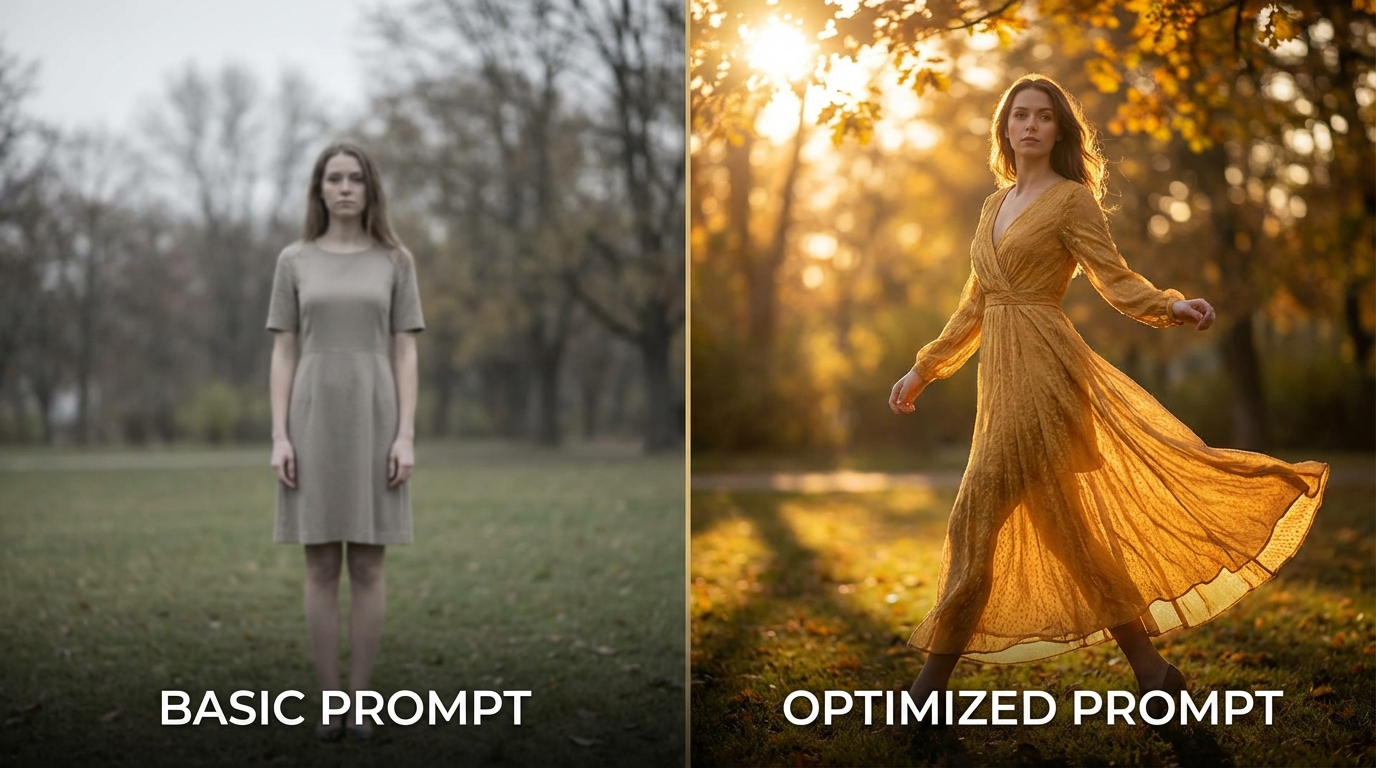
The quality of your WAN output depends heavily on your prompt. WAN models respond well to specific, detailed descriptions with clear motion direction and visual style cues.
General WAN Prompting Principles
- Describe motion explicitly: WAN excels when you specify exactly what movement should occur. "A woman turns her head slowly to the left and smiles" is far better than "a woman moves."
- Include lighting and atmosphere: WAN responds strongly to lighting descriptions. "Warm golden hour sunlight," "soft studio lighting with a white backdrop," or "neon city lights reflecting off wet pavement" all produce noticeably different results.
- Specify camera behavior: Include camera direction like "static camera," "slow zoom in," "tracking shot from left to right," or "POV shot."
- Keep it focused: WAN produces the best results with a single clear subject and action. Avoid cramming multiple characters and complex interactions into one generation.
- Use negative prompts when available: For WAN 2.6, you can provide a negative prompt to exclude unwanted elements like "blurry, distorted hands, low quality, watermark."
WAN Prompt Examples
Portrait animation (I2V):
"The woman slowly turns her head toward the camera and smiles warmly. Her hair moves gently with the motion. Soft studio lighting with a blurred background. Cinematic quality, natural skin tones."
Fashion content (I2V):
"The model walks forward confidently on a minimalist runway. Her dress flows naturally with each step. Dramatic fashion show lighting from above. Slow-motion effect, sharp focus on fabric details."
Scenic content (T2V):
"Aerial drone shot slowly gliding over turquoise ocean waves breaking on a white sand beach. Lush green palm trees line the shore. Golden hour lighting casting long shadows. 4K cinematic quality, vivid colors."
Dynamic action (T2V):
"A dancer performs a fluid contemporary dance routine in an empty warehouse. Dust particles float in beams of natural light streaming through high windows. Slow dolly shot circling the subject. Dramatic shadows, moody atmosphere."
** (I2V with ):**
"The woman poses seductively, slowly shifting her weight from one leg to the other. Her expression is confident and alluring. Warm ambient lighting with soft shadows. Smooth, natural motion."
Prompt Length Sweet Spot
For WAN models, prompts between 30 and 80 words tend to produce the best results. Shorter prompts lack direction, while extremely long prompts can confuse the model. Focus on one clear action, one environment, and one visual style.
WAN vs Kling v3.0 Prompting Differences
WAN models interpret prompts differently than Kling v3.0. WAN tends to be more literal -- it follows your prompt closely without adding much creative interpretation. Kling v3.0, on the other hand, often adds cinematic flair beyond what you describe. This means WAN requires more detailed prompts but gives you more predictable, controllable output.
WAN vs Other Models
How does WAN compare to the other AI video models available on MakeInfluencer.ai? Here is a direct comparison of WAN 2.6 Flash against the two other most popular models.
Quick Model Selection Guide
| Your Priority | Best WAN Model | Alternative |
|---|---|---|
| Cheapest video | WAN 2.2 Standard (480p) | -- |
| High-quality video | WAN 2.6 Flash (1080p) | WAN 2.2 Standard (720p) |
| Best overall WAN quality | WAN 2.6 Pro (1080p) | WAN 2.6 Flash (1080p) |
| Fastest turnaround | WAN 2.6 Flash (720p) | Kling v3.0 Standard |
| First-to-last frame transitions | WAN 2.2 Standard | -- |
| Cinematic with audio | Sora 2 | Veo 3 |
| Dance and motion content | Kling v3.0 | -- |
WAN Pricing and Credits on MakeInfluencer.ai
WAN models are among the most affordable video generation options on the platform. Here is the complete credit breakdown.
WAN 2.2 Standard Credit Costs
WAN 2.2 Standard (First-to-Last Frame)
WAN 2.6 Flash / Pro Credit Costs
How Many WAN Videos Can You Generate Per Plan?
WAN Videos Per Subscription Plan
Best Value Tip
For high-volume content creation, WAN 2.2 Standard at 480p/5s delivers the most videos per dollar at just 3,000 credits each. If you need higher quality, WAN 2.6 Flash at 720p still offers excellent value at 3,000 credits per second. The Growth plan at $24.99/month gives you enough credits for dozens of WAN 2.6 videos or hundreds of WAN 2.2 clips.
Choosing Between the WAN Variants

Cost per finished video is the main reason creators reach for WAN over the frontier models. WAN 2.2 Standard is the cheapest way to produce a usable clip and is the only variant with first-to-last frame transitions. WAN 2.6 Flash is the best all-round value once you need image-to-video, 1080p, or clips longer than eight seconds. WAN 2.6 Pro spends more compute per generation for sharper detail and steadier motion when visual quality outranks cost. Every WAN generation on MakeInfluencer.ai is screened by automated moderation before it is returned to you.
Common Issues and Troubleshooting
Generation Fails or Returns an Error
Cause: Content moderation rejected the prompt or the reference image, server load, or an invalid input image format.
Solution: If the generation was filtered, rewrite the prompt so it clearly describes brand-safe subject matter. If it is a server issue, wait 30 seconds and retry. Ensure your input image is a standard format (PNG, JPG, WebP) and under 10MB.
Video Quality Is Lower Than Expected
Cause: Low resolution setting, poor quality reference image, or vague prompt.
Solution: Switch from 480p to 720p or 1080p. Use a reference image that is at least 1024x1024 pixels with clear lighting and sharp details. Add more specific visual details to your prompt including lighting, camera angle, and motion description.
Motion Looks Unnatural or Jittery
Cause: Conflicting motion instructions, overly complex prompt, or mismatch between reference image pose and described motion.
Solution: Simplify your prompt to one clear action. Ensure your reference image shows the subject in a pose compatible with the described motion. Avoid prompting multiple characters with independent movements.
Colors or Lighting Look Wrong
Cause: WAN models sometimes shift color temperature or exposure if the prompt conflicts with the reference image lighting.
Solution: Explicitly describe the lighting in your prompt to match your reference image. Add descriptors like "maintain original lighting" or "consistent warm color palette" to reduce unwanted shifts.
Audio Does Not Match the Video
Cause: Uploaded audio file length does not match the selected video duration, or audio format is unsupported.
Solution: Trim your audio to match the exact video duration before uploading. Use MP3 or WAV format. For best results, ensure the audio starts cleanly without silence at the beginning.
Frequently Asked Questions
Is WAN AI free?
WAN models are open-source, so anyone can run them locally with their own hardware. On MakeInfluencer.ai, WAN video generation uses credits included with your subscription plan. Plans start at $4.99/month with enough credits for dozens of WAN 2.2 videos. MakeInfluencer.ai also offers affordable plans starting at $29/month so you can try WAN before committing to a plan.
What is the difference between WAN 2.2 and WAN 2.6?
WAN 2.6 is the newer, more capable model. It supports higher resolutions (up to 1080p vs 720p), longer durations (up to 15 seconds vs 8 seconds), both I2V and T2V modes, and audio upload. WAN 2.2 is older but cheaper. Choose WAN 2.6 for quality and WAN 2.2 for the lowest cost.
What are the best WAN prompts?
The best WAN prompts are specific about motion, lighting, and camera work. Describe one clear subject performing one clear action in a well-defined environment. Include visual style cues like "cinematic," "fashion photography," or "documentary style." Keep prompts between 30 and 80 words. See the prompting section above for detailed examples and templates.
How does WAN compare on commercial content?
WAN handles a broad range of creative work — fashion, fitness, lifestyle, product, and marketing video. Outputs are screened before they're returned to you.
How does WAN compare to Higgsfield's WAN integration?
Higgsfield offers limited WAN access. MakeInfluencer.ai offers three WAN variants (2.2 Standard, 2.6 Flash, 2.6 Pro) at competitive per-video costs and with more model choice than Higgsfield.
Can I use WAN for commercial content?
Yes. Videos generated with WAN models on MakeInfluencer.ai can be used commercially. This includes social media content, brand collaborations, subscription platform content (creator platforms), affiliate marketing, and client deliverables.
Is WAN 2.2 or WAN 2.6 better for my use case?
Use WAN 2.2 Standard if you need the cheapest possible AI video generation or first-to-last frame transitions. Use WAN 2.6 Flash for everything else -- it offers better visual quality, higher resolution, longer durations, both I2V and T2V support, and audio upload at a competitive price point.
What resolution and duration should I choose?
For TikTok and Instagram Reels, 720p at 5-10 seconds is the sweet spot -- affordable and perfectly suitable for mobile-first platforms. For YouTube or portfolio content, 1080p at 10-15 seconds delivers the best visual impact. For high-volume testing or daily content, 480p at 5 seconds on WAN 2.2 Standard gives you the most generations per credit.
Start Creating WAN AI Videos Today
WAN models give you something few other frontier AI video generators can: high-quality, open-source video generation at prices that make high-volume content creation sustainable.
Create Your Account
Sign up at MakeInfluencer.ai and choose a plan to get started.
Generate Your AI Character
Use any of the 10+ image models to create your AI influencer, or upload an existing image to use as your video subject.
Select a WAN Model
Go to the Video Gen tab. Choose 'High Quality (Wan 2.6)' for the best quality or 'Budget (WAN 2.2)' for high-volume, low-cost content.
Create Your First Video
Upload your image, write a descriptive prompt, select your duration and resolution, and hit Generate. Your first WAN video will be ready in under 2 minutes.
Scale Your Content
Develop a consistent posting schedule across TikTok, Instagram, YouTube, and subscription platforms. WAN's low cost per video makes daily content production affordable.
MakeInfluencer.ai is the only platform offering four WAN model variants alongside every other frontier video model -- Kling v3.0, Sora 2, and Veo 3 -- plus 10+ image generation models, Motion Control, and Lip Sync. Everything you need to build a profitable AI content business, in one place.
Start Creating WAN AI Videos on MakeInfluencer.ai
Join 300,000+ creators already using WAN and other frontier AI video models on MakeInfluencer.ai. Get started today -- plans start at $29/month.