Published September 29, 2026. Model prices are provider list prices on that date, taken from the same price table that drives MakeInfluencer.ai's credit calculator. The platform quotes the exact credit cost before every run.
Most AI video fails in the same place. You write a long prompt, wait for the render, and get a clip where the face drifted, the framing is wrong and the light changed halfway through. Then you re-roll, and every re-roll spends video credits, which are the expensive kind.
Filmmakers solved this problem long before generative models existed. They draw a storyboard: one still per shot, agreed before anyone rolls a camera. The same discipline works for AI video, and it works better now that two models are unusually good at each half of the job. OpenAI GPT Image 2.5 draws precise, character-consistent frames for a few cents each. ByteDance Seedance 2.5 animates a finished frame into a clip with native, synchronized sound and keeps what the frame established.
This guide is the long version. It covers how to write a shot list a model can follow, how to keep one character stable across frames, the camera vocabulary that actually changes the output, prompt patterns for each shot type, a complete worked example from brief to four finished clips with every prompt shown, a line-by-line cost breakdown, a cheap draft workflow, and an honest comparison with other AI storyboard generators. The last part shows the one-click version: the Storyboard to Film template in AI Canvas.
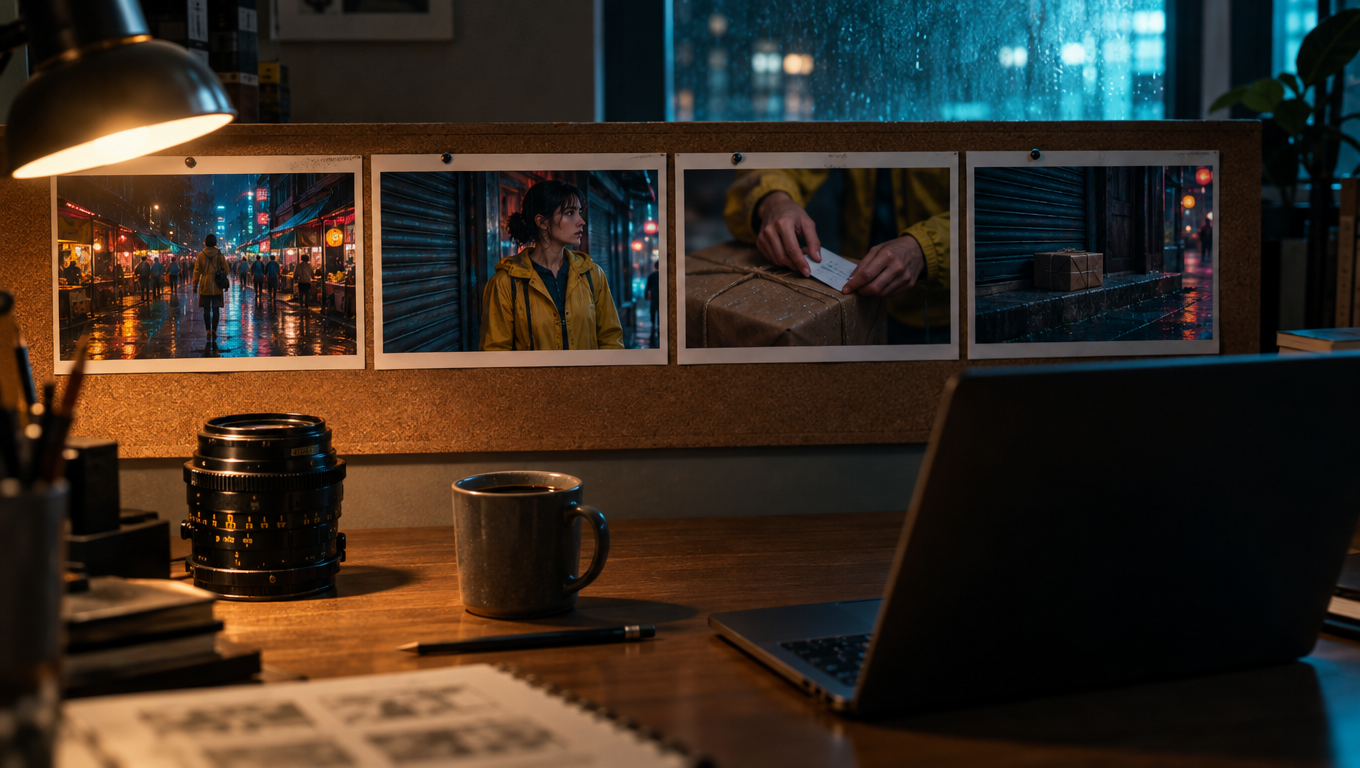
What an AI storyboard generator actually does
An AI storyboard generator turns a script or a short brief into a sequence of still frames, one per shot, so you can see and approve a video before you produce it. Older tools stopped there: they drew sketches or stock-style illustrations for a client meeting. The newer generation of storyboard-to-video tools adds the production step. Each approved frame becomes the start frame of a video clip, so the board is not a plan for the film, it is the first half of the film.
That change matters because image models and video models fail differently. Image models are good at composition, wardrobe, faces and light, and they are cheap to re-run. Video models are good at motion and sound, but when you ask them to invent the composition as well, they spend their capacity guessing, and small guesses compound over five or ten seconds. A storyboard splits the problem: the image model decides what the shot looks like, and the video model only decides how it moves.
Why storyboard first
An AI storyboard is a production brief, not a mood board. Each frame answers two questions: what must stay fixed (the character, wardrobe, set, light) and what will move (one action, one camera move). When the frame is approved, the video model has very little left to invent.
Three practical effects follow:
- You lock the look before you spend video credits. A GPT Image 2.5 Flare frame with a character reference, at 1K and medium quality, costs $0.039 at list price. A five-second Seedance 2.5 Turbo clip at 720p costs $1.00. The frame is roughly 25 times cheaper, so iterate there.
- The same reference feeds every shot. Your character's reference image goes into every frame, so the face holds across the sequence instead of drifting shot to shot.
- You regenerate one frame or one clip, not the whole sequence. If shot three is wrong, rerun shot three.
The two models and why they pair well
GPT Image 2.5 Flare (frames)
OpenAI's September 2026 image model. Sharper than GPT Image 2 at about half the latency, strong on framing and instruction following, and it accepts up to 16 reference images, which is how the character stays consistent. Frames took about 27 seconds each in our tests.
Seedance 2.5 (clips)
ByteDance's flagship video model, released July 31, 2026. Animates a start frame into a 4 to 30 second clip with synchronized audio, keeps the frame's subject, wardrobe and lighting, and offers an optional end frame. Turbo tier for drafts, standard tier for finals.
GPT Image 2.5 comes in two flavors on MakeInfluencer.ai. Flare is the generation model the template uses. Sunburst is tuned for precision edits that preserve faces, products and layouts, which makes it the right tool when you want to change one thing about an approved frame (swap the jacket color, move the character left) without redrawing the rest.
Seedance 2.5 also comes in two tiers. Seedance 2.5 Turbo runs at 720p or 1080p for $0.20 or $0.22 per second. Standard Seedance 2.5 runs from 480p to 4K and costs $0.36 per second at 720p. Both take the same prompt and the same start frame, so moving a shot from draft to final is a model switch, not a rewrite.
You can swap either half. Google's Nano Banana Pro is a strong frame model when an identical face across many frames matters more than precise composition, though it costs $0.14 per frame. Alibaba's Wan 3.0 is the cheapest way to animate at 720p, at $0.10 per second. The template defaults to GPT Image 2.5 Flare and Seedance 2.5 Turbo because that pair gives the best frame precision per dollar and the best motion per dollar as of this writing.
A note on Sora 2
OpenAI retired the Sora 2 Videos API on September 24, 2026. Older storyboard tutorials that animate frames with Sora 2 no longer work through any API. Seedance 2.5, Wan 3.0, Kling 3.0 and Veo 3.1 Fast are the practical options for animating storyboard frames today.
Shot-list craft: the part most AI storyboards skip
Before any model runs, you need a shot list: the ordered set of shots, what each one shows, and why it exists. Most disappointing AI shorts are not model failures. They are four pretty images with no reason to be in that order.
The four-beat structure
The template uses a four-beat structure borrowed from short-form advertising and film school exercises. It is small enough to produce in one sitting and complete enough to feel like a story.
| Shot | Job | Framing | What the viewer learns |
|---|---|---|---|
| 1. Establishing | Show the world | Wide, deep focus, character small to medium in frame | Where we are, what time it is, what the mood is |
| 2. Action | Show the main event | Medium, waist-up, one clear physical beat | What the character wants and does |
| 3. Close-up | Show the feeling | Face and hands, shallow depth of field | How the character feels about what happened |
| 4. Resolution | Close the loop | Wider or static, holds for a beat | Where the character ends up; the mood has shifted |
The progression from wide to medium to close and back out is not decoration. It is how editors have kept audiences oriented for a century. A wide shot tells the viewer where they are. Cutting closer tells them what matters. Pulling back at the end gives them space to feel the ending. If you break the pattern, do it deliberately: a story that opens on a close-up of hands and only reveals the room in shot two can work, but only if the brief asks for it.
One action per shot
A five-second clip holds one action. "She turns, walks to the door, opens it and looks back" is four actions and will come out as a rushed blur or a clip that stops halfway. "She pushes the door open with her shoulder" is one action a video model can animate cleanly in five seconds. If your story needs more, it needs more shots, or a longer duration on that one shot.
A useful test: describe the shot to a friend in one sentence that contains one verb of motion. If you need "and then", split it.
Continuity rules to write down
Continuity is the thing a human storyboard artist does without thinking and a model does not do at all. Write these down in the brief, once, and the shot writer will carry them into every shot:
- Wardrobe. Name every visible garment and its color. "Yellow rain jacket, black cargo trousers, grey courier bag across the chest."
- Time and weather. "Night, light rain, wet ground." If it is raining in shot one and dry in shot three, the sequence falls apart.
- Light source. "Neon signage is the main light." This keeps the color of the light consistent.
- Screen direction. If the character moves left to right in shot two, they should not arrive from the right in shot four unless they turned around. Say "she moves left to right through the whole film" if direction matters.
- Props. The parcel in shot two must be the same parcel in shot four.
What to leave out of the brief
Leave out dialogue, because a frame cannot carry it and it tempts the video model into mouth movement that will not match any audio. Leave out on-screen text and brand names, because text in generated frames is unreliable and logos create rights problems. Leave out camera jargon in the brief itself: the shot writer adds the lens and light per shot, and a brief that says "anamorphic 35mm" will push every shot to the same framing.
Character consistency across frames
Consistency is the reason to use a storyboard workflow at all, so it deserves its own section. There are three layers, and you want all three.
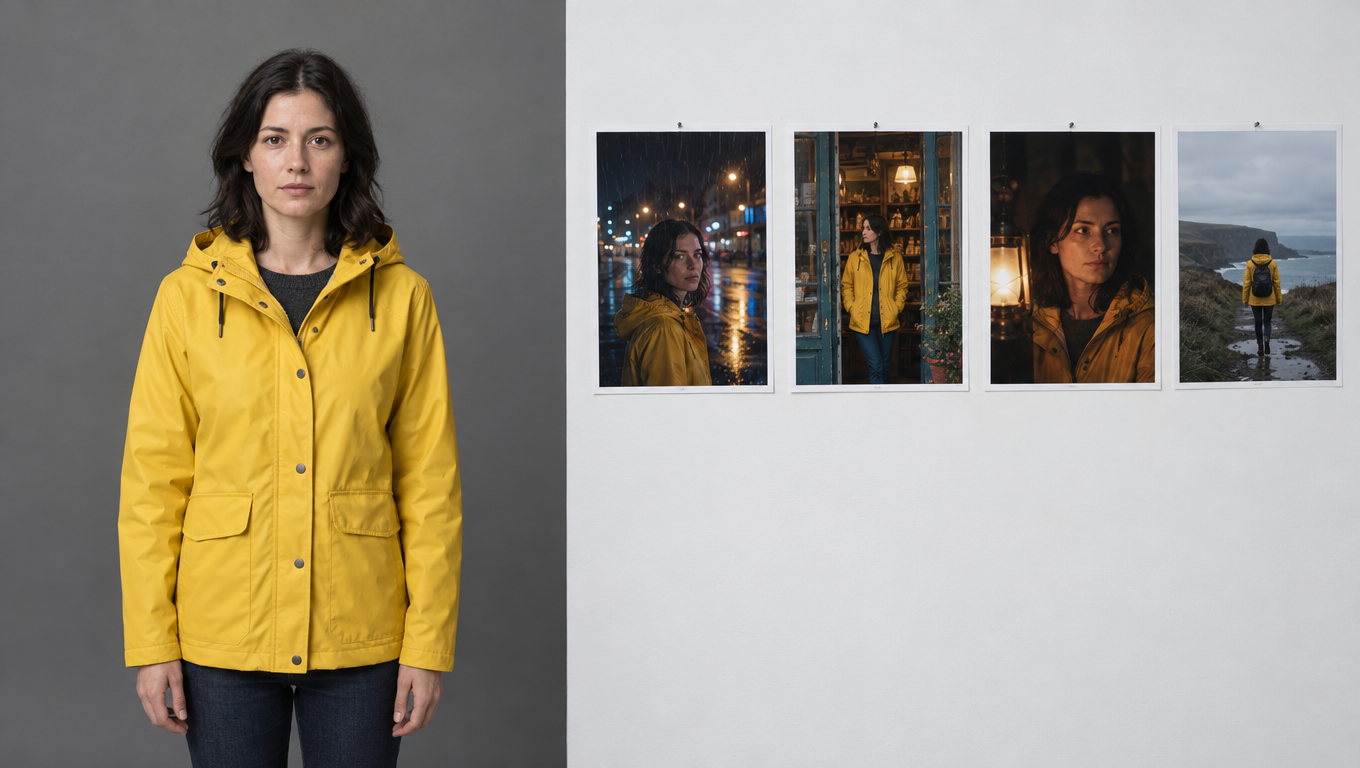
Layer 1: one clean reference image
Every frame gets the same reference image of the character. The reference should be a well-lit, front-facing or three-quarter portrait with the face unobstructed, neutral expression, and ideally the wardrobe you want in the film. A reference photo wearing a white shirt fights a brief that asks for a yellow jacket; the model has to decide which to believe, and it will not decide the same way every time.
If you already have an AI influencer on MakeInfluencer.ai, the character node pulls its reference image directly. If you do not, upload one clean portrait. The consistent AI character guide covers how to create a reference that holds up across many scenes, and the character consistency guide explains the trade-offs between reference images and trained models.
Layer 2: the identity lock in the prompt
The reference alone is not enough; the prompt has to tell the image model what to do with it. The template's frame prompt says, in its second sentence: "The person in the reference image is the lead character: keep face, hair, skin tone and build identical to the reference." That instruction ranks the reference above anything in the shot description, which is what you want when the shot writer happens to describe the character loosely.
Layer 3: the frame is the reference for the clip
When Seedance 2.5 animates a frame, the frame is the start image. The model begins from exactly those pixels, so whatever identity the frame has, the first frame of the clip has too. Drift in the clip comes from motion: a head turn that reveals a profile the frame never showed, or a close-up that invents detail. The clip prompt counters this with "keep the character, wardrobe, set and lighting exactly as in the frame" and by asking for one camera move, not three.
Check faces before you animate
Put the four frames side by side and look only at the face. If one frame's face is off, regenerate that frame before its clip runs. Fixing a face in a $0.039 frame is always cheaper than discovering it in a $1.00 clip.
What still goes wrong
It is not perfect. The failures you will see most often:
- Profile shots. A frontal reference does not tell the model what the character's profile looks like. If a shot needs a profile, add a second reference image taken from the side.
- Very small faces. In an establishing wide, the face may be 40 pixels tall. The model has less to match against and it drifts more. That is usually acceptable in a wide; the viewer reads the silhouette and wardrobe.
- Hands and props. Hands holding objects are still a weak point for both image and video models. Keep hand actions simple: holding, placing, pushing. Avoid anything that needs fingers to interact precisely.
Camera language that changes the output
Both models understand standard film vocabulary, but not every term has an effect. These are the ones that reliably change what you get.
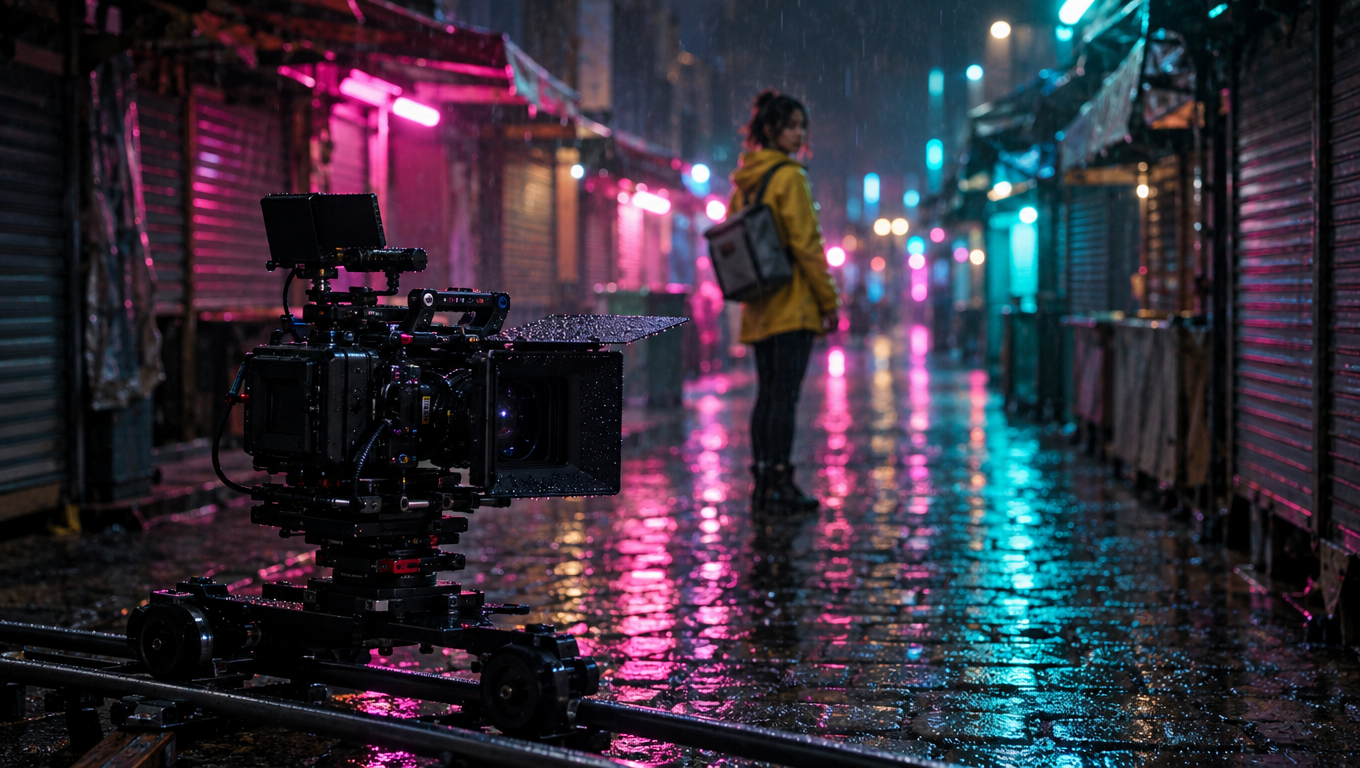
Framing terms (for the frame model)
| Term | What GPT Image 2.5 does with it | Use it for |
|---|---|---|
| Extreme wide / establishing wide | Character small, environment dominant | Shot 1 |
| Full shot | Head to toe in frame | Showing wardrobe and posture |
| Medium shot / waist-up | Torso and hands, readable face | Shot 2, most action |
| Medium close-up | Chest up | Reactions with some context |
| Close-up | Face fills most of the frame | Shot 3 |
| Over-the-shoulder | Foreground shoulder, subject beyond | Two-character scenes |
| Low angle | Camera below eye line, subject looks strong | Moments of resolve |
| High angle | Camera above, subject looks small | Isolation, defeat |
Lens length is a useful shorthand for perspective. "24mm" gives you a wide, slightly stretched view with lots of environment. "35mm" is the natural storytelling default. "50mm" is close to human vision. "85mm" compresses the background and isolates a face. The model does not simulate optics exactly, but these numbers move the framing in the direction you expect.
Motion terms (for the video model)
| Term | What Seedance 2.5 does with it | Good for |
|---|---|---|
| Slow push-in | Camera moves toward the subject | Building tension, emphasis |
| Pull-out / dolly back | Camera moves away | Endings, reveals |
| Tracking shot / follow | Camera moves with the subject | Walking, running |
| Pan left or right | Camera rotates on its axis | Revealing a space |
| Tilt up or down | Camera rotates vertically | Revealing height |
| Handheld | Small organic shake | Urgency, documentary feel |
| Locked-off / static | No camera motion | Letting the action carry the shot |
| Orbit | Camera circles the subject | Hero moments, used sparingly |
The single most useful rule: one camera move per shot. "Slow push-in while panning left and tilting up" asks the model to solve three motions at once and it will usually do one of them badly. If a shot needs a complex move, it probably needs to be two shots.
The second rule: match the camera move to the shot's job. An establishing shot wants a slow pan or a slow push-in, which gives the viewer time to read the space. An action shot wants a follow or handheld. A close-up wants either nothing or a very slow push-in. A resolution shot wants a pull-out or a locked-off frame that lets the moment breathe.
Prompt patterns per shot type
The template assembles each prompt from two parts: the shot description (written fresh per shot by the director LLM) and a fixed spec (identical for all four shots). In the canvas, the shot description comes first, then a blank line, then the spec. Here is what each part should contain, with reusable patterns.
The frame spec (fixed for all frames)
This is the exact text the template appends to every frame:
Photoreal cinematic storyboard frame in 16:9. The person in the reference image is the lead character: keep face, hair, skin tone and build identical to the reference. Anamorphic feel on a 35mm lens, motivated natural light, fine film grain, muted graded palette. Compose the frame so it can be animated into a five-second shot. Avoid: on-screen text, captions, logos, watermarks, split screens, extra people, distorted hands.
Two phrases do more work than they appear to. "Compose the frame so it can be animated" pushes the model away from frozen, over-posed compositions and toward frames with space for motion. "Split screens" in the avoid list stops GPT Image 2.5 from occasionally returning a multi-panel storyboard in one image, which is a real failure mode when the word "storyboard" is in the prompt.
The clip spec (fixed for all clips)
Animate this storyboard frame as the shot described above. Keep the character, wardrobe, set and lighting exactly as in the frame. One clear camera move, natural believable motion, ambient sound design that matches the scene, no music, no on-screen text.
"No music" is deliberate. Four clips with four different generated music beds cannot be cut together. Ambient sound (rain, traffic, footsteps, room tone) cuts cleanly, and you can lay one music track over the finished sequence in any editor.
Shot description patterns
Each shot description should follow the same three-sentence shape: what we see and where the character is; what the character does; framing, lens, light and mood. These patterns work well as starting points:
Establishing wide. "Wide shot of [place] at [time], [weather]. [Character] is [small or medium] in frame, [one quiet action that sets the tone]. 24mm lens, deep focus, [light source] as the main light, [mood] atmosphere."
Medium action. "Medium shot, waist-up, of [character] [single physical action] in [part of the location]. [One detail that shows intent or stakes]. 35mm lens, [light source] from [direction], [energy word] mood."
Emotional close-up. "Close-up of [character]'s face and hands as [the reaction or realization]. [One expression change]. 85mm lens, shallow depth of field, [motivated light], [mood]."
Resolution. "[Wider or static framing] of [character] [final position or action] in [location]. [How the environment or light has changed since shot one]. [Lens], [light], the mood has shifted to [new mood]."
The director system prompt the template uses tells the LLM to output only this kind of two-or-three-sentence description, with no headings, lists or commentary, and never to ask for text, captions or logos. You can edit it on any shot-writer node.
A complete worked example: brief to four frames to four clips
Here is one full run, with every prompt. It uses the default template settings: GPT Image 2.5 Flare at 16:9, 1K, medium quality for frames, and Seedance 2.5 Turbo at 720p, five seconds, audio on for clips.
The brief
This is the only text you write:
Story: Mara, a 30-year-old courier, races the last delivery of the night through a rain-soaked market street and finds the shop already closed, then leaves the parcel on the step with a handwritten note tucked under the string. Setting: night market street, neon signage, light rain, wet cobblestones. Wardrobe: yellow rain jacket, black cargo trousers, grey courier bag across the chest. Tone: melancholic. Do not change the character's look between shots.
Why it works: one character, one location, one arc with an ending, wardrobe named once, tone named once. Briefs with three locations or two lead characters produce boards that drift, because each frame is generated independently and the only thing linking them is the text and the reference.
The four shot descriptions
The four shot-writer nodes each receive the brief plus their beat instruction. A typical output looks like this (the LLM runs at temperature 0.8, so yours will differ in wording):
Shot 1, establishing. "Wide shot of a narrow night market street glistening with rain, shuttered stalls and pink and teal neon signs reflecting in the wet cobblestones. Mara, in her yellow rain jacket with the grey courier bag across her chest, is small in the middle distance, jogging toward camera between the stalls. 24mm lens, deep focus, neon as the main light, cold melancholic atmosphere."
Shot 2, action. "Medium shot, waist-up, of Mara stopping short in front of a small shop with its metal shutter pulled down, one hand still gripping the brown paper parcel. Rain beads on her yellow hood and her breath shows in the cold air. 35mm lens, teal neon from the left, tense and deflated mood."
Shot 3, close-up. "Close-up of Mara's face and hands as she tucks a folded handwritten note under the string of the parcel, eyes lowered. A small, tired half-smile. 85mm lens, shallow depth of field, warm spill from a nearby lantern against the cold neon, quiet and tender."
Shot 4, resolution. "Static wide shot from across the street: the parcel sits alone on the shop's step under a small awning while Mara walks away to the right, her yellow jacket the only warm color in the frame. The rain has eased to a drizzle. 35mm lens, neon and lantern light, the mood has shifted from urgency to quiet acceptance."
Notice what the LLM carried over from the brief without being told again: the yellow jacket, the grey bag, the neon, the rain. That is why the brief names them once, clearly.
The four frames
Each frame node receives its shot description, the frame spec appended after a blank line, and the character reference image. The full prompt for frame 2, exactly as sent, is:
Medium shot, waist-up, of Mara stopping short in front of a small shop with its metal shutter pulled down, one hand still gripping the brown paper parcel. Rain beads on her yellow hood and her breath shows in the cold air. 35mm lens, teal neon from the left, tense and deflated mood.

Photoreal cinematic storyboard frame in 16:9. The person in the reference image is the lead character: keep face, hair, skin tone and build identical to the reference. Anamorphic feel on a 35mm lens, motivated natural light, fine film grain, muted graded palette. Compose the frame so it can be animated into a five-second shot. Avoid: on-screen text, captions, logos, watermarks, split screens, extra people, distorted hands.
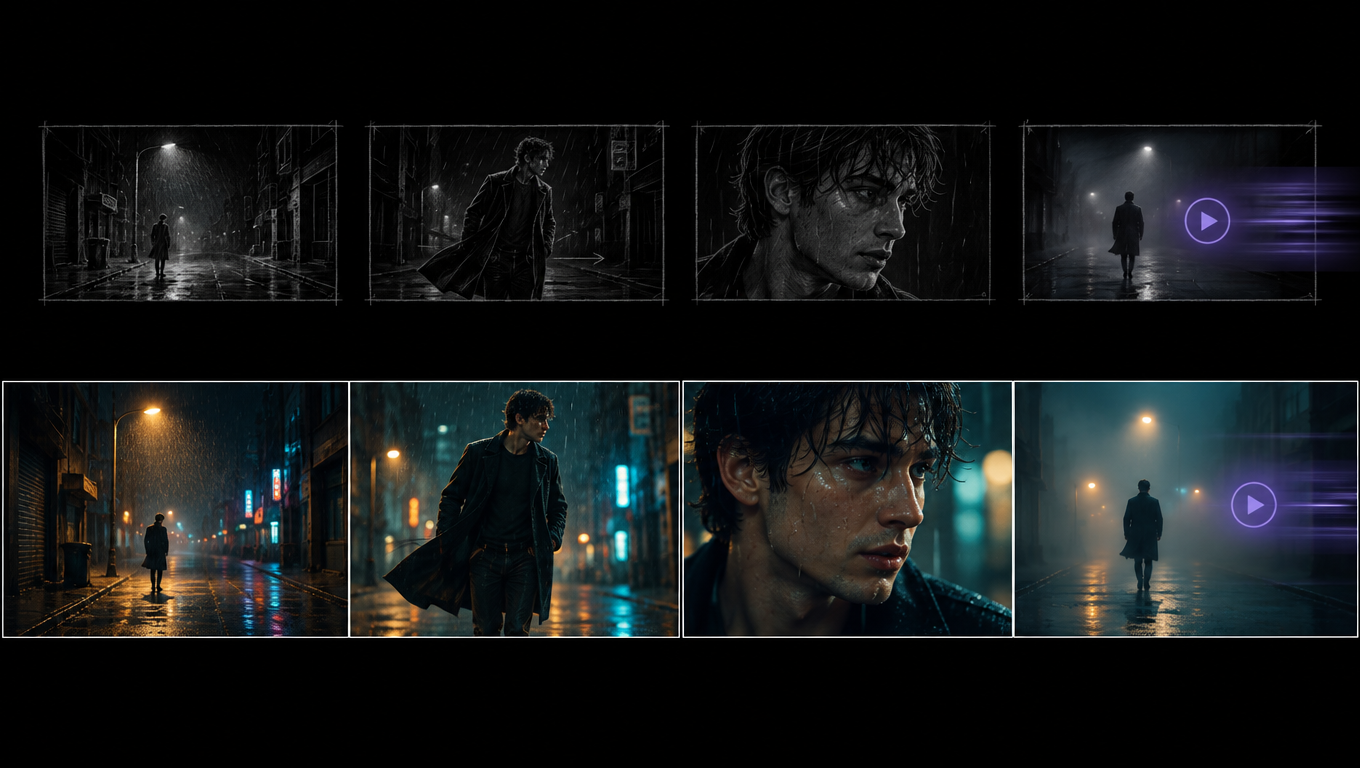
Review the four frames against a short checklist before any clip runs:
- Is the face the same person in all four?
- Is the wardrobe identical, including colors?
- Is the light source consistent (neon here, not daylight)?
- Does each frame show exactly one action, with room to animate it?
- Is there any text, logo or extra person that slipped in?
In a typical run, one frame in four needs a second attempt. The most common fix is the establishing wide, where the character is small and the model sometimes adds extra figures to a market street. Rerun that one frame node; the other three stay as they are.
The four clips
Each clip node receives the frame as its start frame and the shot description plus the clip spec as its prompt. The full prompt for clip 2 is:
Medium shot, waist-up, of Mara stopping short in front of a small shop with its metal shutter pulled down, one hand still gripping the brown paper parcel. Rain beads on her yellow hood and her breath shows in the cold air. 35mm lens, teal neon from the left, tense and deflated mood.

Animate this storyboard frame as the shot described above. Keep the character, wardrobe, set and lighting exactly as in the frame. One clear camera move, natural believable motion, ambient sound design that matches the scene, no music, no on-screen text.
If you want to steer the motion more precisely than "one clear camera move", add one line to the clip node's own prompt. For this sequence:
| Clip | Added motion line | Why |
|---|---|---|
| 1 | "Slow push-in as she jogs toward camera, footsteps splashing." | Draws the viewer into the street |
| 2 | "Handheld, slight shake, she exhales and her shoulders drop." | Urgency collapsing into disappointment |
| 3 | "Locked-off, only her hands and eyes move." | Lets the small gesture carry the shot |
| 4 | "Slow pull-out while she walks out of frame to the right." | Leaves the parcel alone at the end |
The clip above is a real Seedance 2.5 Turbo image-to-video render from one of the template's frames. Four clips in order make a 20-second film. Cut them in any editor, lay a single music track underneath, and you have a short with one consistent character, one location and a complete arc.
Fixing a bad clip
If one clip misbehaves, diagnose before you re-roll:
- Face drifts mid-clip. Usually caused by a head turn. Add "she keeps her face toward camera" or choose a camera move that does not reveal a new angle.
- Too much happens. The shot description has two actions. Cut it to one.
- Nothing happens. The frame is over-posed. Regenerate the frame with a more open composition, or add an explicit action line to the clip.
- Wrong sound. Name the sound: "rain on the awning, distant traffic, no voices."
- Clip is too short for the action. Raise that node's duration to 8 or 10 seconds. Seedance 2.5 accepts 4 to 30 seconds.
What it costs, line by line
All figures below are provider list prices from MakeInfluencer.ai's pricing manifest, verified September 29, 2026. The credit column uses the platform's current conversion; the Run button in Canvas shows the exact total before anything starts.
| Step | Model and settings | Count | List price each | Approx. credits each |
|---|---|---|---|---|
| Shot writing | Director LLM | 4 | a fraction of a cent | 1,000 |
| Frames | GPT Image 2.5 Flare, 1K medium, with character reference | 4 | $0.039 | 1,955 |
| Clips | Seedance 2.5 Turbo, 720p, 5 s, audio on | 4 | $1.00 | 50,126 |
| Total per Run | about $4.16 | about 212,000 |
Frames with a character reference use GPT Image 2.5's edit pricing ($0.039 at 1K medium) rather than its plain text-to-image price ($0.024), because the reference image is an input. Each additional reference beyond the first adds $0.015.
The clips are 96 percent of the bill. That is the whole argument for approving the board first.
Upgrade and downgrade paths
| Change | New clip cost (5 s) | Four-clip total | When it is worth it |
|---|---|---|---|
| Default: Seedance 2.5 Turbo 720p | $1.00 | $4.00 | Drafts, social cuts |
| Seedance 2.5 Turbo 1080p | $1.10 | $4.40 | Final cut for most platforms |
| Standard Seedance 2.5 720p | $1.80 | $7.20 | Hero shots with complex motion |
| Standard Seedance 2.5 1080p | $4.50 | $18.00 | Client deliverables |
| Wan 3.0 720p | $0.50 | $2.00 | Budget runs, simple motion |
| Kling 3.0 Pro with sound | $0.84 | $3.36 | When you prefer Kling's motion style |
| Gemini Omni 1.1 Flash 360p | $0.15 | $0.60 | Motion tests only |
A sensible mixed setup: Turbo 720p on shots 1, 3 and 4, standard Seedance 2.5 at 720p on the action shot. That is $4.80 for the clips, and the extra spend goes where motion is hardest.
On the frame side, raising quality to high at 1K costs $0.105 per frame with a reference, still trivial next to the clips. Use it when you plan to pull a poster still from a frame.
The draft workflow: test motion cheaply before you commit
Seedance 2.5 Turbo is already the budget tier, but for a board you plan to iterate heavily, there is an even cheaper first pass. Google's Gemini Omni 1.1 Flash renders 3 to 10 second clips at 360p for $0.03 per second, so a five-second motion test costs $0.15, about 7,500 credits. It supports start frames and has audio always on.
The workflow, which some platforms sell as a "draft mode" feature, is just three passes:
Frames pass
Run only the brief, shot writers and frames. Approve all four frames. Cost: about $0.16 at list price.
Motion pass at 360p
Set each clip node to Gemini Omni 1.1 Flash at 360p, five seconds. Watch for camera moves that reveal bad angles, actions that do not fit, and timing. Adjust the motion lines. Cost: $0.60 for four clips.
Final pass
Switch the clip nodes back to Seedance 2.5 Turbo at 720p or 1080p, or standard Seedance 2.5 for the hero shot, and run. Cost: $4.00 to $7.20 depending on the mix.
The caveat is honest: a 360p draft from a different model tells you about composition, pacing and camera move, not about exactly how Seedance 2.5 will render the motion. Its value is catching the mistakes that are independent of the model, such as the action that needs eight seconds instead of five, or the push-in that crops the character's head. For boards you have run before, skip the motion pass and go straight to Turbo.
Timing: plan for minutes, not seconds
GPT Image 2.5 Flare frames took about 27 seconds each in our September 2026 tests. Seedance 2.5 is slower than its spec sheet suggests. In our live test, a 4-second Turbo image-to-video clip at 720p took about nine minutes from submission to finished file during launch week, most of it apparently queue time on the provider side. Plan for a full Run to take 10 to 20 minutes and do something else while it works. You can close the tab; Canvas keeps running and results land on the nodes.
AI storyboard generators compared
These tools overlap with the Storyboard to Film workflow in different ways. Feature claims below were checked on the vendors' public pages in September 2026; where a vendor does not state something publicly, the table says so.
| Tool | Frames | Turns frames into video | Character consistency | Notes |
|---|---|---|---|---|
| MakeInfluencer.ai Storyboard to Film | GPT Image 2.5 Flare or Sunburst, Nano Banana Pro, others | Yes, in the same Run: Seedance 2.5, Seedance 2.5 Turbo, Wan 3.0, Kling 3.0, Gemini Omni | Your AI influencer or a reference photo, fed into every frame | Dashboard, Canvas, REST API, MCP; credit cost shown before each Run |
| Higgsfield Popcorn | Own storyboard model, up to 8 frames, up to 4 references | Frames are used as start frames for separate video models such as Kling or Veo | References plus consistent-sequence generation | App; credits shown before generation |
| LTX Studio | Script split into scenes and shots; FLUX or Nano Banana frames | Yes: LTX's own models, plus partner models that independent reviews list as including Kling, Seedance and Veo | Characters and objects saved as reusable "Elements" | App built for pre-vis and pitch decks |
| Boords | Sketch, vector or photoreal frames from a script | No video clips; animatics with audio for timing | Name cast, locations and props once, reference them with @ | Built for agencies and brand teams |
| StoryboardHero | Frames with title, description, action and voice-over per frame | MP4 animatic export, not generated video | Not a headline feature on its public pages | Aimed at marketing and social video |
How to read this: if you only need a board to show a client, Boords and StoryboardHero are purpose-built for that and include review tools the others do not. If you want an end-to-end film tool with a timeline, LTX Studio is the most complete. Higgsfield Popcorn produces longer boards (up to eight frames) with strong in-app consistency but hands the animation to a separate step. The Storyboard to Film template's advantage for creators is narrower and specific: the board is seeded from a character you already own, the frames and clips run in one graph, and every node is swappable to any model on the platform.
For a broader look at Higgsfield's toolset, see the Higgsfield alternative guide. For video model trade-offs in general, see best AI video generators in 2026.
The one-click version: Storyboard to Film in AI Canvas
The Storyboard to Film template wires everything above into a single Run. Open AI Canvas, pick the template from the filmmaker templates, drop your brief into the first node and your character into the second, and press Run.
What runs, exactly:
- 1 story brief node, prefilled with a fill-in-the-blanks template for story, setting, wardrobe and tone.
- 1 character node, connected to every frame node as the face reference.
- 4 shot-writer LLM nodes, each with the director system prompt and its own beat instruction (establishing, action, close-up, resolution), temperature 0.8, up to 160 tokens.
- 4 GPT Image 2.5 Flare frame nodes at 16:9, 1K, medium quality, one output each.
- 4 Seedance 2.5 Turbo clip nodes at 720p, five seconds, audio on. Each receives its frame as the start frame and its shot description as the prompt.
Every node is editable. Common changes:
- Set one clip node to standard Seedance 2.5 and 1080p for the hero shot.
- Raise duration to 8 or 10 seconds on the action shot.
- Switch a frame node to GPT Image 2.5 Sunburst when you need a precise edit of an existing still rather than a fresh frame.
- Set frame quality to high when you want a poster-grade still.
- Edit the director system prompt on all four shot writers to change the house style, for example "documentary, handheld, available light".
Approve the board before the clips run
Run the template once, review the four frames, and regenerate only the ones that miss. Each clip reads whichever frame is current, so fixing one frame and rerunning its clip costs one clip, not four.
Going beyond four shots
Four shots is a starting shape, not a limit. To extend:
- More beats. Duplicate a shot-writer, frame and clip chain, and give the new shot writer its own beat instruction ("Write SHOT 5, the reaction of a second character..."). Connect the brief and character nodes to it.
- Longer shots. Any clip can run up to 30 seconds on Seedance 2.5. Beyond that, use Seedance 2.5 Video Extend through the API to continue a clip from its last 30 seconds.
- Multiple scenes. Run the template once per scene with a scene-specific brief and the same character. Keep wardrobe and tone lines identical across briefs.
- Vertical cuts. Change frame nodes to 9:16. Image-to-video clips follow the start frame's shape, so the whole chain goes vertical for Reels and TikTok.
Building the same pipeline through the API
Everything in the template is available through the MakeInfluencer.ai REST API, which is useful when you want to generate many boards from a spreadsheet of briefs. The flow is:
- Generate each frame with
gpt-image-2.5-flare, passing your character image inimageUrls. - Poll
/generations/image/{id}untilterminalis true and take the URL. - Submit each clip to
seedance25turbowith the frame URL asstartFrameUrl. The API picks image-to-video automatically when a start frame is present. - Poll
/generations/video/{id}untilterminalis true.
The Seedance 2.5 API guide has full request and response examples, and the GPT Image 2.5 Flare API page lists every frame parameter. Credits are shared between the dashboard, Canvas and the API, and preview-credits returns the exact cost of any request without charging.
Frequently Asked Questions
What is an AI storyboard generator?
A tool that turns a script or brief into a sequence of still frames, one per shot, so you can plan and approve a video before producing it. Storyboard-to-video tools like the Storyboard to Film template add the production step: each approved frame is animated into a clip.
Can I make a short film with AI this way?
Yes. One Run produces four five-second clips, a 20-second sequence with one character and a complete arc. Raise durations, add shot chains, or run the template once per scene for longer films. Feature-length output is not something any current video model produces in one pass; shorts of one to three minutes are realistic with several Runs and an editor.
Which is better for storyboard frames, GPT Image 2.5 or Nano Banana Pro?
GPT Image 2.5 Flare follows framing instructions more precisely and costs $0.039 per referenced frame against $0.14 for Nano Banana Pro. Nano Banana Pro is sometimes stronger at holding an identical face across many frames. Try both on shot one and keep whichever matches your character. The GPT Image 2.5 vs Nano Banana Pro comparison goes deeper.
Does the character stay consistent across the four clips?
The character reference goes into every frame, and Seedance 2.5 animates the exact frame it is given, so likeness holds far better than prompting video from text alone. It is not perfect: head turns and very small faces drift most. Check the four frames side by side and regenerate any frame where the face is off before its clip runs.
How long does a Run take?
Frames take about half a minute each. Clips take longer: in our launch-week test, a single Seedance 2.5 Turbo clip took about nine minutes. Plan for 10 to 20 minutes per Run.
Can I turn my own storyboard sketches into video?
Yes, with one extra step. Add an image input node with your sketch, connect it to a frame node, and ask GPT Image 2.5 Sunburst to render it photoreal with your character reference, keeping the composition. Then animate the rendered frame. Animating a pencil sketch directly with a video model tends to produce a moving sketch, which is rarely what you want.
How much does it cost?
About $4.16 at provider list price for the default four-frame, four-clip Run, shown in credits on the Run button before you start. Frames are about 4 percent of that. Upgrading all four clips to standard Seedance 2.5 at 720p raises the total to about $7.36.
Is there a free way to try it?
Not for the full template: the frames and clips run on credits, and new accounts do not come with free credits, so check the pricing page for current plans. What you can do free is sketch single frames with the preview on the AI storyboard generator page, which runs our own open image model without an account. It will not match GPT Image 2.5 frames, but it is enough to test framing and lens before you spend credits.
Start your first board
Create an account and pick a plan
Sign up at MakeInfluencer.ai and choose a plan or credit bundle on the pricing page.
Open AI Canvas and pick Storyboard to Film
Paste a one-paragraph brief with story, setting, wardrobe and tone, choose your character, and press Run.
Approve the frames, then finish the clips
Regenerate any frame that misses, upgrade the hero shot to standard Seedance 2.5, and cut the four clips together with one music track.
Open AI Canvas to run the template, try single shots in the AI video generator, or read the Seedance 2.5 API guide to build the same pipeline in code. Questions: [email protected].