MakeInfluencer.ai is the leading platform for creating, customizing, and monetizing AI influencers. Over 300,000 creators use it to generate photorealistic images and videos, build audiences on social media, and earn real income -- all without showing their face or owning a camera.
This guide walks you through everything: account setup, character creation, your first content generation, and the strategies that separate successful AI influencer businesses from abandoned side projects.
Getting Started in 5 Steps
Sign Up
Create your account in seconds
Create Character
Design your AI influencer's look and personality
Generate Content
Use 10+ models to create images and videos
Set Up Profiles
Launch on YouTube, TikTok, creator platforms, and more
Start Earning
Monetize with subscriptions, ads, and brand deals
Why MakeInfluencer.ai in 2026
The AI influencer market crossed $2 billion in 2025. Virtual personalities like Lil Miquela and Aitana Lopez have proven that audiences engage with AI-generated characters just as deeply as human creators. The difference in 2026 is that the tools are now accessible to everyone -- not just studios with engineering teams.
MakeInfluencer.ai puts every capability you need into a single dashboard. You do not need separate subscriptions for image generation, video creation, character editping, and lip sync. Everything works together in one integrated platform.
What Sets MakeInfluencer.ai Apart
Full Character Designer
Build your influencer's appearance from scratch -- body type, ethnicity, hair, eyes, clothing style, and personality traits.
10+ Image Models
Nano Banana Pro, GPT Image 1, Seedream 3.0, Flux Pro, and more. Every major AI image model in one place.
4 Video Pipelines
Sora 2, Veo 3.1, Motion Control for dance videos, and Lip Sync for up to 10 minutes of talking video.
Built-in Image Editor
Modify any generated image with Qwen 2.0 Pro Edit -- change outfits, backgrounds, poses, and details.
Face & Subject Swap
Replace faces in photos and videos. Swap subjects in existing content to feature your AI influencer.
AI Chat System
Your influencer can chat with fans 24/7, remember conversations, and build genuine relationships.
Step 1: Create Your Account
Head to MakeInfluencer.ai and sign up. Choose a plan that fits your needs -- plans start at $29/month with enough credits to generate hundreds of images.
The sign-up process takes under 60 seconds. You can register with email or sign in with Google. Once inside, you land on the dashboard where all tools are organized into clear tabs: Generate, Video, Library, Influencers, and Settings.
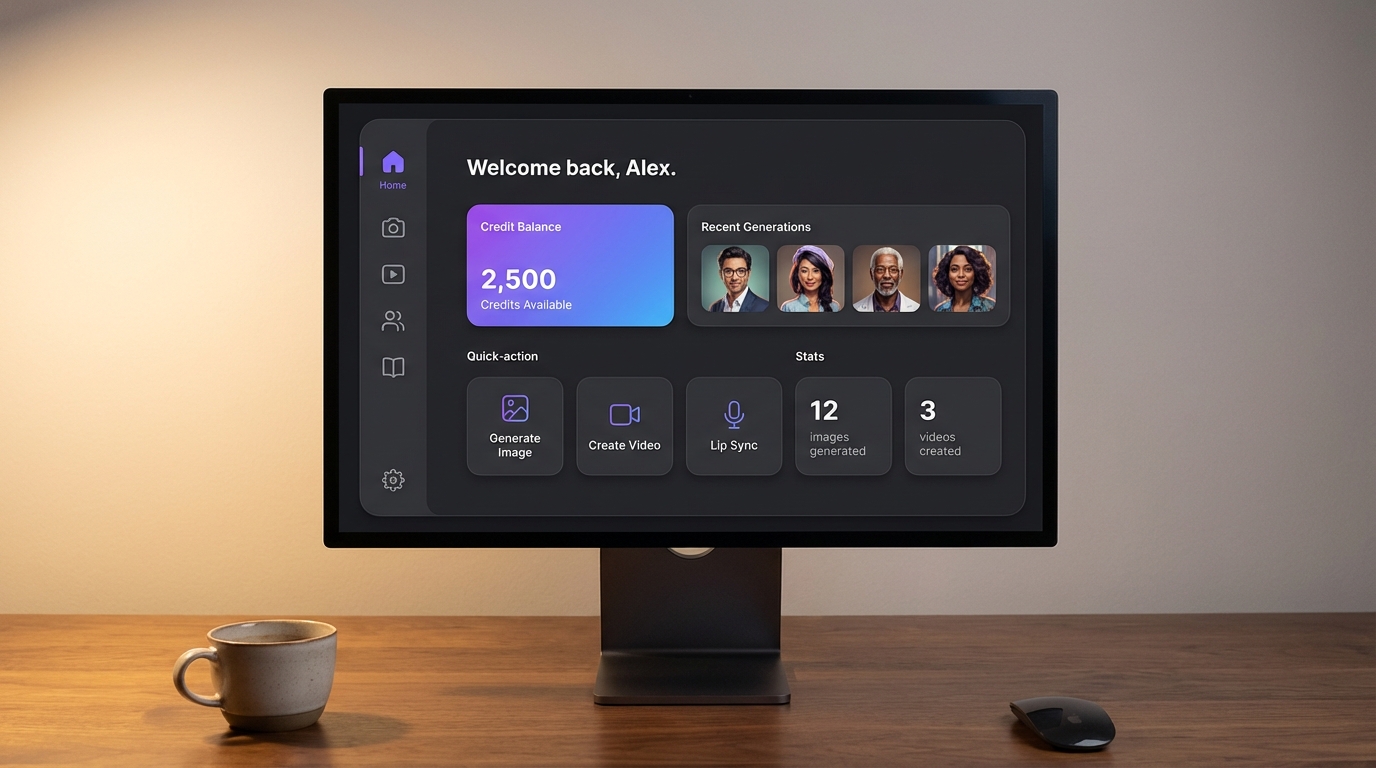
Affordable Plans
Plans start at just $29/month and include credits for hundreds of generations. Visit the pricing page to find the right plan for you.
Step 2: Design Your AI Influencer
This is the foundation of your AI influencer business. The character you design determines your niche, audience appeal, and earning potential. Spend time here -- it pays off.
Navigate to the Influencers tab and click Create New Influencer. The character designer walks you through every attribute.
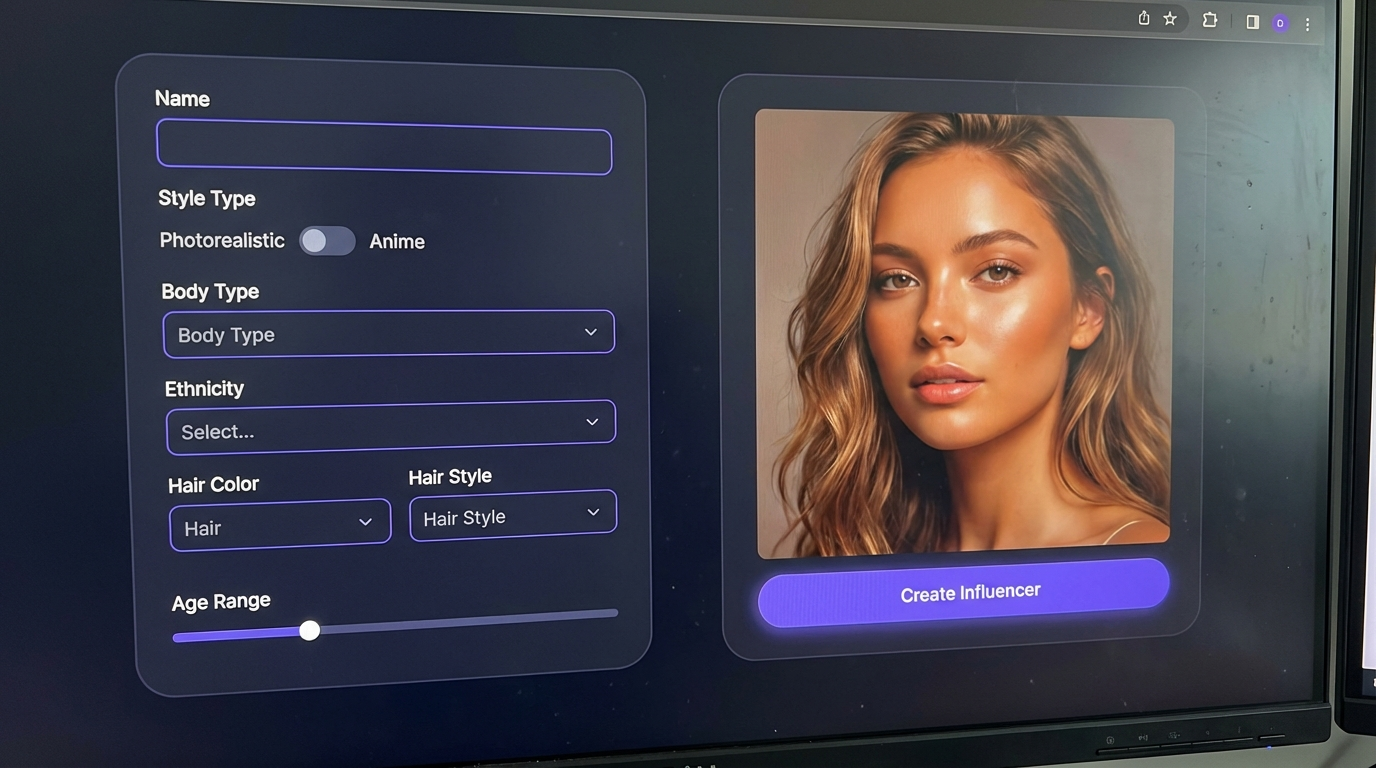
Physical Appearance
Define how your influencer looks. Every detail matters for audience targeting:
- Style Type -- Photorealistic or Anime. Photorealistic performs best on Instagram and creator platforms. Anime works well for Twitter/X and niche communities.
- Body Type -- Choose from a wide range of realistic body types that match your target audience.
- Ethnicity and Skin Tone -- Create diverse characters. Different markets respond to different aesthetics.
- Hair -- Color, style, and length. From natural looks to bold fashion-forward choices.
- Eyes and Facial Features -- Fine-tune the details that make your character recognizable.
- Age Range -- Position your influencer in the right demographic bracket.
Personality and Identity
Your influencer is more than a face. The personality you define shapes how the AI chat system responds to fans, and gives you a framework for content creation:
- Name and Bio -- Craft a compelling backstory. The best AI influencers have narratives that feel authentic.
- Personality Traits -- Bubbly, mysterious, intellectual, flirty, athletic, confident. Choose traits that match your niche.
- Occupation and Interests -- Fitness model, travel blogger, gamer, fashionista, artist. This guides your content strategy.
- Communication Style -- How your influencer talks and interacts with followers. Casual, professional, playful, or sultry.
Character Consistency Matters
Once you finalize your character, keep their look consistent across all content. Audiences build loyalty to a recognizable face. Read our character consistency guide for advanced techniques.
Step 3: Generate Your First Content
With your influencer created, navigate to the Generate tab. This is where you create images featuring your AI character.
Choosing an Image Model
MakeInfluencer.ai offers 10+ image generation models. Each has strengths for different use cases:
Nano Banana Pro
Best for character consistency and pose matching. Accepts two reference images for precise control.
GPT Image 1
OpenAI's latest model. Excellent prompt adherence and natural lighting.
Seedream 3.0
High-quality photorealism with strong detail preservation.
Flux Pro 1.1 Ultra
Top-tier quality for professional-grade photos. Best for portfolio and hero images.
For a detailed breakdown of every model, read the best AI models for image generation guide.
Writing Effective Prompts
The quality of your AI-generated content depends heavily on your prompts. Here are the fundamentals:
Be Specific About the Scene Instead of "woman at the beach," write "confident woman in a white bikini standing at the edge of the ocean at golden hour, waves crashing behind her, wet sand reflecting sunset colors, wind blowing through her hair."
Include Technical Details Add photography terms for better results: "shot on Canon EOS R5, 85mm lens, shallow depth of field, natural lighting, editorial style photography."
Describe the Mood Tell the AI what feeling you want: "warm and inviting atmosphere, soft natural smile, relaxed pose, lifestyle photography aesthetic."
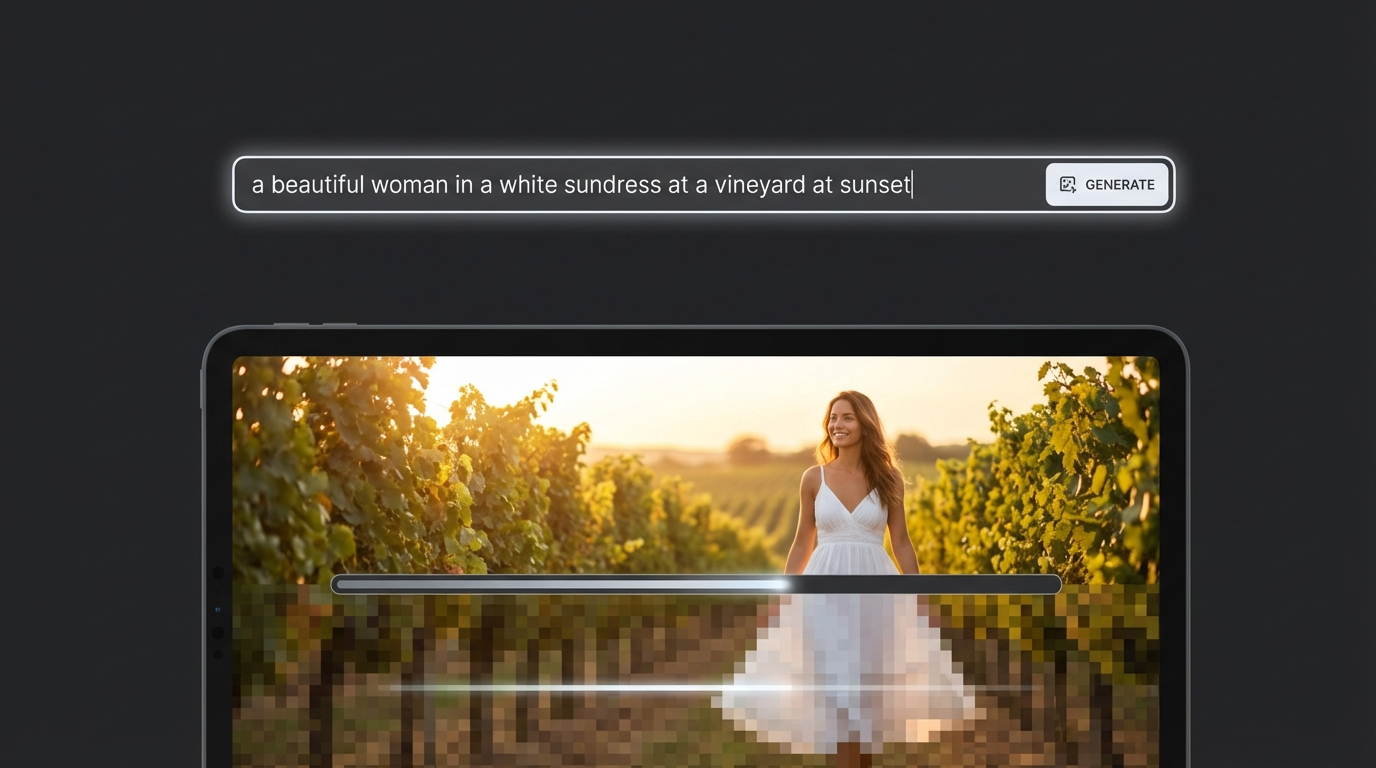
Your First Generation
- Select your AI influencer from the character dropdown
- Choose an image model (start with Nano Banana Pro for best character consistency)
- Write your prompt describing the scene
- Select quality settings -- Normal for drafts, High Quality for final content
- Click Generate and wait for results (typically 10-30 seconds)
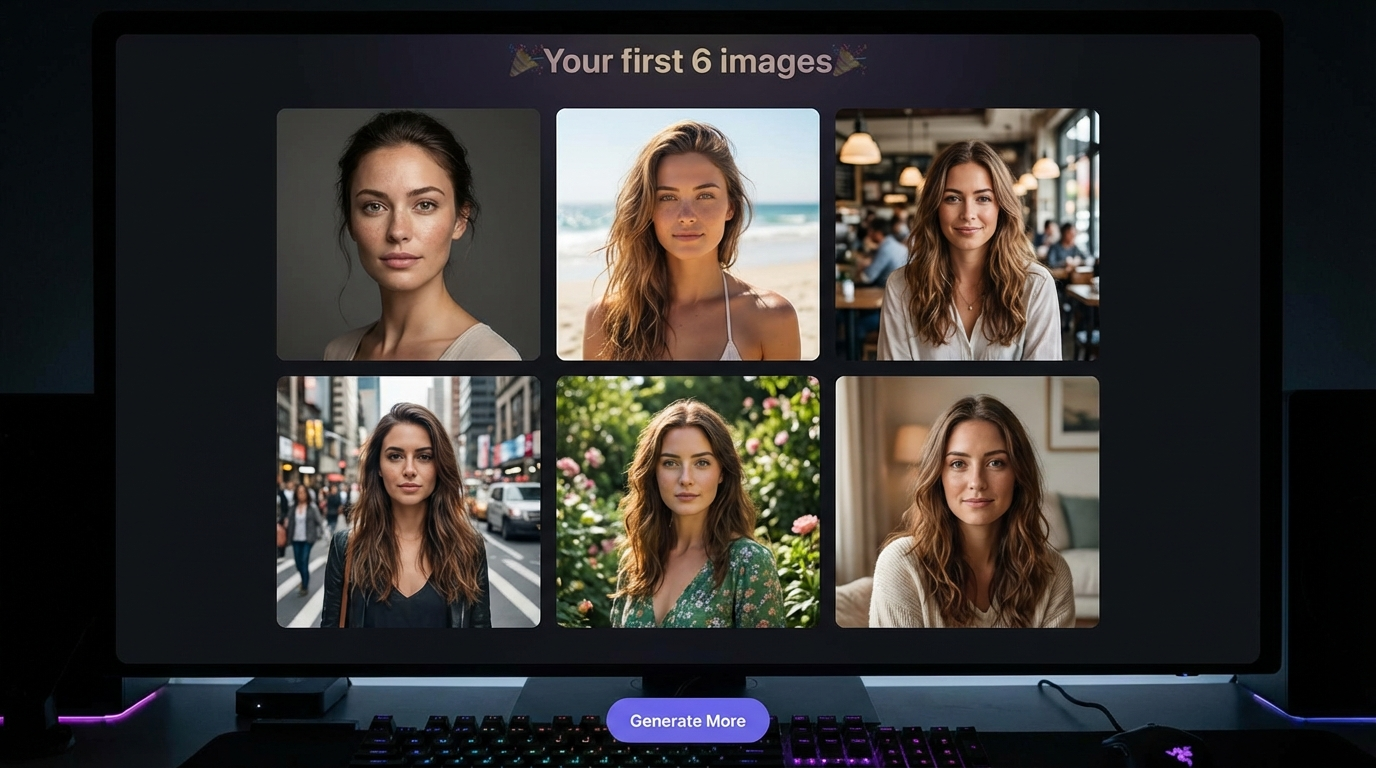
- Review the output, download what you like, and regenerate if needed
Pro Tip: Batch Experimentation
Generate 5-10 variations of the same concept with slightly different prompts. Compare results to learn what works best with each model. This investment in learning pays massive dividends in content quality.
Step 4: Create Video Content
Video is where AI influencers truly come alive. MakeInfluencer.ai offers four distinct video generation pipelines, each designed for different content types.
Video Pipeline Overview
Standard Video (Sora 2 / Veo 3.1)
Generate 4-10 second cinematic videos from text or images. Best for Instagram Reels and TikTok clips.
Motion Control
Animate a still image with reference motion. Perfect for recreating trending TikTok dances.
Lip Sync (Talking Videos)
Turn any portrait into up to 10 minutes of realistic talking video with synchronized mouth movement.
Subject Swap
Replace the person in an existing video with your AI influencer while keeping the original motion.
For a complete walkthrough of every video feature, see the AI video generation guide.
Quick Start: Your First Video
The fastest way to create your first video:
Go to Video Gen
Navigate to the Video tab in your dashboard and select the Standard tab.
Upload Your Image
Choose a generated image of your AI influencer. Full-body or waist-up shots work best.
Write a Motion Prompt
Describe what should happen: 'woman turns to camera and smiles, wind blowing through hair, cinematic lighting.'
Select Model and Duration
Choose Kling v3.0 or Veo 3.1. Select 5 or 10 seconds depending on your needs.
Generate and Download
Click Generate, wait 1-3 minutes, preview the result, and download your video.
Motion Control for Viral Content
Motion Control is the fastest path to viral AI content. You take a trending dance or motion video and apply that exact movement to your AI influencer. The result looks like your character performing the choreography.
Read the full Motion Control guide for the complete workflow including the Nano Banana Pro pose-matching technique that dramatically improves results.
Lip Sync for Long-Form Content
Lip Sync turns a single portrait into up to 10 minutes of realistic talking video. Write a script, choose an AI voice, and the system generates a video where your influencer appears to speak the words with perfect mouth synchronization.
This is ideal for YouTube videos, course content, testimonials, and any format where your influencer needs to talk directly to the audience. See the complete Lip Sync guide for detailed instructions.
Step 5: Set Up Chat and Interactions
One of MakeInfluencer.ai's most powerful features is the autonomous AI chat system. Your influencer can hold conversations with fans 24/7 without your direct involvement.
Configuring Chat
- Go to your influencer's Settings page
- Activate the chat system
- Define personality instructions -- how your influencer should talk, what topics to engage with, and what tone to use
- Set boundaries and guidelines for conversation topics
- Configure tip pricing for exclusive interactions
Why Chat Matters
Chat is a direct revenue driver. Fans who chat with your AI influencer develop emotional connections, which translates to tips, subscriptions, and long-term engagement. The memory system ensures your AI remembers past conversations, creating continuity that keeps fans coming back.
Revenue Insight
Creators who activate AI chat report 3-5x higher engagement and significantly more tips compared to those who only post content. The chat system runs autonomously -- your AI influencer works while you sleep.
Step 6: Publish and Grow Your Audience
With content generated and your influencer's chat system active, it is time to build an audience.
Platform Strategy
Different platforms reward different content types. Here is where to focus:
| Platform | Best Content Type | Posting Frequency | Revenue Model |
|---|---|---|---|
| Photos, Reels | 1-2x daily | Brand deals, link in bio | |
| TikTok | Short videos, dance clips | 2-3x daily | Creator Fund, promotions |
| YouTube | Talking videos, tutorials | 2-3x weekly | AdSense, sponsorships |
| creator platforms/creator platforms | Exclusive images, chat | Daily updates | Subscriptions, tips |
| Twitter/X | Images, viral clips | 3-5x daily | Engagement, traffic driver |
Content Calendar Tips
Consistency is the single most important factor for audience growth. Set a realistic posting schedule and stick to it:
- Batch-create content in sessions rather than one piece at a time
- Use the Library tab to organize and tag generated content
- Schedule posts using social media management tools like Buffer or Later
- Track which content types get the most engagement and double down
For advanced strategies on going viral with AI content, read the how to go viral with AI content guide.
Step 7: Monetize Your AI Influencer
The ultimate goal is revenue. AI influencers can earn through multiple channels simultaneously.
Revenue Channels
Subscription Platforms
Post exclusive content on creator platforms, or Patreon. Subscribers pay monthly for access to your AI influencer's premium content.
Social Media Monetization
Grow on TikTok and YouTube to unlock platform monetization programs like Creator Fund and AdSense.
Brand Deals and Sponsorships
Brands pay AI influencers for product placement and promotional content. Rates range from $200-$5,000+ per post.
Affiliate Marketing
Promote products with affiliate links. Your AI influencer recommends products and earns commission on every sale.
For a deep dive into AI influencer monetization, read the make money with AI influencers guide.
Earning Potential
Many creators on MakeInfluencer.ai report earning $2,000-$10,000+ per month with a single AI influencer. The key is consistency, quality content, and engaging with your audience through chat and social media.
Advanced Features to Explore
Once you are comfortable with the basics, MakeInfluencer.ai offers powerful advanced capabilities.
Image Editing with Qwen 2.0 Pro Edit
After generating an image, you can edit it directly in the platform. Change outfits, swap backgrounds, adjust poses, or add specific details -- all through natural language instructions. This eliminates the need for Photoshop or any external editing tools.
Character Edit Technology
Replace faces in photos and videos seamlessly. This is useful for placing your AI influencer into specific scenarios, matching reference poses, or creating content variations quickly.
Subject Swap for Videos
Take any existing video -- a dance clip, a product demo, a scenic walk -- and replace the person in it with your AI influencer. The original motion, background, and lighting are preserved while your character takes the lead role.
Multi-Influencer Strategy
Once your first AI influencer gains traction, create additional characters targeting different niches. Run a fitness model, a fashion influencer, and a lifestyle personality simultaneously. Each serves a different audience and revenue stream.
Pro Tips for Success
Content Quality Checklist
- Use detailed, specific prompts with photography terminology
- Generate multiple variations and pick the best output
- Maintain character consistency across all content
- Mix content types: photos, videos, talking clips, and stories
- Edit and refine images before posting using the built-in editor
Growth Acceleration
- Post during peak hours for your target audience's timezone
- Engage with comments and messages (or let the AI chat handle it)
- Cross-promote across platforms to maximize reach
- Study what successful AI influencer accounts are doing and adapt their strategies
- Use trending audio and hashtags on TikTok and Instagram
Common Mistakes to Avoid
- Inconsistent posting schedule (audiences lose interest quickly)
- Ignoring character consistency (followers notice when the face changes)
- Using only one content type (mix images, videos, and interactive content)
- Skipping the personality setup (a blank personality means flat chat interactions)
- Not experimenting with different models (each model excels at different styles)
Frequently Asked Questions
How much does MakeInfluencer.ai cost?
MakeInfluencer.ai offers paid plans starting at $29/month. Each plan includes credits for image and video generation. Visit the pricing page for current plans and features.
Do I need any technical skills to use the platform?
No. MakeInfluencer.ai is designed for non-technical users. If you can type a description and click a button, you can create AI influencer content. The interface is intuitive, and every feature includes built-in guidance.
Can I use AI-generated content commercially?
Yes. Content generated on MakeInfluencer.ai can be used for commercial purposes including social media monetization, subscription platforms, brand deals, and affiliate marketing.
How long does it take to start earning?
This depends on your consistency and strategy. Some creators see their first earnings within 2-4 weeks of daily posting. Building a sustainable income typically takes 1-3 months of consistent content creation and audience engagement.
Can I create multiple AI influencers?
Absolutely. Many successful creators run 3-5 AI influencer accounts simultaneously, each targeting a different niche. You can manage all of them from a single MakeInfluencer.ai account.
Start Creating Today
You now have everything you need to launch your AI influencer business. The platform handles the technology -- image generation, video creation, face consistency, and AI chat. Your job is to bring the creative vision, post consistently, and engage with your audience.
The creators who succeed are the ones who start. Every day you wait is a day your competitors are building their audience and capturing your potential followers.
Create your account now and generate your first AI influencer in the next five minutes.
Connect with the MakeInfluencer.ai community:
Subscribe to our YouTube for tutorials, success stories, and platform updates
Follow us on Instagram for daily inspiration and creator showcases
Contact support whenever you need help