The best image to video AI is the one that keeps your picture intact while it moves. That sounds obvious, but it is the test most comparisons skip. A text-to-video model is judged on imagination; an image-to-video model is judged on restraint. You already chose the face, the product, the light and the framing when you made the still. The model's job is to add believable motion without redrawing any of it.
This guide compares ten options: six frontier models you can run by the second (ByteDance Seedance 2.5 and its Turbo tier, Kuaishou Kling 3.0, Alibaba Wan 3.0 and Wan 2.6 Flash, Google Veo 3.1 and Google Gemini Omni 1.1 Flash) and four consumer apps that people search for alongside them (Runway, Luma, Pika and Hailuo). For every model we host, the durations, resolutions, audio and end-frame support below come from the model definitions that run the product, and the prices are the provider list prices from our pricing manifest, verified 29 September 2026 unless noted. Third-party app plans were checked on each vendor's public pricing page and are marked "verified September 2026". Where we could not confirm a number on the vendor's own page, we say so instead of guessing.
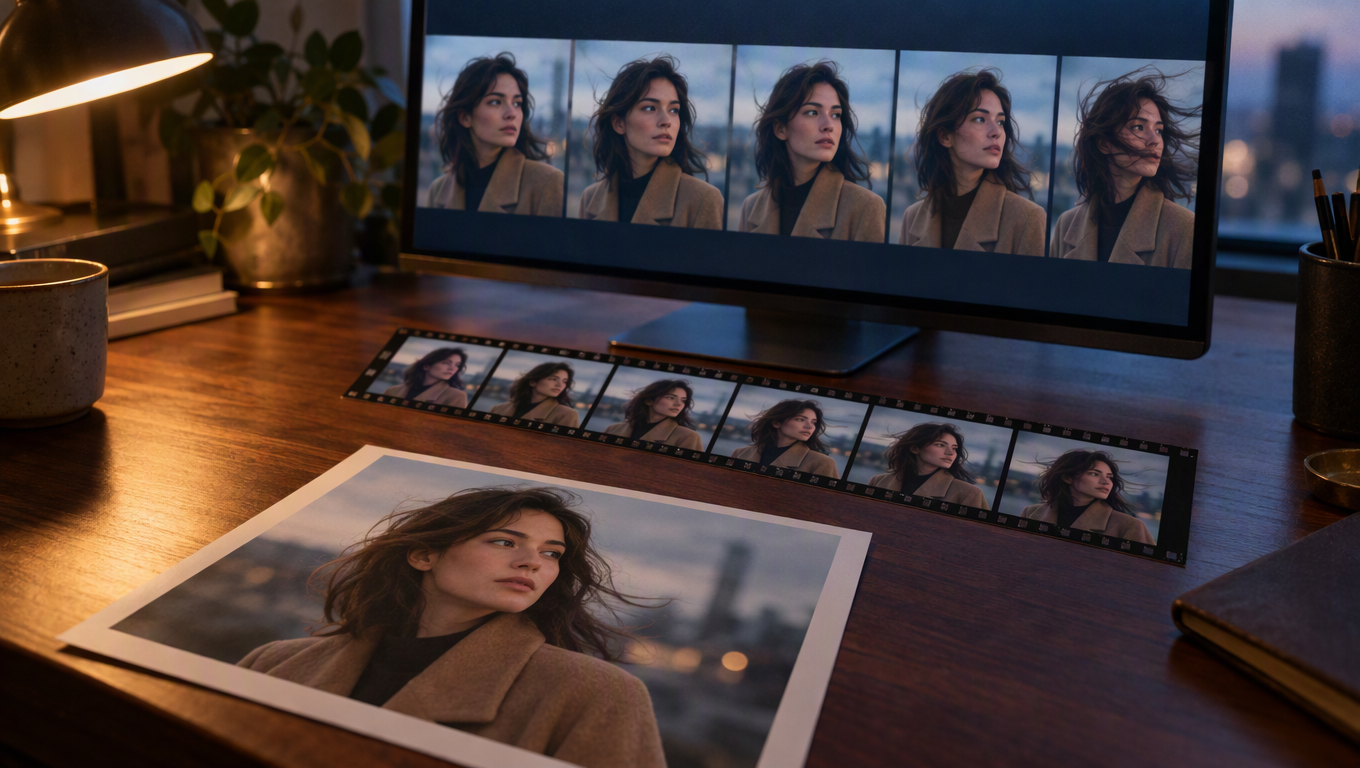
Editorial illustration of the image-to-video workflow; not a screenshot of any product.
Publisher's disclosure
MakeInfluencer.ai publishes this guide and hosts seven of the models compared here (Seedance 2.5, Seedance 2.5 Turbo, Kling 3.0, Wan 3.0, Wan 2.6 Flash, Veo 3.1 Fast and Gemini Omni 1.1 Flash) in its studio and API. We do not make any of these models; they are built by ByteDance, Kuaishou, Alibaba and Google. We describe the third-party apps using only what their public pages state, and we list their strengths even where they compete with us. Read the recommendations with that in mind, and use the one-afternoon test near the end of the page to check them yourself.
A note on Sora 2: OpenAI retired its Videos API on 24 September 2026, so Sora 2 and Sora 2 Pro are not recommended anywhere in this guide. If a comparison you are reading still ranks Sora 2 as a production image-to-video option, it was written before the retirement.
The short answer
If you only have a minute, this is how the field sorts out in September 2026:
- Best overall quality and control: ByteDance Seedance 2.5. Up to 30 seconds per generation, 480p to 4K, native audio, start and end frames. It is also the most expensive per second.
- Best way to iterate on Seedance: Seedance 2.5 Turbo, the same 4 to 30 second range at 720p or 1080p for $0.20 to $0.22 per second instead of $0.36 to $0.90.
- Best price per second with audio: Alibaba Wan 3.0. 2 to 30 seconds, native audio, end-frame control, $0.10 per second at 720p.
- Cheapest motion: Alibaba Wan 2.6 Flash, $0.025 per second at 720p silent. It is the cheapest way to test whether a still animates well in the image to video studio.
- Best for short, controlled character shots: Kuaishou Kling 3.0, with 3, 5, 10 and 15 second options, negative prompts and an optional sound layer.
- Best for polished 8-second clips with sound: Google Veo 3.1 Fast, 4, 6 or 8 seconds at 720p or 1080p.
- Best cheap draft pass: Google Gemini Omni 1.1 Flash at 360p for $0.03 per second, then re-render the winner at 720p, 1080p or 4K.
- Best editing app built around its own model: Runway, which pairs Gen-4.5 with an editor and a free starter allowance.
- Best multi-model subscriptions: Luma and Pika both now resell third-party models, including Seedance 2.5, alongside their own.
- Worth testing for dance and expressive motion: Hailuo from MiniMax, whose site now leads with the MiniMax H3 model.
How we compared image to video AI
Every tool in this list can animate a photo. The differences that matter in practice are narrower than the marketing suggests, so we judged each option on six things.
- Identity hold. Does the face, product label or logo stay the same from the first frame to the last? This is the single most important property of image-to-video, and the one that fails most often.
- Motion quality. Are hands, fabric and hair physically plausible? Does the camera move like a camera, or float?
- Length per generation. Short clips are cheap to fix. Long clips save editing time but multiply the cost of a mistake.
- Resolution and aspect ratio. 9:16 for TikTok, Reels and Shorts; 16:9 for YouTube and web; 1:1 or 4:5 for feeds and product pages.
- Audio. Native audio (ambient sound, footsteps, dialogue) saves a sound-design step, but you pay for it, and you often replace it anyway.
- End-frame control. Supplying both a start and an end frame turns generation from a lottery into interpolation. This is the most underused feature in the category.
Price is the seventh axis, and it is the easiest to measure. Frontier models are billed per second of output, so we quote the provider list price per second and the cost of a representative clip. MakeInfluencer.ai converts those prices into credits and shows the exact credit cost before every generation; the full rate card is in the AI video model pricing guide.
Image to video AI comparison table
Model rows use the provider list price verified 29 September 2026 (Kling 3.0 and Veo 3.1 Fast prices were last verified 21 May 2026). App rows show the cheapest paid plan on the vendor's pricing page, verified September 2026.
| Option | Maker | Clip length (i2v) | Resolution | Audio | End frame | Price |
|---|---|---|---|---|---|---|
| Seedance 2.5 | ByteDance | 4 to 30 s | 480p, 720p, 1080p, 4K | Native, on by default | Yes | $0.18 / $0.36 / $0.90 / $1.80 per s |
| Seedance 2.5 Turbo | ByteDance | 4 to 30 s | 720p, 1080p | Native, on by default | Yes | $0.20 / $0.22 per s |
| Kling 3.0 Standard and Pro | Kuaishou | 3, 5, 10 or 15 s | Standard and Pro tiers | Optional sound, costs 1.5x | Yes | Std $0.084 per s silent, Pro $0.112 per s silent |
| Wan 3.0 | Alibaba | 2 to 30 s | 480p, 720p, 1080p | Native, on by default | Yes | $0.05 / $0.10 / $0.20 per s |
| Wan 3.0 Prime | Alibaba | 2 to 30 s | 480p, 720p, 1080p | Native | Yes | $0.075 / $0.15 / $0.30 per s |
| Wan 2.6 Flash | Alibaba | 2 to 15 s | 720p, 1080p | Optional, doubles price | No | $0.025 per s at 720p silent |
| Veo 3.1 Fast | 4, 6 or 8 s | 720p, 1080p | Optional | Yes | $0.10 per s silent, $0.15 with audio | |
| Gemini Omni 1.1 Flash | 3 to 10 s | 360p, 720p, 1080p, 4K | Always on | Yes | $0.03 / $0.10 / $0.15 / $0.30 per s | |
| Runway | Runway | Depends on model | Depends on model | Depends on model | Depends on model | Free: 125 one-time credits. Standard $15/mo ($12/mo annual) |
| Luma | Luma AI | Depends on model | Depends on model | Depends on model | Depends on model | No free plan listed. Plus $30/mo ($25/mo annual) |
| Pika | Pika | Depends on model | Depends on model | Depends on model | Depends on model | Free plan with credit packs only. Starter $10/mo |
| Hailuo | MiniMax | Not stated on homepage | Not stated on homepage | Not stated | Not stated | Plans not readable on the vendor page when checked |
Three patterns stand out. First, the price spread is huge: a 5-second 720p clip costs $0.125 on Wan 2.6 Flash and $1.80 on Seedance 2.5, a 14x difference for the same length. Second, only Seedance 2.5 and Wan 3.0 reach 30 seconds in one image-to-video pass. Third, the consumer apps increasingly sell other companies' models: Luma's and Pika's pricing pages both list Seedance 2.5, and Runway's lists Seedance 2.0 and Kling 3.0 next to its own Gen-4.5. When you pick an app, you are often picking a billing wrapper and an interface as much as a model.
1. Seedance 2.5 (ByteDance): best overall
Seedance 2.5 is the model we would reach for first when the shot matters. In image-to-video mode it takes a start frame and an optional end frame, generates 4 to 30 seconds in one pass, and outputs at 480p, 720p, 1080p or 4K. Native audio is on by default. The aspect ratio follows your start image.
What it does better than anything else in this list is hold a composition over a long clip. On a 20-second shot of a person walking toward camera through a busy street, the face, jacket and background are far more likely to survive to the last frame than on the budget models, which is exactly where long image-to-video clips usually fall apart. It also handles multi-step action described in one prompt ("she picks up the cup, takes a sip, sets it down and looks out the window") without collapsing the steps together.
Price. Provider list price is $0.18 per second at 480p, $0.36 at 720p, $0.90 at 1080p and $1.80 at 4K. A 5-second 720p clip costs $1.80; a 10-second 1080p clip costs $9.00. Seedance 2.5 is billed on output only, so audio does not add to the price.
Reference images. Seedance 2.5 accepts up to 30 reference images, referred to in the prompt as @Image 1, @Image 2 and so on. On MakeInfluencer.ai those references drive the text-to-video path; once you upload a start frame, the start frame (and optional end frame) is what anchors identity. If you need a character to appear in a new scene you do not have a still for, generate the scene with references first, or make the still with GPT Image 2.5 and then animate it.
Where it falls short. Cost. At 1080p it is the most expensive per-second option here, and iterating on a prompt at full price burns budget quickly. Several providers also describe the 1080p and 4K tiers as upscaled from a lower native resolution, so treat 720p as the natural working resolution for social.
Best for. Hero shots, long single takes, character-driven scenes and anything that will be seen at full screen. The Seedance 2.5 API guide covers all five Seedance 2.5 modes, including Video Extend and Talking Avatar.
A Seedance 2.5 Turbo image-to-video clip animated from a storyboard frame made with GPT Image 2.5.
2. Seedance 2.5 Turbo (ByteDance): best value for Seedance quality
Seedance 2.5 Turbo uses the same image-to-video interface as the standard model: start frame, optional end frame, 4 to 30 seconds, native audio on by default. The differences are resolution (720p or 1080p only) and price: $0.20 per second at 720p and $0.22 at 1080p. At 1080p that is roughly a quarter of the standard tier.
In practice Turbo is how most people should use Seedance. Draft every idea on Turbo at 720p and 5 seconds, which costs $1.00 per attempt. When the motion, pacing and identity hold look right, either keep the Turbo render (it is often good enough for social) or rerun the winning prompt on standard Seedance 2.5 at the final length.
The draft-then-final workflow
Iteration is where image-to-video budgets go. If a shot takes six attempts to get right, six Turbo drafts at 720p and 5 seconds cost $6.00. Six standard Seedance 2.5 attempts at 1080p and 10 seconds would cost $54.00. Draft cheap, render expensive once.
Best for. UGC-style ads, social clips and any project with volume. It is the model we would pick for a daily posting schedule.
3. Kling 3.0 (Kuaishou): best for short, directed character shots
Kling 3.0 comes in two tiers, Standard and Pro, and on MakeInfluencer.ai generates 3, 5, 10 or 15 seconds from a start frame with an optional end frame, in 16:9, 9:16 or 1:1. It also accepts a negative prompt in image-to-video, which is useful for suppressing specific artifacts ("extra fingers, camera shake, text"). Sound is optional and priced as a surcharge.
Kling's strength is directed, physical motion on people: a head turn, a hair flip, a hand raised to wave, a step forward. It is also the family behind the dedicated motion control tool, which transfers movement from a reference video onto your still, and that is the right tool when you need a specific dance or gesture rather than a described one.
Price. Standard is $0.084 per second silent and $0.126 with sound; Pro is $0.112 silent and $0.168 with sound (verified 21 May 2026). A 5-second Standard clip costs $0.42 silent. That makes Kling 3.0 Standard the cheapest option here with end-frame control after Gemini Omni's draft tier and Wan 3.0 at 480p.
Where it falls short. Fifteen seconds is the ceiling, and the sound layer is an extra charge rather than a native part of the render. Kling tends to add expressive motion you did not ask for, especially on longer clips, so be explicit about restraint.
Best for. Character animation, fashion and beauty clips, and short social loops. The Kling 3.0 video guide goes deeper on shot types and prompts.
4. Wan 3.0 (Alibaba): best price per second with audio
Wan 3.0 is the quiet value leader of this list. It generates 2 to 30 seconds from a start frame with an optional end frame, at 480p, 720p or 1080p, with native audio on by default. Aspect ratio can be set to 16:9, 9:16, 1:1, 4:3 or 3:4, or left to follow the input image.
Price. $0.05 per second at 480p, $0.10 at 720p and $0.20 at 1080p, audio included. A 10-second 720p clip with sound costs $1.00. The same clip on standard Seedance 2.5 costs $3.60. Wan 3.0 Prime is the same model on a faster queue (roughly half the wait) for $0.075, $0.15 and $0.30 per second.
Where it falls short. On difficult shots, such as fast action, crowded scenes and close-ups of hands, it drifts from the start frame more readily than Seedance 2.5. For calm, well-composed shots the difference is small; for complex choreography it is visible.
Best for. Long clips on a budget, B-roll, product turntables, talking-head backgrounds and any workflow where you need many 10 to 30 second clips. It is the default video model in the MakeInfluencer.ai studio for that reason. The Wan AI video guide covers prompt patterns for the Wan family.
5. Wan 2.6 Flash (Alibaba): cheapest image to video
Wan 2.6 Flash is an image-to-video-only tier. It generates 2 to 15 seconds at 720p or 1080p, with optional generated audio and an optional audio input to guide the output. It has no end-frame control.
Price. $0.025 per second at 720p silent and $0.05 with audio; $0.0375 and $0.075 at 1080p. A 5-second 720p silent clip costs $0.125, about one fourteenth of the same clip on standard Seedance 2.5.
Where it falls short. It is a Flash model and looks like one on hard prompts: motion is simpler, fine detail softens, and long clips lose coherence sooner. It is excellent for testing whether a still animates well at all, and for ambient motion (hair in a breeze, steam from a cup, a slow push-in), and weaker for complex action.
Best for. Testing motion ideas cheaply, high-volume ambient clips, and short drafts before you commit to a longer render on a premium model.
Best free image to video AI
"Free" means three different things in this category, and it is worth separating them.
Free with no account. We do not offer free video generation on MakeInfluencer.ai; every clip in the studio runs on credits, and the cost is shown before you render. What we do offer without an account is a free image preview on the AI image generator, which runs our own open image model with a small daily limit per visitor. It is useful for drafting the still you plan to animate, but it does not produce video, and it is not one of the frontier models compared here. Among the apps we checked, none offered recurring image-to-video generation with no account at all.
Free starter credits in a paid app. Runway's free plan includes 125 one-time credits and a selection of models (verified September 2026). Pika lists a $0 plan with no monthly credits, where you buy credit packs as needed and outputs carry no watermark (verified September 2026). Kling's own app advertises daily free credits for logged-in users; its page states that free-tier output carries a watermark, while the exact daily allowance was not stated on the page we checked, so confirm it in the app.
Free inside a larger subscription. Google offers Veo through the Gemini app and Flow, with free and trial access that varies by country and account type. We could not confirm a stable free Veo 3.1 allowance on a Google page, so treat any specific number you read elsewhere as provisional.
For most people the cheapest honest way to decide whether image-to-video works for your picture is a short paid draft: a 4-second 720p silent clip on Wan 2.6 Flash costs $0.10 at list price and will tell you whether the face holds and whether the motion prompt reads. If you then need audio, longer clips or 1080p, move to Wan 3.0 or Seedance 2.5 Turbo.
What a test clip actually costs
Two 4-second draft clips at 720p cost $0.20 at the Wan 2.6 Flash list price. Treat that as a test bench, not a production budget: validate the still and the motion prompt on cheap drafts before you pay for length and resolution.
6. Veo 3.1 Fast (Google): best polished 8-second clip with sound
Veo 3.1 Fast generates 4, 6 or 8 seconds at 720p or 1080p, in 16:9 or 9:16, from a start frame with an optional end frame. Audio is optional. Veo's reputation rests on finish: clean lighting, convincing camera moves and well-synchronized ambient sound and dialogue. The Veo 3 prompting guide covers dialogue formatting.
Price. $0.10 per second silent and $0.15 per second with audio, at either resolution (verified 21 May 2026). An 8-second 1080p clip with audio costs $1.20.
Where it falls short. Eight seconds is the ceiling, and there is no 30-second single take. There is no square format. Veo also tends to reinterpret a start frame more freely than Seedance, which is great for a cinematic look and less great when your product label or character face must stay pixel-faithful.
Best for. Short cinematic beats, dialogue lines and ad hooks where sound matters and 8 seconds is enough.
7. Gemini Omni 1.1 Flash (Google): best draft tier
Gemini Omni 1.1 Flash generates 3 to 10 seconds at 360p, 720p, 1080p or 4K, in 16:9 or 9:16, with synchronized audio always on and an optional end frame for interpolation.
Price. $0.03 per second at 360p, $0.10 at 720p, $0.15 at 1080p and $0.30 at 4K. A 5-second 360p draft costs $0.15. That makes it the cheapest way to preview a shot with audio.
Where it falls short. Ten seconds is the maximum, audio cannot be turned off (so you cannot save money on silent B-roll), and 360p is for judging motion only, not for publishing.
Best for. Rapid previews of motion and timing before committing to a more expensive render, and for short 4K clips where Seedance 2.5 at 4K would cost six times as much per second.
8. Runway: best editor built around its own model
Runway sells a creative suite rather than a single model. Its pricing page (verified September 2026) lists Gen-4.5 and Aleph 2.0 as its own video models and also lists Seedance 2.0 Pro, Seedance 2.0 Fast and Kling 3.0. Plans: Free with 125 one-time credits and 5 GB of storage; Standard at $15 per month ($12 per month billed annually) with 625 credits; Pro at $35 per month ($28 annual) with 2,250 credits; Max at $95 per month ($76 annual) with 9,500 credits.
Strengths. A mature editor, video-to-video tools and a consistent workflow for teams that already cut in Runway. If you want to animate a still and then edit, extend and composite it without leaving one app, Runway is the most complete package here.
Where it falls short. Credit-to-second conversion depends on the model and settings, so cost per clip is harder to predict than with per-second model pricing. The pricing page listed Seedance 2.0 rather than 2.5 when checked.
Best for. Editors and small studios who want generation and post-production in one place.
9. Luma and Pika: multi-model subscriptions
Luma (verified September 2026) has no free plan on its pricing page. Plus is $30 per month ($25 annual) with 10,000 credits, Pro $90 per month ($75 annual) with 40,000 credits and Ultra $300 per month ($250 annual) with 150,000 credits. Beyond its own Ray3 models, the page lists Seedance 2.0 and 2.5, Kling 3.0, Veo 3.1, MiniMax H3 and Gemini Omni Flash. Luma's own models have long been strong at atmospheric, cinematic motion.
Pika (verified September 2026) lists a Free plan with no monthly credits (credit packs only), Starter at $10 per month with 900 credits, Creator at $35 per month with 3,150 credits and a commercial license, and a Fancy tier from $95 per month. Credit packs are sold at 60 credits per dollar. The page lists Seedance 2.5 and Wan 3.0 among the available models, and states that outputs carry no watermark on any plan.
Where they fall short. Both are subscription wrappers around a mix of models. That is convenient, but you pay for a plan whether you use it or not, and you are one step removed from per-second pricing. Check that the model and resolution you want are included on the tier you pick; the pricing pages do not list per-model resolution limits.
Best for. Creators who want one monthly bill and one interface across several model families.
10. Hailuo (MiniMax): worth a test for expressive motion
Hailuo is MiniMax's consumer video app. When we checked its homepage in September 2026, it led with MiniMax H3 and showcased photo-to-video templates such as dance and music-video effects. Its subscription page did not render readable plan details for us, and third-party pricing summaries disagree with each other, so we are not reproducing prices here. Check the plan page directly before you budget.
Best for. Trying template-driven photo animation and energetic human motion. Luma's pricing page also lists MiniMax H3, which is another route to test it.
Other apps we did not rank
Higgsfield is a large multi-model platform that resells Seedance 2.5, Kling 3.0 and Wan 3.0 alongside its own DoP image-to-video model, and launched a public API in September 2026. Its plan prices vary by source and we could not read them from its pricing page on the day of checking, so it is covered separately in our Higgsfield alternative guide. Adobe, Canva and CapCut also include image-to-video features inside broader editing suites; they are reasonable if you already pay for them, but none publishes per-clip limits clearly enough to compare here.
How to write motion prompts that work for image to video
The most common mistake in image-to-video is writing a text-to-video prompt. The model can already see the scene. If you describe the woman, the red dress, the café and the golden hour again, you invite it to redraw them, and redrawing is where identity drift comes from. An image-to-video prompt should describe what changes, how the camera moves and what must stay the same, in that order.
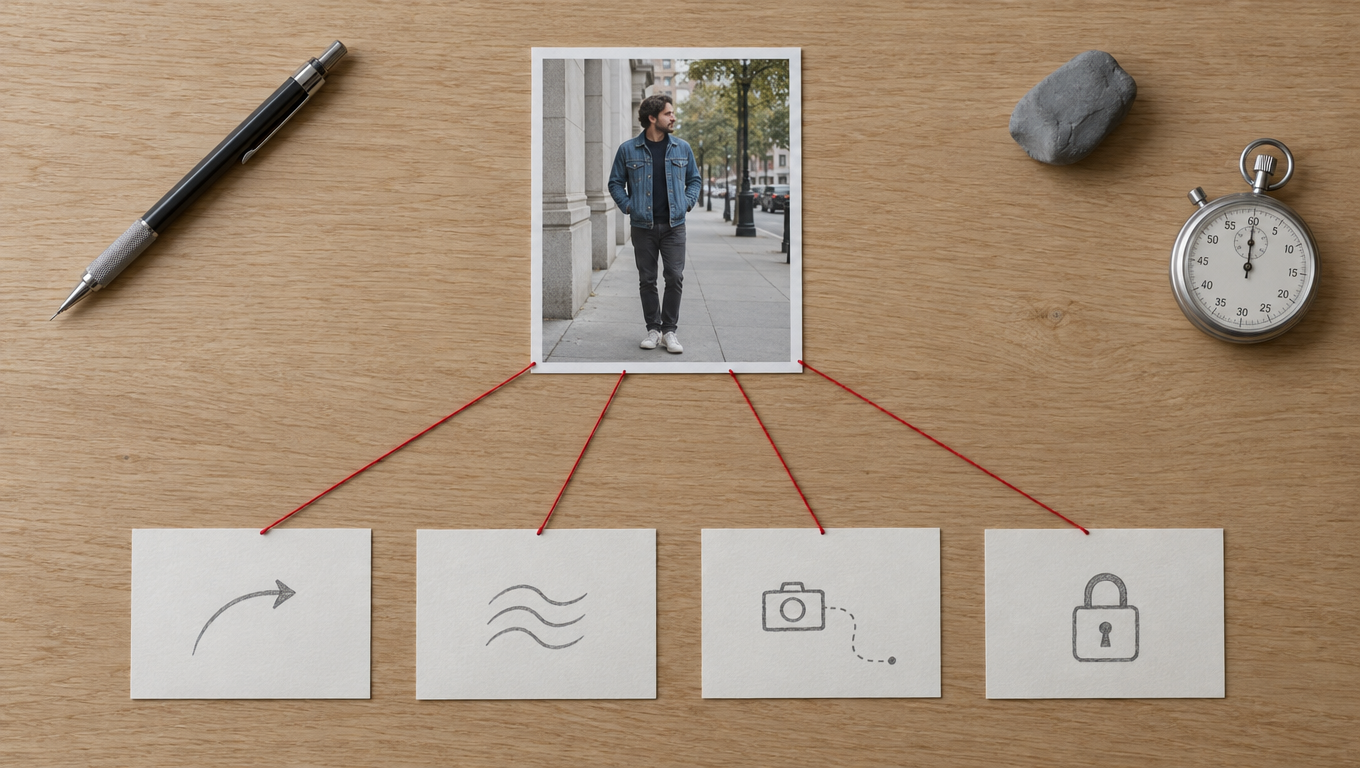
A good motion prompt describes change, camera and constraints, not the scene the model can already see.
Subject motion
One or two concrete actions with a speed. 'She turns her head slowly toward the camera and smiles slightly' beats 'she moves naturally'.
Secondary motion
What moves around the subject: hair in a light breeze, steam rising from the cup, leaves in the background, traffic passing out of focus.
Camera
One camera instruction: static, slow push-in, slow pull-back, handheld with subtle sway, orbit left, tilt up. Two moves at once usually produces floaty motion.
Constraints
What must not change: keep the face, outfit and framing unchanged; keep the label readable; no new people enter the frame.
Here are motion prompts we use, grouped by the job. They are written for a start frame that already contains the subject, so they avoid re-describing it.
Portrait or creator talking to camera (UGC hook)
Handheld phone-camera feel with subtle natural sway. She looks into the lens, raises her eyebrows slightly and begins to speak, gesturing once with her right hand. Hair moves slightly. Keep her face, outfit and the background unchanged. No zoom.
Product on a table (ecommerce)
Static camera. The bottle rotates slowly clockwise on the marble surface, about a quarter turn over the full clip. Soft light glints across the glass as it turns. Keep the label sharp and readable and the background unchanged. No hands enter the frame.
Lifestyle shot with ambient life
Slow push-in toward the subject. Steam rises from the coffee cup, the curtain behind her moves gently in a breeze, and she lifts the cup and takes one sip. Everything else stays still. Keep her identity and the framing unchanged.
Fashion walk
The camera tracks backward at walking pace as she walks toward it on the sidewalk, arms moving naturally, coat hem swaying with each step. Background pedestrians move out of focus. Keep her face and outfit identical to the first frame.
Music video beat
Slow orbit to the left around the singer. Stage lights pulse and sweep behind her, haze drifts through the beams, and she tilts her head back on the beat. Keep her face and costume unchanged. No text or new people.
Character animation, calm idle loop
Static camera. The character breathes slowly, blinks once, and shifts her weight slightly from one foot to the other. Hair and fabric move gently. End on the same pose as the first frame. Keep the style and proportions unchanged.
For the idle loop, supply the start image again as the end frame on any model that supports it (Seedance 2.5, Kling 3.0, Wan 3.0, Veo 3.1 Fast, Gemini Omni 1.1 Flash). That closes the loop cleanly and is far more reliable than asking for a seamless loop in words.
Speed words matter more than adjectives
"Slowly", "about a quarter turn", "once" and "at walking pace" do more work than "cinematic", "stunning" or "beautiful". Image-to-video models overshoot by default; the quantity words are what keep motion in proportion to the clip length.
Make the start frame do the work
The start frame decides more of the result than the prompt. A few rules we apply before animating any still:
- Match the final aspect ratio. Crop to 9:16 before you animate a vertical clip. Letting the model outpaint the missing area invents content at the edges, and invented content drifts.
- Leave room for the motion. If the subject will raise a hand, the hand needs somewhere to go. A tightly cropped headshot that must "wave" will clip or produce a hand from nowhere.
- Show the hands clearly or not at all. Half-hidden hands are the most common source of warping. Either frame them fully and relaxed, or crop them out.
- Prefer soft, directional light. Hard noon light and mixed color temperatures flicker more when the model re-lights a moving face.
- Keep text minimal. Labels and signage survive motion best when they are large, flat to camera and few.
If you generate your stills, GPT Image 2.5 is our default for photoreal start frames because it follows framing instructions closely; the character consistency guide covers how to keep the same person across a set of stills before you animate them, and the storyboard to film workflow shows how to plan a sequence of start and end frames for a multi-shot piece.
How to pick: image to video AI by use case
Rankings only go so far. The right model depends on what the clip is for. These are the choices we would make for the four jobs people ask about most.
UGC ads
Pick: Seedance 2.5 Turbo at 720p, 9:16, 5 to 10 seconds, audio on for drafts.
UGC ads need a believable person, a hook in the first two seconds and volume: you will test many variants of the same concept. Turbo's $0.20 per second at 720p makes a 10-second variant cost $2.00, and it holds a face well enough for phone-sized viewing. If the ad has a spoken line, generate the visual with image-to-video and add the voice with the lip sync tool so you control the exact script. The AI UGC ads guide covers hooks, scripts and disclosure, and the AI ad generator is a no-sign-up starting point for ad stills.
Budget alternative: Wan 3.0 at 720p, $1.00 for 10 seconds with audio.
Product shots
Pick: Wan 3.0 or Seedance 2.5 Turbo with a start and end frame.
Product clips live or die on the label. Use a static or slow-orbit camera, a quarter-turn rotation and an end frame that shows the product from the final angle, so the model interpolates rather than invents the back of the pack. Keep clips at 4 to 6 seconds; longer rotations give the model more chances to redraw the text. For hero placements on a landing page, rerun the winner on standard Seedance 2.5 at 1080p.
Character animation
Pick: Kling 3.0 for short directed actions; Seedance 2.5 for long takes.
For a consistent AI character, identity hold is the whole job. Kling 3.0 is strong at a single deliberate action in 5 to 10 seconds, and its negative prompt helps suppress recurring artifacts. For 15 to 30 second takes, Seedance 2.5 holds the face more reliably. If you need a specific choreographed movement, use motion control with a reference video instead of describing it. The create an AI influencer from a photo guide covers building the character itself.
Music video
Pick: Seedance 2.5 or Wan 3.0 for 15 to 30 second shots, silent, then cut to your track.
Treat any native audio on a music video shot as disposable: you will replace it with the song, so turn audio off where the model allows it and do not pay attention to it when judging takes. Plan the piece as a series of start frames, generate each shot at the length of a musical phrase, and cut on the beat in your editor. Wan 3.0's $0.10 per second at 720p makes a 20-shot, 10-second-per-shot video cost $20 in generation before retries. Our AI music video generator page is built around this workflow.
Common failure modes and how to fix them
Every model in this list fails in the same handful of ways. Knowing the failure tells you which lever to pull.
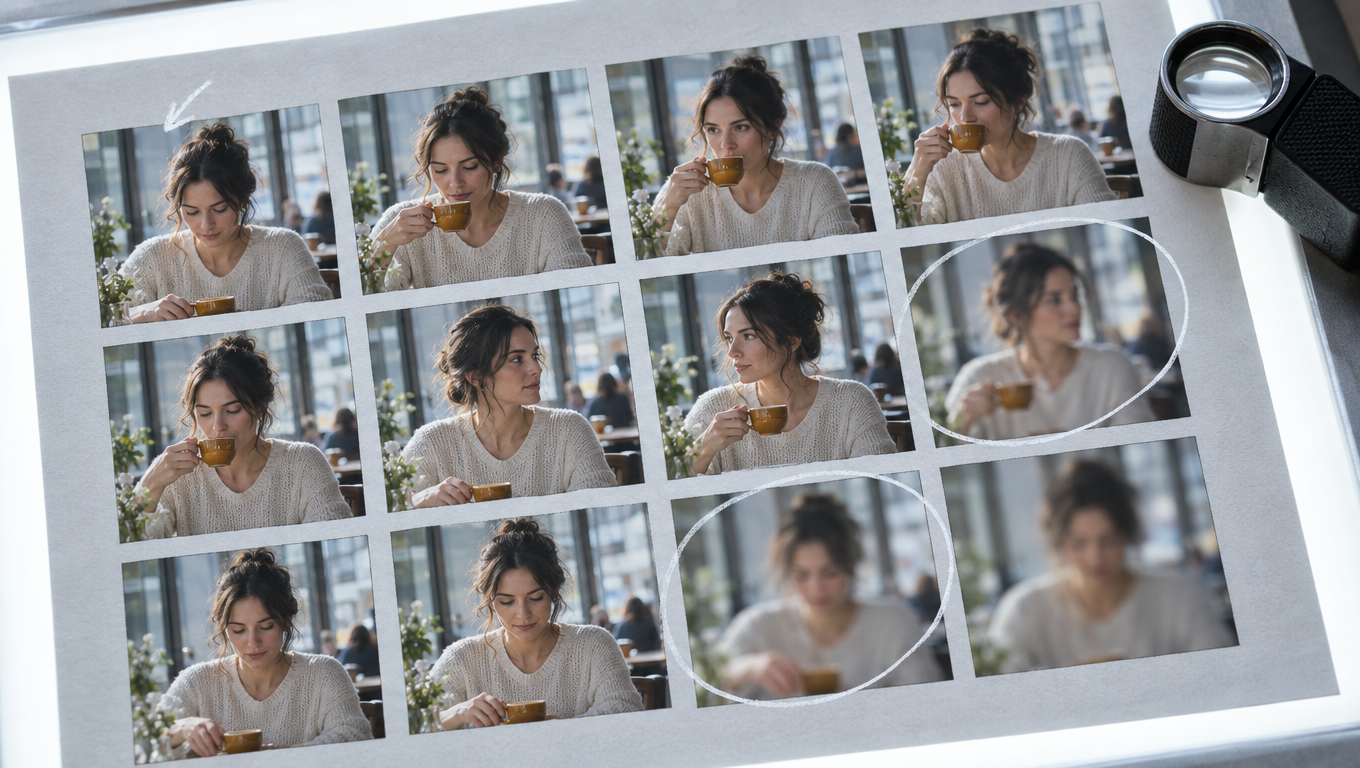
Mark the first frame where a clip breaks; that frame tells you whether to change the prompt, the start image or the length.
Identity drift
Symptom. The face in the last second is a slightly different person from the first frame. Jawline, eye shape or hairline shift gradually, often after a head turn.
Fixes.
- Remove appearance words from the prompt. Describing the person invites the model to redraw them.
- Add an explicit constraint: "Keep her face identical to the first frame."
- Shorten the clip. Drift accumulates with time; two 8-second clips cut together often beat one 16-second clip.
- Supply an end frame of the same person. With both ends pinned, the model has far less room to wander.
- Reduce head rotation. A turn beyond about 45 degrees forces the model to invent the unseen side of the face.
- Move up a tier. On hard shots Seedance 2.5 holds identity better than the budget models.
Warping hands and objects
Symptom. Fingers merge, multiply or bend impossibly; a cup melts into a hand; jewelry changes shape.
Fixes.
- Fix the start frame first. Hands that are partly hidden, overlapping or at the frame edge are the usual cause.
- Give hands one simple job: "lifts the cup and takes one sip", not "gestures while talking and adjusting her hair".
- On Kling 3.0, add a negative prompt: "extra fingers, fused fingers, deformed hands".
- Slow the action. Fast hand movement is where motion blur and warping start.
- Crop hands out of the start frame if they do not need to be in the shot.
Over-motion
Symptom. Everything moves at once: the camera swoops, the subject dances when you asked for a smile, the background ripples. The clip looks like an AI demo rather than footage.
Fixes.
- Use one camera instruction, or "static camera".
- Add quantities: "slowly", "once", "slightly", "a quarter turn".
- State what stays still: "everything else remains still".
- Match length to action. A single smile does not need 10 seconds; the model fills extra time with extra motion. Use 4 to 5 seconds.
- Turn off prompt expansion where it exists. On MakeInfluencer.ai it is off by default for Wan 3.0 so your prompt is not rewritten into something busier.
Frozen or near-static output
Symptom. The opposite problem: the clip is a still with a slight zoom.
Fixes. Give a concrete action verb and a secondary motion source ("steam rises", "hair moves in the wind"). Avoid prompts that are only constraints. If a model consistently freezes a particular image, try another model; some stills (flat graphics, very tight crops) simply give the model nothing to move.
Label and text damage
Symptom. A product label blurs, letters swap, logos smear during rotation.
Fixes. Keep rotation small, keep the label facing camera in both start and end frames, use 4 to 6 second clips, and render the final at 1080p. If a clip is otherwise perfect but the label wobbles, it is often faster to composite the original label back in during editing than to regenerate.
Audio that does not fit
Symptom. Native audio adds music, crowd noise or speech you did not want.
Fixes. Describe the sound you want in the prompt ("quiet room tone, a single cup set down on the table"), or turn audio off on models that allow it (Seedance 2.5, Wan 3.0, Wan 2.6 Flash, Kling 3.0, Veo 3.1 Fast) and add sound in the edit. Gemini Omni 1.1 Flash always generates audio.
Run a one-afternoon test before you commit
Rankings are a starting point. Your stills, your subject and your platform decide the winner. This test takes about two hours and a few dollars.
- Choose three stills that represent your real work: one person, one product, one wide scene. Crop each to your publishing aspect ratio.
- Write one motion prompt per still using the four-part structure above.
- Run each still through three models at 720p and 5 seconds: one budget (Wan 2.6 Flash or Wan 3.0), one mid (Seedance 2.5 Turbo or Kling 3.0 Standard) and one premium (Seedance 2.5 or Veo 3.1 Fast). Run the budget tier in the image to video studio first; it is the cheapest way to compare motion.
- Score each clip on three lines: identity hold (does the last frame match the first?), motion quality (hands, fabric, camera) and usability (would you publish it?).
- Divide the cost by the number of usable clips. A model that costs twice as much but is usable twice as often costs the same per publishable clip.
- Rerun the best prompt once more on the winning model. Consistency across runs matters more than one lucky render.
On MakeInfluencer.ai the whole test runs in one place: the AI video generator exposes every model in this guide, shows the credit cost before each render, and keeps your prompts in history. Developers can run the same comparison through the API, where each model is one POST request; the image to video API guide walks through it.
Frequently asked questions
What is the best image to video AI in 2026?
For overall quality and control, ByteDance Seedance 2.5: 4 to 30 seconds, up to 4K, native audio and start and end frames. For most day-to-day work, Seedance 2.5 Turbo gives similar results at 720p or 1080p for $0.20 to $0.22 per second. For the best price per second with audio, Alibaba Wan 3.0 at $0.10 per second at 720p.
What is the best free image to video AI?
MakeInfluencer.ai does not offer free video; its studio runs on credits, and the cheapest draft is Alibaba Wan 2.6 Flash at $0.025 per second at 720p silent. You can draft the start frame free with our AI image generator, which needs no account. Among apps, Runway's free plan includes 125 one-time credits, and Kling's app offers daily free credits with watermarked output (both verified September 2026).
Can I animate a photo of a real person?
Technically yes, and most tools will do it. Whether you should depends on consent and the platform's rules. Only animate photos of people who have agreed to it, never present synthetic footage of a real person as genuine, and follow the disclosure rules of the platform where you publish. Our studio also moderates uploads and rejects images it cannot animate.
Which image to video AI keeps the face most consistent?
Seedance 2.5 generally holds identity best over long clips, followed by Kling 3.0 on short directed shots. Whatever the model, identity hold improves most when you stop describing the person in the prompt, keep clips short and pin an end frame.
How long can an image to video clip be?
Seedance 2.5, Seedance 2.5 Turbo and Wan 3.0 reach 30 seconds in one generation. Kling 3.0 and Wan 2.6 Flash reach 15 seconds, Gemini Omni 1.1 Flash 10 seconds and Veo 3.1 Fast 8 seconds. Seedance 2.5 Video Extend can continue a clip beyond one generation.
How much does image to video AI cost?
At provider list prices, a 5-second 720p clip ranges from $0.125 (Wan 2.6 Flash, silent) through $0.42 (Kling 3.0 Standard, silent), $0.50 (Wan 3.0 with audio) and $1.00 (Seedance 2.5 Turbo) to $1.80 (Seedance 2.5). The full table is in the AI video model pricing guide.
Is Sora 2 still an option for image to video?
No. OpenAI retired the Sora Videos API on 24 September 2026. Use Seedance 2.5, Veo 3.1 Fast or Wan 3.0 instead.
What is the difference between image to video and text to video?
Text-to-video invents the whole scene from words. Image-to-video starts from your picture, so you control the subject, composition and lighting exactly, and the model only adds motion. That is why image-to-video is the standard workflow for consistent characters and products: lock the look in a still, then animate it.
Do I need an end frame?
No, but it is the most reliable control you have. An end frame turns generation into interpolation between two known images, which reduces drift, stops over-motion and makes loops possible. Seedance 2.5, Kling 3.0, Wan 3.0, Veo 3.1 Fast and Gemini Omni 1.1 Flash all accept one; Wan 2.6 Flash does not.
Which aspect ratio should I use?
Use the ratio you will publish in and crop the start frame to it before animating: 9:16 for TikTok, Reels and Shorts, 16:9 for YouTube and web, 1:1 for feeds. Veo 3.1 Fast and Gemini Omni 1.1 Flash offer 16:9 and 9:16 only.
The bottom line
The best image to video AI for most people in 2026 is not one model but a two-step habit: test cheaply, then render once on the model that fits the shot. Draft the still with the free AI image generator, check that it animates with a cheap Wan 2.6 Flash clip in the image to video studio, draft on Seedance 2.5 Turbo or Wan 3.0, and save standard Seedance 2.5 or Veo 3.1 Fast for the clips that carry the piece. Current plans are on the pricing page, and every model's per-second rate is in the pricing guide. Questions about a specific workflow can go to [email protected].
Model capabilities and provider list prices were read from MakeInfluencer.ai's model registry and pricing manifest on 29 September 2026 (Kling 3.0 and Veo 3.1 Fast prices last verified 21 May 2026). Runway, Luma and Pika plans were read from each vendor's public pricing page and are marked verified September 2026. Kling app, Hailuo and Google figures that could not be confirmed on a vendor page are stated as unconfirmed. This guide is not affiliated with ByteDance, Kuaishou, Alibaba, Google, Runway, Luma AI, Pika or MiniMax.